Bandwidth Usage Calculator
Estimate how many gigabytes of internet data your household uses each month from streaming, video calls, gaming, music, browsing, and downloads, then compare it against your data cap.
📌Real Usage Presets
📝Your Monthly Activities
Scales streaming, calls, gaming, music, and browsing.
Zoom, Teams, or FaceTime at ~1.5 GB/hr.
Live play is light; big downloads go below.
Game installs, OS and app updates, large files.
Enter 0 or use Unlimited if you have no cap.
Adds headroom for background sync and ads.
🔢Data Rate Snapshot
📊Data Rate By Activity
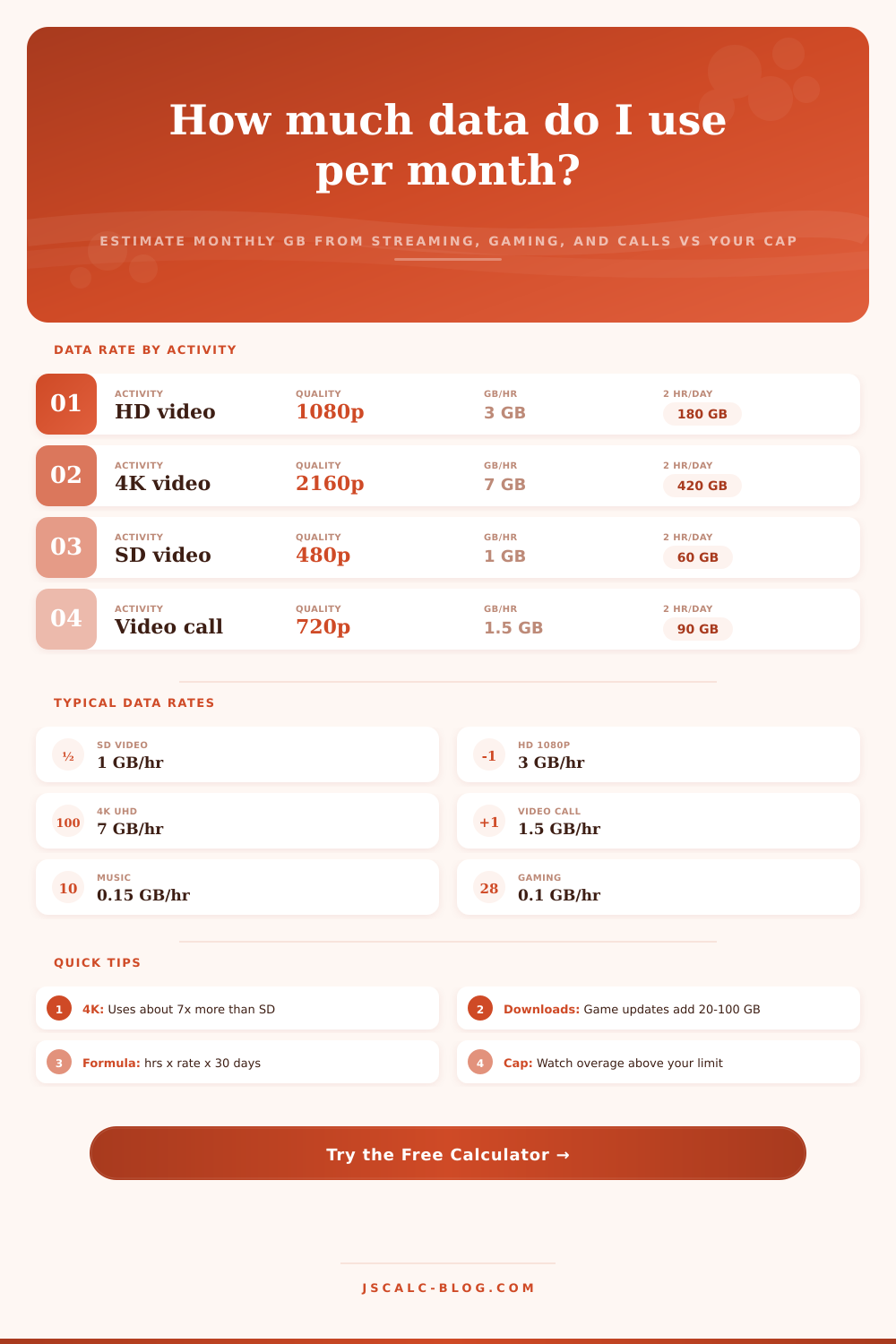
| Activity | Typical Rate (GB/hr) | Notes | 1 hr/day × 30 |
|---|---|---|---|
| SD video 480p | 1.0 | Older shows, low data mode | 30 GB |
| HD video 1080p | 3.0 | Most default streaming | 90 GB |
| 4K video 2160p | 7.0 | UHD movies and TV | 210 GB |
| Video call | 1.5 | Group calls run higher | 45 GB |
| Online gaming | 0.1 | Live play only, no downloads | 3 GB |
| Music streaming | 0.15 | High quality audio | 4.5 GB |
| Web & social | 0.15 | Feeds with autoplay video | 4.5 GB |
| Basic browsing | 0.06 | Text pages and email | 1.8 GB |
🗂Streaming Quality By Hours (GB per Month)
| Quality | GB/hr | 1 hr/day | 2 hr/day | 4 hr/day | 6 hr/day |
|---|---|---|---|---|---|
| SD 480p | 1.0 | 30 GB | 60 GB | 120 GB | 180 GB |
| HD 720p | 2.0 | 60 GB | 120 GB | 240 GB | 360 GB |
| HD 1080p | 3.0 | 90 GB | 180 GB | 360 GB | 540 GB |
| 4K 2160p | 7.0 | 210 GB | 420 GB | 840 GB | 1260 GB |
📈Monthly Usage Tiers
| Tier | Monthly Range | Typical Household | Fits Cap |
|---|---|---|---|
| Very light | Under 50 GB | Email, web, some music | Any plan |
| Light | 50 – 150 GB | Some HD streaming, calls | 100 – 250 GB |
| Moderate | 150 – 350 GB | Daily HD, gaming, calls | 350 GB plus |
| Heavy | 350 – 700 GB | Cord cutters, 4K some | 1 TB (1024 GB) |
| Very heavy | 700 – 1200 GB | 4K household, downloads | 1 TB tight or 1.2 TB |
| Extreme | Over 1200 GB | Many 4K users, big files | Unlimited plan |
📡Common Data Caps
| Cap Label | Cap in GB | Best Suited For | Overage Risk |
|---|---|---|---|
| 100 GB plan | 100 | Light single user | High if streaming HD |
| 250 GB plan | 250 | Couple, mostly HD | Medium with 4K |
| 500 GB plan | 500 | Small family, some 4K | Medium heavy months |
| 1 TB plan | 1024 | Typical family cap | Low to medium |
| 1.2 TB plan | 1229 | Heavy household | Low |
| Unlimited | No cap | Very heavy 4K homes | None |
⚙How The Estimate Is Built
📋Reference Values
| Item | Common Entry | How It Is Used | Effect On Total |
|---|---|---|---|
| Streaming hours | 2 to 6 hr/day | Hours × quality rate × 30 | Largest driver for most homes |
| Quality | SD, HD, or 4K | Sets 1, 3, or 7 GB/hr | 4K is about 7× SD data |
| Video calls | 0 to 4 hr/day | Hours × 1.5 GB/hr × 30 | Adds up for remote work |
| Downloads | 10 to 100 GB | Added once per month | Spikes usage in update months |
| People | 1 to 6 | Multiplies per-hour activities | Doubling people roughly doubles use |
💡Practical Data Usage Tips
Speed isn’t the only factor in your internet bill. There’s also data. You don’t pay for that, but you will if you run out or your connection gets throttled at peak times.
Most home internet users think they can ignore their data usage because of those blazing fast gigabit speeds. Then someone downloads a big game update while someone else start streaming a 4K movie. Suddenly, that little cap seem quite tight.
Understanding Your Internet Data Usage
Capacity vs. Bandwidth: Many people confuse bandwidth with capacity. Capacity is how much data pass through the pipe within a given period. Bandwidth is width of the pipe itself. Even with a wide pipe, you could still exceed your data allotment if everyone spends hours streaming on the network.
Video consumption dominate home use. A standard def stream consumes about a gigabyte per hour. High definition triples that at three gigs. Then ultra-high definition 4K jumps to seven gigabytes per hour. That’s an exponential ramp-up in resource consumption, rather than a linear one.
After a month, you’ve streamed two hours of 4K content each night, which is around four hundred and twenty gigabytes. And that’s without opening a single email. That’s before gaming downloads huge files, your smartphone automatically syncs in the background, or your smart TV is downloading all those pesky updates.
The calculator breaks out your usage by activity type (instead of giving you a vague total), making it easier to visualize the impact while getting you to think about more than simply how much time you spend connected and what quality settings you’re using.
Video calling is bandwidth-hungry, and many users don’t understand this. While it doesn’t eat as much data as watching video, it still add tens of gigabytes onto your bill if you’re doing a bunch of remote work meetings during the day. And group calls demand extra download and upload headroom, as they has to process all those video feeds on the fly. When you’ve got other folks in the house streaming something, you’ll face network competition. You may be forced to choose between a buffered Netflix video or a laggy Zoom call.
On that page, it’s laid out simply in a reference table that compares how many gigabytes of data each activity use per hour. This shows that playing games online in real time doesn’t actualy use much live play data. Those packets is small. But the actual download for those games is huge; anywhere between 50 and 100 gigabytes per game at launch.
That makes a difference when you plan things out. As long as you’re only updating a single big game each billing cycle, you can go wild with your gaming.
The second point where people get tripped up: How many devices are we talking about? If it’s just one person at home, they won’t reach the same ceiling as a house full of peoples with multiple device all turned on at once. That’s why the tool lets you scale your estimates based off how many devices (or even active users) you have.
And then it lets you tack on a bit of a safety buffer if you want in case there are some background processes running that you don’t realize (e.g. These include software patches and cloud backups. It’s about knowing what consumes the most bandwidth for you. Not rationing it.
For example, most people won’t notice the difference between watching TV shows in HD vs 4K. But switching resolutions will saved you hundreds of gigabytes per month. Knowing this means that you can pick an internet plan that matches your needs, instead of crossing your fingers hoping you don’t go over a limit you didn’t even know you had.
You should of checked sooner.