PSU Headroom Calculator
Check how much margin your power supply has by comparing its rated wattage to your real system load. See headroom in watts and percent, current utilization against the 50% efficiency sweet spot, and a verdict on whether the unit is undersized, ideal, or oversized, with room to model a future GPU or CPU upgrade before you buy.
⚡Choose a Mode
🎯Real Build Presets
🔌Power Supply and Load Inputs
Continuous wattage printed on the PSU label.
Sustained wall-power draw of the whole PC under load.
Extra watts a planned GPU or CPU would add.
Sweet spot is around 50% for peak efficiency.
Optional pad to model wall draw above DC load.
Controls decimals on watt and percent cards.
🔢Formula Snapshot
📊Utilization Band Recommendations
| Utilization Band | Rating | Efficiency | Thermals | Verdict | Action |
|---|---|---|---|---|---|
| Below 20% | Wastefully oversized | Slightly low | Very cool | Oversized | Save cash next build |
| 20% to 40% | Comfortable | Good | Cool, fan often off | Roomy | Great for upgrades |
| 40% to 60% | Ideal efficiency | Peak | Cool and quiet | Ideal | Keep this build |
| 60% to 70% | Efficient | Very good | Warm | Solid | Fine long term |
| 70% to 80% | Acceptable | Good | Warmer, louder | Acceptable | Watch transients |
| 80% to 90% | Tight | Dropping | Hot, fan ramps | Tight | Plan a bigger PSU |
| Above 90% | Risky | Falling fast | Very hot | Risky | Upgrade PSU soon |
📋PSU Rating and Load to Utilization
| PSU Rating | System Load | Headroom (W) | Utilization |
|---|---|---|---|
| 450 W | 90 W | 360 W | 20% oversized |
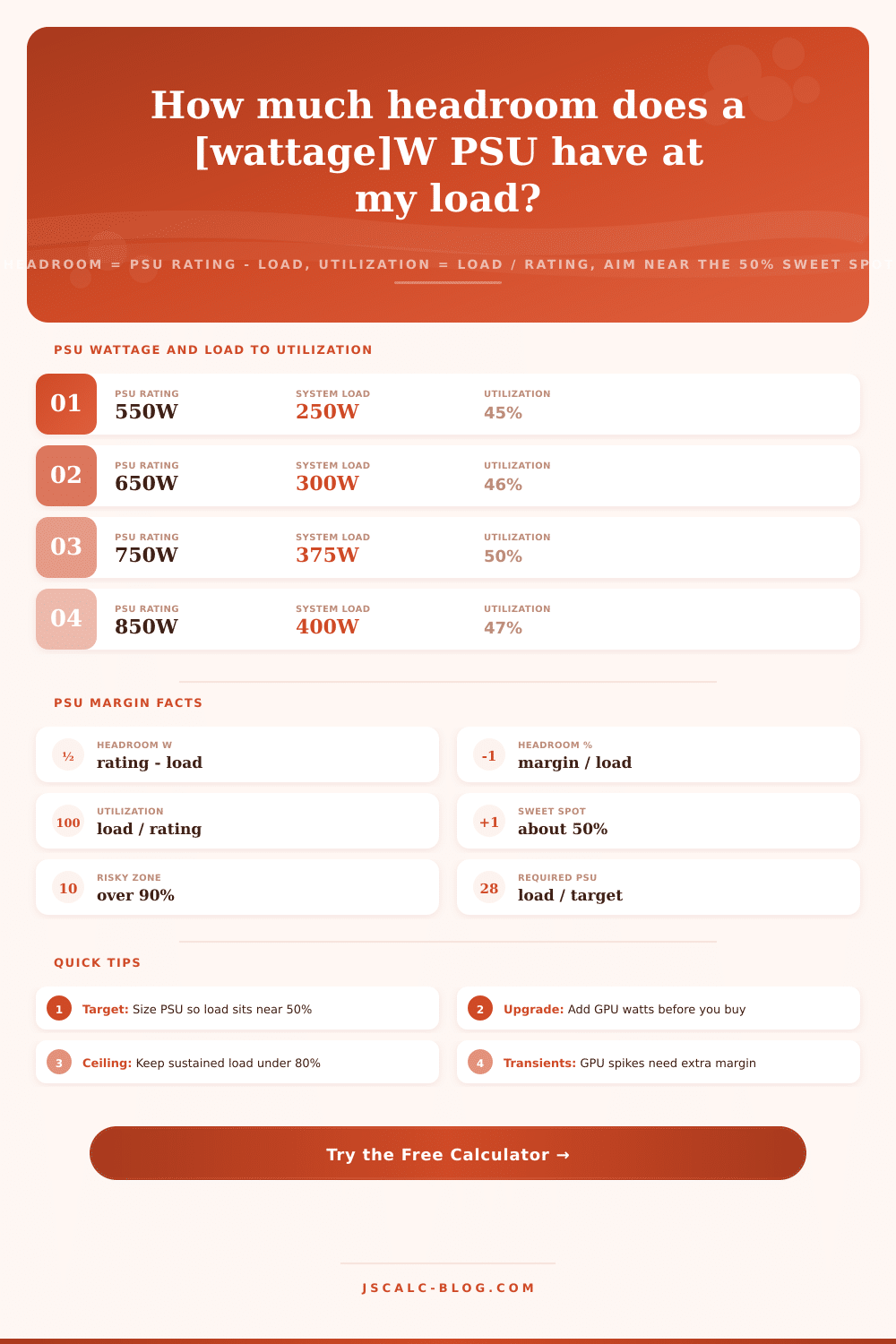
| 550 W | 250 W | 300 W | 45% ideal |
| 650 W | 300 W | 350 W | 46% ideal |
| 750 W | 375 W | 375 W | 50% ideal |
| 850 W | 525 W | 325 W | 62% solid |
| 750 W | 525 W | 225 W | 70% acceptable |
| 600 W | 480 W | 120 W | 80% tight |
| 500 W | 475 W | 25 W | 95% risky |
💻Typical System Load by Build Type
| Build Type | Idle Load | Full Load | Suggested PSU |
|---|---|---|---|
| Office / HTPC | 35 W | 90 W | 350 to 450 W |
| Entry gaming | 55 W | 250 W | 500 to 550 W |
| Mid gaming | 70 W | 350 W | 650 to 750 W |
| High-end gaming | 90 W | 450 W | 750 to 850 W |
| Enthusiast OC | 110 W | 550 W | 850 to 1000 W |
| Content creator | 95 W | 500 W | 850 to 1000 W |
| Dual GPU / HEDT | 140 W | 750 W | 1200 to 1500 W |
📏Required PSU at Common Target Utilizations
| System Load | Target 40% | Target 50% | Target 60% |
|---|---|---|---|
| 250 W | 625 W | 500 W | 417 W |
| 300 W | 750 W | 600 W | 500 W |
| 350 W | 875 W | 700 W | 583 W |
| 400 W | 1000 W | 800 W | 667 W |
| 500 W | 1250 W | 1000 W | 833 W |
| 600 W | 1500 W | 1200 W | 1000 W |
⚙Formula Breakdown
💡Sizing and Safety Tips
A simple component wattage estimator can’t answer the question, but a power supply headroom calculator does. It doesn’t tell you how many watts your processor and graphics card adds up to. It doesn’t. It will tell you what your exact power supply really has for headroom in the form of breathing room. When your machine is working hard, there is measurable real-world load and a fixed rated wattage printed on label. The gap between these two are your headroom, and the ratio is your utilization.
Knowing both is the difference between a cool, quiet, efficient machine and one that runs hot, wastes money, or even trips its own protection circuits. That’s it, headroom is just plain subtraction: Rating minus load. So if you’ve got an 850 watt power supply and your system draws only 450 watts under full load, you’ve got 400 watts of headroom. That extra capacity will absorbs sudden spikes and also allow you to add a hungrier graphics card down the road without breaking a sweat.
What Is Power Supply Headroom?
Use is the same relationship expressed as a percentage, i.e., load divided by rating (in this example 450 divided by 850 = ~53%). Headroom tells you how many watts you can still add, while utilization tells you how hard you’re pushing that supply right now. This tool reports both in one place. You’ll never have to guess whether that comfortable looking watt figure represent a comfortable percentage.
Also, not all power supplies are created equal: Most (even those marked as 80 Plus) operate at maximum efficiency around half load, and do not scale linearly. So even if your system draws only 300 watts, it may pair best with a 600 to 650 watt supply. A 400 watt supply would be operating near full tilt, while a 1200 watt supply would be loafing along well below 25%.
Operating at roughly 50% load keeps the power supplys internal temperature down, minimizes conversion losses, and allows the fan to idle in zero or silent RPM mode on many units. The calculator flags a verdict of ideal whenever utilization lands in the 40 to 60% band and warns you when you drift toward the extremes.
There are four result cards for each calculation. These include spare watts beyond your load (headroom card) and that same margin expressed as a percent of load (headroom percent card). There is also load as a percent of the rating (utilization card), which is the one you want to watch most for thermal and efficiency judgments. Finally, there is a verdict card translating that utilization into an easy-to-understand label. It calls anything under 20% oversized, anything over 90% potentially risky, and offers a breakdown panel below with actual numbers plugged into all equations.
That’s where the calculator comes in: It takes what you want your load to be and/or what PSU you’re thinking about/already have and will spit back how much utilization and headroom there is. Or you can turn it around (as I mentioned above), you can say “I’d like my load to be this” and “at this much use” and it’ll give you the wattage PSU you need to achieve that amount. The required wattage is the load divided by the target fraction. So if your load is 300 watts and you want to aim for 50% use, you’d require a 600 watt PSU. Easy peasy.
And it means you don’t buy blind, you can shop for a PSU based off a deliberate efficiency point instead of just buying whatever wattage comes to mind. The future upgrade field lets you add the extra watts an overclock or future graphics card would pull before the math runs. This makes the total load your current draw plus that addition, giving you headroom for the upgrade you haven’t made yet.
Throw a more powerful 150 watt GPU into a 300 watt system and the tool immediately re-evaluates against a 450 watt load, showing at once whether your existing PSU remains within a safe band or whether the upgrade pushes utilization into risky territory. That’s the upgrade path view that distinguishes margin analysis from a one-time wattage sum.
Newer top-end graphics cards has very high performance, but they also occasionally peak well beyond their average draw. They can draw as much as 1.5 to 2 times their average draw in very brief periods lasting just milliseconds. If your power supply is already running close to max capacity, that occasional spike will trip the over-current protection and kill your system. Even though it might be averaging 250 watts, it may request 400 watts or more for a fraction of a second.
And that’s why pure-average size is a landmine: you want to keep your sustained draw below ~80%, plus another margin of maybe 100-150 watts for the occasional burst. A note on the spikes: Modern high-performance graphics cards are capable of pulling hard bursts far higher then their sustained rate sometimes for a few milliseconds at a time. For example, a card pulling 250 watts average might ask for 400 watts or more momentarily, which could cause the over-current protection to kick-in and turn off the system if the supply is already running close to full.
This is why pure-average sizing is a landmine; you’ll want to make sure the build leaves some headroom, and keep it below ~80% sustained draw, with a little more wiggle room for the occasional burst. It is a three-sided verdict by design. If there is one single issue that needs fixing first, it is a tight or undersized PSU operating well over 80%. Ideally, it should be under 50%, but definitely not over 90% as PSU efficiency drops and heat creeps up.
You don’t want an oversize PSU running below 20%, because that means paying for capacity you’re unlikely to ever need, plus it might run at the bottom of the curve if lightly loaded, not good. Instead, aim for the in-between, and just enough excess for upgrades and occasional spikes. That’s the sweet spot, so begin with a preset roughly matching your setup, then fine tune inputs based on your components.
Monitor the usage card, which should stabilize somewhere close to that 50% sweet spot. Read the verdict. Then dig into the breakdown. Size by utilization and headroom to find a machine that runs cool. It is quiet. It is efficient. It stays safely away from its own limits.
You’ll want to make sure you recieve all data correctly before deciding. That should of been mentioned earlier. Most modern components feels better when they have room.