Pixel Density (PPI) Calculator
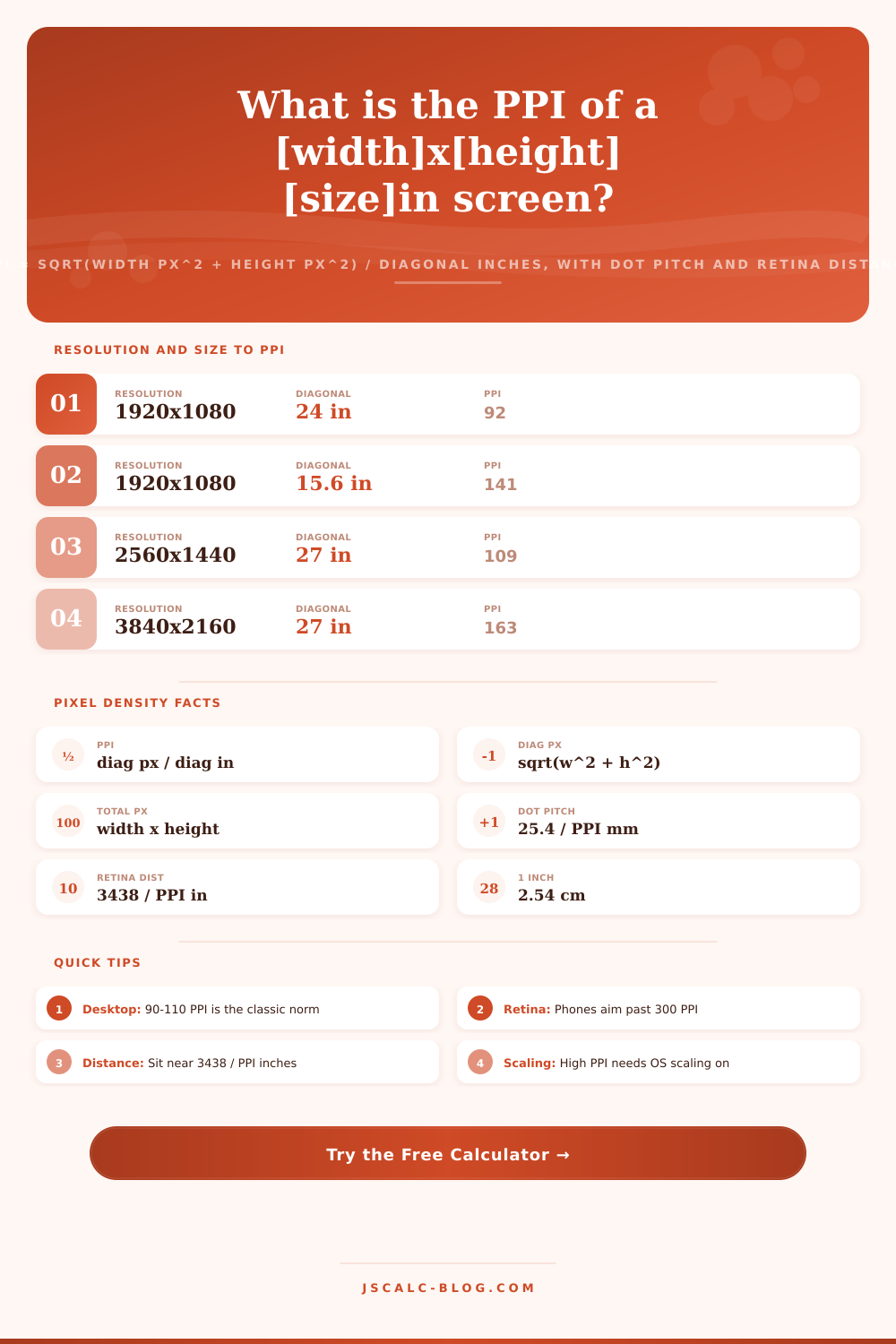
Enter a screen resolution and diagonal size to find pixel density as PPI = square root of (width px squared plus height px squared) divided by the diagonal in inches. The tool also reports total megapixels, dot pitch in millimeters, and the retina viewing distance where individual pixels blend together.
🎯Real Device Presets
📝Screen Inputs
Number of pixels across the width of the panel.
Number of pixels down the height of the panel.
Corner-to-corner size, as quoted on the spec sheet.
PPI is per inch; cm is converted at 2.54 cm per inch.
Fills vertical px from your width and a chosen ratio.
How far your eyes sit; used for the retina check.
Controls rounding on every result card.
Choose how the total pixel card is shown.
🔢Formula Snapshot
📊Common Device Pixel Density
| Device | Resolution | Diagonal | PPI |
|---|---|---|---|
| iPhone 15 Pro | 2556 x 1179 | 6.1 in | 461 |
| iPad Pro 13 | 2752 x 2064 | 13.0 in | 264 |
| MacBook Pro 16 | 3456 x 2234 | 16.2 in | 254 |
| iMac 27 5K | 5120 x 2880 | 27.0 in | 218 |
| Laptop 15.6 FHD | 1920 x 1080 | 15.6 in | 141 |
| 27 in 4K monitor | 3840 x 2160 | 27.0 in | 163 |
| 27 in 1440p | 2560 x 1440 | 27.0 in | 109 |
| 24 in 1080p | 1920 x 1080 | 24.0 in | 92 |
| 55 in 4K TV | 3840 x 2160 | 55.0 in | 80 |
📏PPI Sharpness Bands
| PPI Range | Class | Typical Use | Look |
|---|---|---|---|
| Under 120 | Low | Large TVs, budget monitors | Pixels visible up close |
| 120 - 160 | Standard | Office monitors, FHD laptops | Crisp at arm's length |
| 160 - 240 | High | 4K desktops, premium laptops | Text edges very smooth |
| 240 - 320 | Very high | Tablets, Retina laptops | Pixels hard to see |
| Over 320 | Retina class | Modern smartphones | Pixels invisible in hand |
🖥Resolution and Size to PPI Grid
| Resolution | Total MP | 21.5 in | 24 in | 27 in | 32 in | 34 in |
|---|---|---|---|---|---|---|
| 1366 x 768 (HD) | 1.05 | 73 | 65 | 58 | 49 | 46 |
| 1600 x 900 (HD+) | 1.44 | 85 | 77 | 68 | 57 | 54 |
| 1920 x 1080 (FHD) | 2.07 | 103 | 92 | 82 | 69 | 65 |
| 2560 x 1080 (UWFHD) | 2.76 | 129 | 116 | 103 | 87 | 82 |
| 2560 x 1440 (QHD) | 3.69 | 137 | 122 | 109 | 92 | 86 |
| 3440 x 1440 (UWQHD) | 4.95 | 174 | 155 | 138 | 117 | 110 |
| 3840 x 2160 (4K UHD) | 8.29 | 205 | 184 | 163 | 138 | 130 |
| 5120 x 2880 (5K) | 14.75 | 273 | 245 | 218 | 184 | 173 |
| 7680 x 4320 (8K UHD) | 33.18 | 410 | 367 | 326 | 275 | 259 |
📐PPI to Dot Pitch and Retina Distance
| PPI | Dot Pitch (mm) | Retina Distance (in) | Retina Distance (cm) |
|---|---|---|---|
| 80 | 0.318 | 43.0 | 109.2 |
| 92 | 0.276 | 37.4 | 95.0 |
| 109 | 0.233 | 31.5 | 80.1 |
| 141 | 0.180 | 24.4 | 61.9 |
| 163 | 0.156 | 21.1 | 53.6 |
| 218 | 0.117 | 15.8 | 40.1 |
| 264 | 0.096 | 13.0 | 33.1 |
| 326 | 0.078 | 10.5 | 26.8 |
| 461 | 0.055 | 7.5 | 18.9 |
⚙Formula Breakdown
💡Pixel Density Tips
When you judge whether a screen is high-resolution or actualy sharp, the relevant number is pixel density. When marketing materials tout 4K or QHD, they’re touting numbers that sound good. 3840 x 2160 sounds like a powerful panel, until you discover it measures fifty-five inches. Pixels that big are easy to spot from the couch, even though they technically has very high resolution. The resulting picture is soft despite its high resolution tag.
How many dots there are isn’t as important than how closely-packed those dots are compared to the actual size of the display. That’s where pixel density, or PPI, comes in. Instead of just counting the total number of pixels, PPI describes how clear the screen actually look to your eyes at a certain distance. This is where the math come into play.
What Is Pixel Density?
You use the Pythagorean theorem to calculate the diagonal length of the image in pixels. That’s combining both the vertical and horizontal resolutions into a single number to represent the amount of detail from corner to corner. Then you take that total number of pixels on the diagonal and divide it by physical diagonal size of the panel in inches. Your answer is PPI. So for example a standard twenty-seven inch monitor at twenty-five sixty-by-fourteen forty have about one-hundred nine PPI.
Why do two monitors of the same resolution appear differently? Because as you increase the size of the screen, all of those fixed pixels stretch further apart lowering their density. It is simple math, but it tells you how it will be view. This makes sense when considering dot pitch. Pixel density is basically the opposite of dot pitch.
Dot pitch describes, in millimeters, the physical distance from the center of one pixel to the next. You divide 25.4 (the number of millimeters in an inch) by your PPI rating to get the dot pitch. For instance, if you have a display with a PPI rating of one hundred nine, each pixel is approximately zero point two three three millimeters across. That’s pretty small!
In contrast, a moddern smartphone with more than four hundred fifty PPI has pixels that are only about zero point zero five five millimeters. The lower the dot pitch, the smaller and therefore more finely detailed the pixels will be; giving you smoothness in diagonal lines as well as text. If you need to read very tiny font sizes or see if you can spot the spaces between pixels, keep dot pitch in mind. It measures how much your hardware limit you.
As it happens, these numbers is most useful for calculating the retina viewing distance. There is an optimum range where you cannot tell that any given pixel exists because there would be no need to draw them individually. Human eyes only have so much resolution. In other words, at some point each pixel covers one arcminute of your visual field, and you can’t distinguish between two pixels once they get too close. That number, again, rounded up to the nearest inch. Is equal to three thousand four hundred thirty-eight divided by your PPI rating.
That means if you have a monitor rated at one hundred nine PPI, you won’t be able to see separate pixels after about thirty-one and a half inches of viewing distance. You’ll start to see some hint of pixels if you position yourself closer than that but anything farther away will look completely smooth. The calculator above do the work for those numbers.
You can use it to calculate minimum or maximum viewing distance for a certain screen that matches what you’re comfortabley with visually. What was once a vague number becomes something you decide based off your own eyesight. These figures fall clearly into different categories (broadly: low, medium, high, very high, and very high) that put the raw numbers in context.
Low-density (anything below a hundred and twenty PPI) tends to be what you’ll find on big TVs, watched from afar. Standard (one hundred and twenty to one hundred and sixty) is the range you’d expect on most full-HD laptop or office monitors, where text is crisp enough at arm’s length. Premium notebooks and desktops with 4K screens has a high density (from one hundred and sixty to two hundred and forty), which makes the text edges look quite smooth.
Very-high-density (two hundred and forty to three hundred and twenty) is on Retina laptops and tablets, where you’re unlikely to see individual pixels unless you really squint from up close. And then retina class kicks in above three hundred and twenty PPI. That’s smartphone land today, right in your face.
These categories give you an initial sense of how crisp something might appear for your specific use case when shopping around. Most people make this costly error: They select a display based solely on resolution. What appears stunning across your living room might look coarse on your desk. What seems like a jaw-dropper in that store window will be downright coarse on your big-screen TV.
The twenty-seven-inch fourteen forty monitor is just right, it hits a comfortable density that most people find perfectly sharp. Use the three variables of PPI, megapixels, and dot pitch; then add retina distance as context. Plug them into our formula and you’ll have a fair comparison between any two display. Load your desired preset, input the monitor under consideration, read the four result cards, and review the breakdown of where each number derives before you make a purchase.
So while people chase the bigger numbers and think they’re getting more resolution, it’s really all about knowing what that number actualy means. Because ultimately, sharpness is a subjective experience, dependent entirely upon viewing distance from the display.