Photo Storage Count Calculator
See how many photos fit on a memory card, phone, or drive from your capacity, camera megapixels, and file format. The tool estimates average file size using real bytes-per-megapixel values, then reports the photo count, capacity used per 1000 shots, and how many cards or drives you need for a target photo count.
🎯Real Camera and Card Presets
📝Storage and Camera Inputs
Rated size of the card, phone, or drive.
1 TB is 1000 GB in marketed capacity.
Sensor output in MP, e.g. 24, 45, or 61.
Sets the base bytes stored per megapixel.
Scales RAW, PNG and TIFF sizes only.
Higher quality means larger lossy files.
Formatting plus free space kept for bursts.
Leave 0 to estimate; set to use a known size.
Used to size cards or drives needed.
Controls decimals on file size cards.
🔢Estimate Snapshot
📋File Size by Format at 24 MP
| Format | MB per MP | Size at 24 MP | Bit Depth |
|---|---|---|---|
| JPEG normal | 0.20 MB | ~4.8 MB | 8-bit |
| HEIC | 0.20 MB | ~4.8 MB | 8 to 10-bit |
| JPEG fine | 0.40 MB | ~9.6 MB | 8-bit |
| RAW 12-bit | 1.10 MB | ~26 MB | 12-bit |
| RAW 14-bit | 1.45 MB | ~35 MB | 14-bit |
| PNG | 2.20 MB | ~53 MB | 8 to 16-bit |
| TIFF | 3.00 MB | ~72 MB | 16-bit |
📊Photos per Card by Capacity (24 MP JPEG fine)
| Capacity | Usable ~93% | Per Photo | Photos That Fit |
|---|---|---|---|
| 16 GB | ~14.9 GB | 9.6 MB | ~1550 |
| 32 GB | ~29.8 GB | 9.6 MB | ~3100 |
| 64 GB | ~59.5 GB | 9.6 MB | ~6200 |
| 128 GB | ~119 GB | 9.6 MB | ~12400 |
| 256 GB | ~238 GB | 9.6 MB | ~24800 |
| 512 GB | ~476 GB | 9.6 MB | ~49600 |
| 1 TB | ~930 GB | 9.6 MB | ~99200 |
| 2 TB | ~1860 GB | 9.6 MB | ~198000 |
🗃Format Comparison Grid
| Format | MB / 24 MP Photo | Photos per 64 GB | Photos per 256 GB | Photos per 1 TB | Notes |
|---|---|---|---|---|---|
| JPEG normal | 4.8 MB | ~12400 | ~49600 | ~198000 | Small web files |
| HEIC | 4.8 MB | ~12400 | ~49600 | ~198000 | Half of JPEG fine |
| JPEG fine | 9.6 MB | ~6200 | ~24800 | ~99200 | Everyday shooting |
| RAW 12-bit | 26 MB | ~2280 | ~9150 | ~36600 | Editable, moderate |
| RAW 14-bit | 35 MB | ~1700 | ~6800 | ~27200 | Max tonal range |
| PNG | 53 MB | ~1120 | ~4490 | ~17900 | Lossless graphics |
| TIFF | 72 MB | ~825 | ~3300 | ~13200 | Archive masters |
📷Storage Size Reference
| Unit | Equals | In Megabytes | Note |
|---|---|---|---|
| 1 MB | 1 megabyte | 1 MB | Base file unit |
| 1 GB | 1000 MB | 1000 MB | Card marketing size |
| 1 TB | 1000 GB | 1000000 MB | Drive marketing size |
| Usable 93% | after ~7% reserve | varies | Format overhead |
| 1 MP | 1 million pixels | varies | Times MB per MP |
| 24 MP RAW | ~30 MB file | ~30 MB | 14-bit typical |
⚙Formula Breakdown
💡Photo Storage Tips
Until you run out of card space in the middle of your cousin’s wedding reception, you don’t know what to do. You’re forced to make the decision: delete some shots or watch as the couple says their I dos. Why? Because you’ve filled up your 64 GB card. That’s where photo storage calculator comes in.
Enter the file type, camera resolution and card capacity. The calculator spit back the exact number of frames that will fit on your card. It also shows how many thousands of photos will fill up your card. It doesn’t just count files; it helps you understand the impact of every pixel you save.
How to Use the Photo Storage Calculator
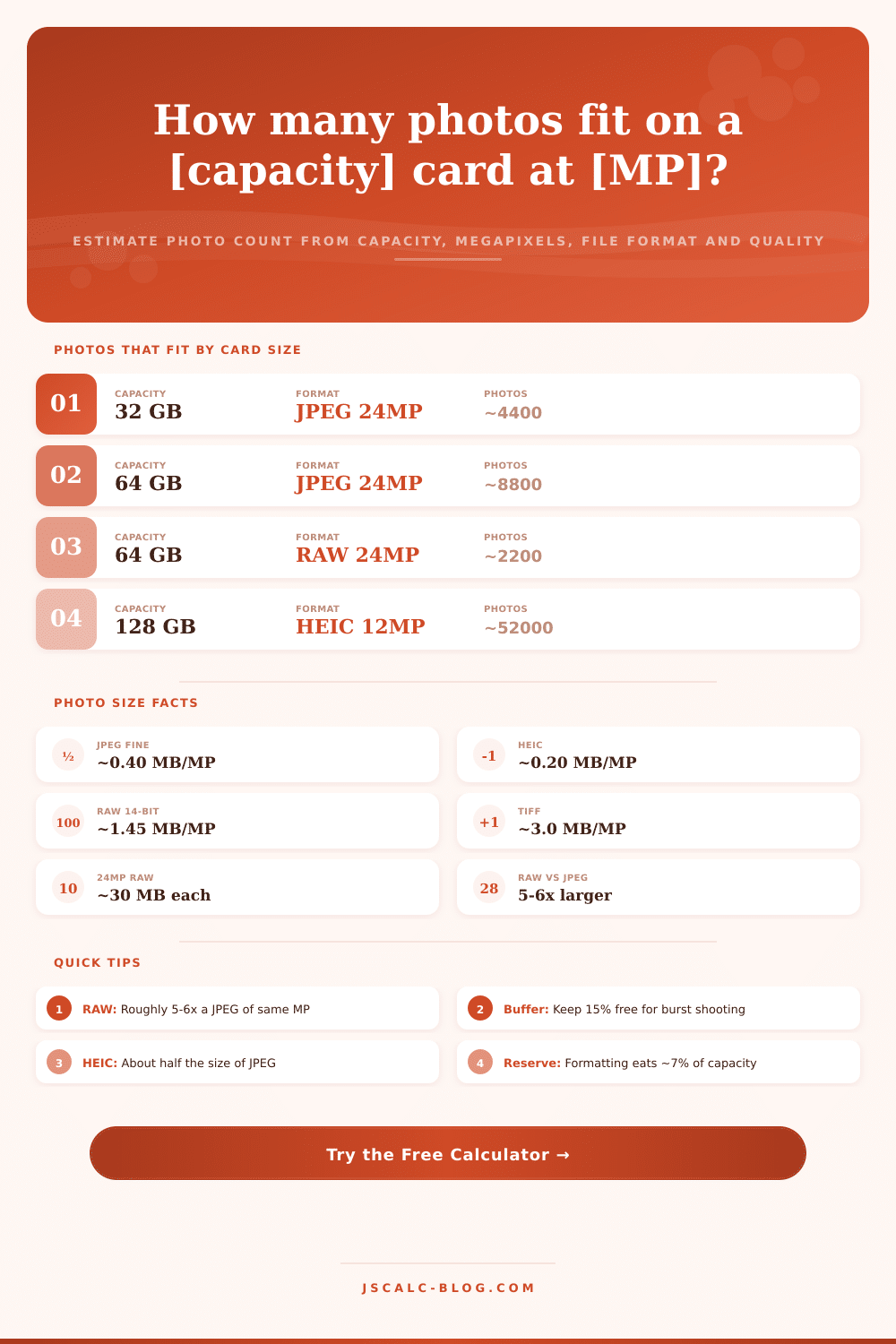
The single biggest factor affecting size is file format itself. File format determine size far more than any other variable. And the big difference here between a file format like JPEG and one like raw is that JPEG is a compressed summary of the scene storing around 0.40 MB per megapixel, while RAW files records sensor data with little compression and are much larger. So a 24 MP camera results in around 9.6 MB per shot (about). Those are fairly small files and easily thousands on a card.
Raw files store less compressed data from the sensor; in fact, raw is often five to six times as large than a jpeg. If that’s a 24 MP camera, we’re looking at 30-35 MB per 14-bit raw capture. That shift make a huge difference in how you think about storage. The calculator does the math for you. Know that it will divide down when you change file formats. This means it is saving you space by giving up some editing flexibility.
Another wrinkle are bit depth and quality settings. Shooting in 12-bit RAW instead of 14-bit reduces amount of data per pixel. It’s a smaller file, without sacrificing much image quality (except for some workflows). In lossy formats such as HEIC or even JPEG, the quality slider can be incredibly important. Cranking the quality up to 90 percent retains detail while also bloating the size. Dialing back down to 60 percent conserves space, with the risk of artifacts. Rather than having to remember how various levels of compression translate into results, the tool handles those sliders for you. It simply informs you what any given setting will cost you in terms of gigabytes.
Remember: Overhead is invisible and consumes part of your rated capacity. A card marked “64 GB” isn’t actualy giving you 64 GB of storage. At least 7 percent goes missing immediately due to formatting and file system structure, and manufacturers round up again, too. The reserve is automatically accounted for in the calculator but I suggest bumping up the figure if you’re shooting bursts. Leaving 15 or 20 percent free lets the write buffer clear rapidly while you’re on the move. Fill the card to capacity and the camera will slow down trying to find room for the next shot. Give it some room to breathe.
In fact there are four key metrics on the results panel that correspond directly to planning decisions: How many photos can I shoot before I swap cards? The headline number shows how many photos will fit. What’s my average file size? This acts as a sanity check against what has been coming out lately. How many do I get in a thousand photos? Use this to budget a day or a season of work. And the reverse question for archivists trying to backup a year’s worth of work: How many cards will I need? Will it take one drive or do I need two to hold 20,000 RAW files?
Knowing what you can fit in the camera before leaving home is reassuring. Knowing your limits before you leave home stops the panic at the critical moment. Without having to do any math, it allows you to explore scenarios with the press of a button: how many frames does 61 MP RAW on a 256 GB card get me? What if I use HEIC instead? The presets in the tool let you test scenarios quickly, comparing high-resolution RAW against compressed HEIC without doing arithmetic manually. The tool will show you this fast and allow you to make more realistic decisions about gear options.
So, to summarize: Storage isn’t simply a matter of purchasing additional cards. It’s about carefully considering the tradeoff of resolution, format, and redundancy, then letting the calculator do the arithmetic for you. You should of used it sooner. What’s important to you in the image? The tool will tell you how many bytes it’ll cost. And then you pack accordingly, so that the next great shot won’t be spoiled by a full memory card.