Optimal TV Size Calculator
Tell the tool how far your sofa or chair sits from the screen, and it recommends the best TV size (screen diagonal) for that seating distance. It uses the SMPTE 30-degree and THX 40-degree viewing-angle standards and adjusts for 1080p, 4K, or 8K resolution to give you a comfortable sweet-spot size plus an immersive upper bound.
🎭Real Room Presets
📏Seating and Screen Inputs
How far your eyes are from the TV wall.
Applies to the distance value above.
Higher resolution lets you sit closer to a bigger screen.
Drives the target horizontal viewing angle.
Used to convert screen width into a diagonal.
For context in the summary; does not change the math.
Rounds the pick to a common retail size like 55, 65, 75, 85.
Controls rounding on the diagonal figures.
🔢Sizing Snapshot
📺Distance to Recommended Size by Resolution
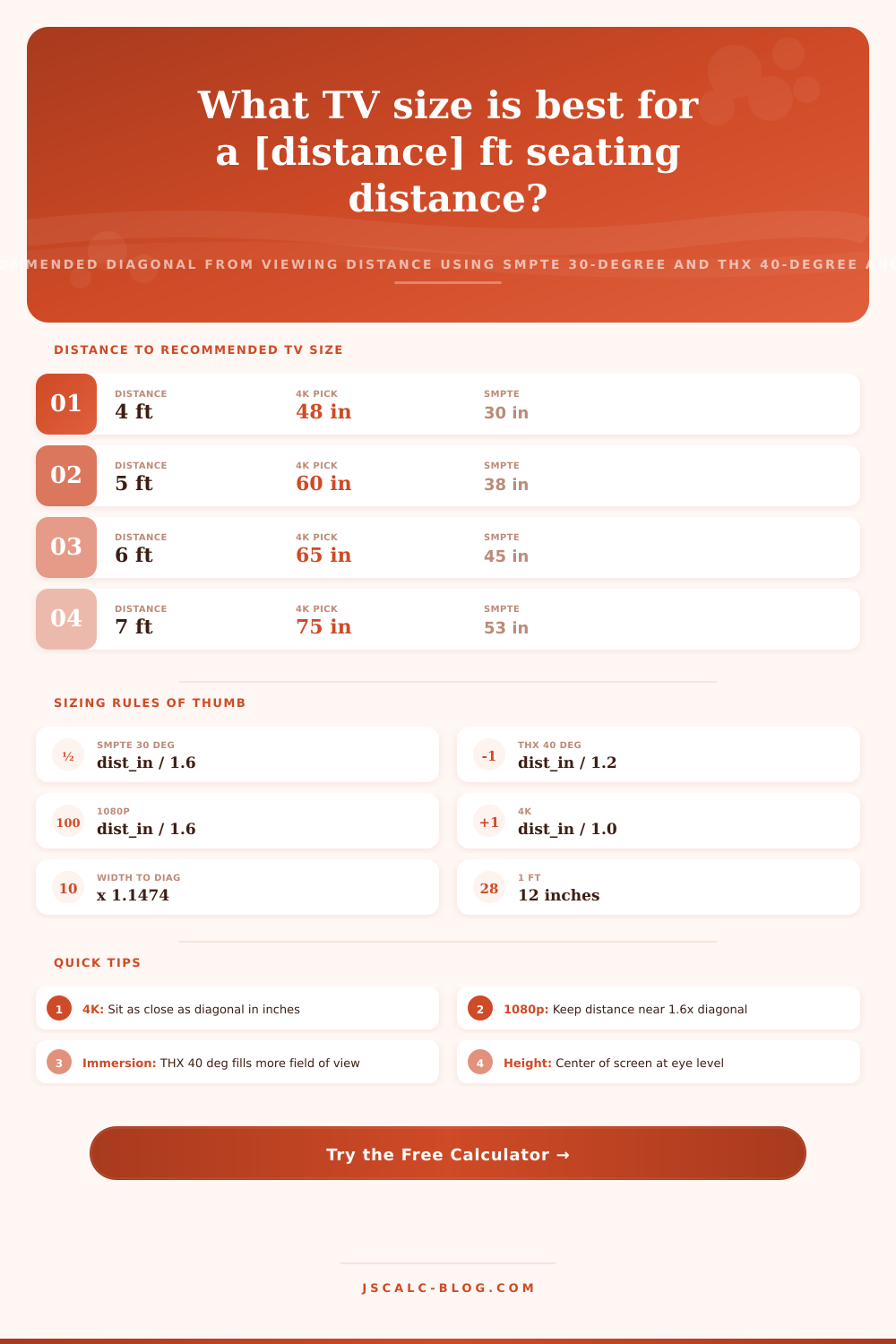
| Seating Distance | 1080p Pick | 4K Pick | 8K Pick | Best For |
|---|---|---|---|---|
| 4 ft (48 in) | 30 in | 48 in | 55 in | Desk / gaming |
| 5 ft (60 in) | 38 in | 60 in | 65 in | Bedroom |
| 6 ft (72 in) | 45 in | 65 in | 75 in | Small living room |
| 7 ft (84 in) | 53 in | 75 in | 85 in | Apartment |
| 8 ft (96 in) | 60 in | 85 in | 98 in | Living room |
| 9 ft (108 in) | 68 in | 98 in | 110 in | Large sofa setup |
| 10 ft (120 in) | 75 in | 100 in | 120 in | Media room |
| 12 ft (144 in) | 90 in | 120 in | 144 in | Home theater |
📐Viewing-Angle Standards
| Standard | Horizontal Angle | Feel | Diagonal Rule (16:9) |
|---|---|---|---|
| SMPTE minimum | 30 degrees | Relaxed, easy on eyes | distance_in / 1.6 |
| Cinematic mid | 35 degrees | Engaging, roomy | distance_in / 1.36 |
| THX recommended | 40 degrees | Immersive, filmic | distance_in / 1.2 |
| THX maximum | 36 to 40 deg | Front-row cinema | distance_in / 1.2 |
| Casual TV | 20 to 26 deg | Wide, laid back | distance_in / 2.0 |
| Reference upper | 45 degrees | Very close, intense | distance_in / 1.05 |
📱Popular TV Sizes and Their Ideal Distance
| TV Diagonal | 4K Min Distance | SMPTE Distance | THX Distance | Screen Width |
|---|---|---|---|---|
| 43 in | 3.6 ft | 5.7 ft | 4.3 ft | 37.5 in |
| 50 in | 4.2 ft | 6.7 ft | 5.0 ft | 43.6 in |
| 55 in | 4.6 ft | 7.3 ft | 5.5 ft | 47.9 in |
| 65 in | 5.4 ft | 8.7 ft | 6.5 ft | 56.7 in |
| 75 in | 6.3 ft | 10.0 ft | 7.5 ft | 65.4 in |
| 85 in | 7.1 ft | 11.3 ft | 8.5 ft | 74.1 in |
| 98 in | 8.2 ft | 13.1 ft | 9.8 ft | 85.4 in |
🗃Resolution and Experience Comparison Grid
| Distance | 1080p SMPTE | 4K Balanced | 4K Cinematic | 4K THX | 8K Immersive |
|---|---|---|---|---|---|
| 5 ft | 38 in | 60 in | 66 in | 75 in | 85 in |
| 6 ft | 45 in | 65 in | 75 in | 85 in | 98 in |
| 7 ft | 53 in | 75 in | 85 in | 98 in | 110 in |
| 8 ft | 60 in | 85 in | 98 in | 110 in | 120 in |
| 9 ft | 68 in | 98 in | 110 in | 120 in | 135 in |
| 10 ft | 75 in | 100 in | 120 in | 135 in | 150 in |
| 12 ft | 90 in | 120 in | 144 in | 150 in | 170 in |
| 14 ft | 105 in | 144 in | 160 in | 170 in | 200 in |
⚙Formula Breakdown
💡TV Sizing Tips
In the past, finding a TV involved selecting something that fitted on the stand. These days, however, we have panels and rooms that demand a smarter solution. The classic “what size should I get?” becomes, “how far away am I from my seat?”
A TV size calculator begins there, enter how far away you are from your sofa to the wall, and recieve back not just one size, but rather a broad and relaxed set of bounds and a comfortable sweet spot within those bounds. Go in a shop knowing what size class you’re after. There’s no bigger factor in how well something on a TV looks than its ability to fill your field of view. Too close to a big screen, you see pixels and have to swivel your head for the action. Too far back from a little screen, it all feels distant and tiny.
How to Choose the Right TV Size
Display engineers call that sweet spot the horizontal viewing angle. Fix a target angle, and then geometry takes over. There is exactly one ideal screen width for any given distance. That’s the heart of what this tool computes. The math has two benchmarks from the movie industry. Horizontal viewing angles has a minimum of 30 degrees, which stays within the SMPTE standard. That’s comfortable to watch over extended periods, plus it allows you to keep the entire picture in your field of vision, which is easy on the eyes. To create a more immersive cinema-style experience, THX suggests around a 40 degree viewing angle. The calculator use this as the largest immersion level and the SMPTE size as a comfortable minimum. Those looking for impact but not sitting front row can split the difference with a middle option.
What do I need for my screen? To figure that out, use two times the distance times the tangent of half the angle. Tangent is tan, as if you didn’t know. Aspect ratio takes care of converting from diagonal (how screens are sold) to width (what we need). Here’s where handy shortcuts drop out. If the angle is 30 degrees, then the diagonal in inches is approximately equal to one-sixth the distance in inches. In plain terms, the SMPTE pick is around seven and a half times your distance in feet. Why does it work? Because math is easy.
Once you stop thinking in abstract pixels and think in angles, it all makes sense. That’s where resolution comes into play. Resolution determine how close you can get before you see the pixel grid. Up close, a 1080p panel appears soft and should of been pushed to the far end of the conservative rule. That’s because a 4K panel crams four times as many pixels into an area allowing you to get as close as about its diagonal measure in inches. Move up to 8K and you push closer still. The calculator overlays this resolution limit onto the angle target, preventing it from recommending a set that’s too big for you to sit close enough to without seeing the pixelation of a lower-resolution source. Flip the resolution selector and see the sweet-spot size leap.
It gives you four cards back, including a Recommended TV Size that acts as your sweet spot. So there is the Sweet Spot (Recommended TV Size) which aligns with your chosen resolution and desired experience. There’s the Safe Floor: the SMPTE size is the relaxed reference at 30 degrees. It will almost never feel too large. Then there’s the Filmic Pick: the THX immersive size, at 40 degrees. And lastly, there’s the Comfortable Minimum to Immersive Maximum: the Recommended Range. Anything in-between those two numbers can be a defensible choice.
Those presets are based off common scenarios: Six-feet-back in a bedroom, for example, or a nine-foot distance to a sofa. Tap that, and it populates a real-world scenario that lets you get an idea of what kind of adjustment is recommended, transitioning from a more comfy bedroom to a fully dedicated theater experience. Someone who’s five feet out will hit a much different diagonal than someone lounging in a sectional in the great room. Those differences becomes clear immediately when looking at the presets.
The tool allows you to snap the pick to the next closest available size when your best-fit is in-between any of the standard retail sizes. The general rule: If you’re on the fence between two sizes, go big. Almost every viewer says they regret not getting the bigger set. 4K resolution gives you the headroom to size up without hurting image quality.
Mount the screen with the middle of the screen roughly at eye level. Screen Size Calculator: A balance of distance, angle, and resolution. Great pictures are a balance of the three. This calculator ties them together so you never have to guess again. Select a preset for your room. Adjust the distance and resolution to your taste. Then, read the sweet spot diagonal and its range.
If you’re furnishing a first apartment or building a dedicated cinema, choose your screen size based on your seating distance; it is the surest path to a display that feels just right. It brings the movie theater experience home (without the neck pain).