Music Storage Count Calculator
Find out how many songs, hours of listening, and albums fit on any drive or player. Enter the storage capacity, pick an audio format and bitrate, set your average song length, and the tool works out the file size per track and the total song count that fits after reserving space for the system.
🎵Real Device and Format Presets
🔊Storage and Audio Inputs
The total size of the drive, card, or player.
1 TB = 1000 GB, 1 GB = 1000 MB (drive labeling).
Lossy uses a set bitrate; lossless uses sample rate and bit depth.
Used for MP3, AAC, and Ogg. Higher bitrate means bigger files.
Applies to FLAC, ALAC, and WAV lossless files.
16-bit CD is 1411 kbps stereo; 24-bit is larger.
Stereo doubles the data of mono for lossless audio.
Typical pop track is 3.5 to 4 minutes.
Space kept free for the system, apps, and tags.
Enter a known MB per song to skip the format math. 0 = auto.
🔢Quick Size Snapshot
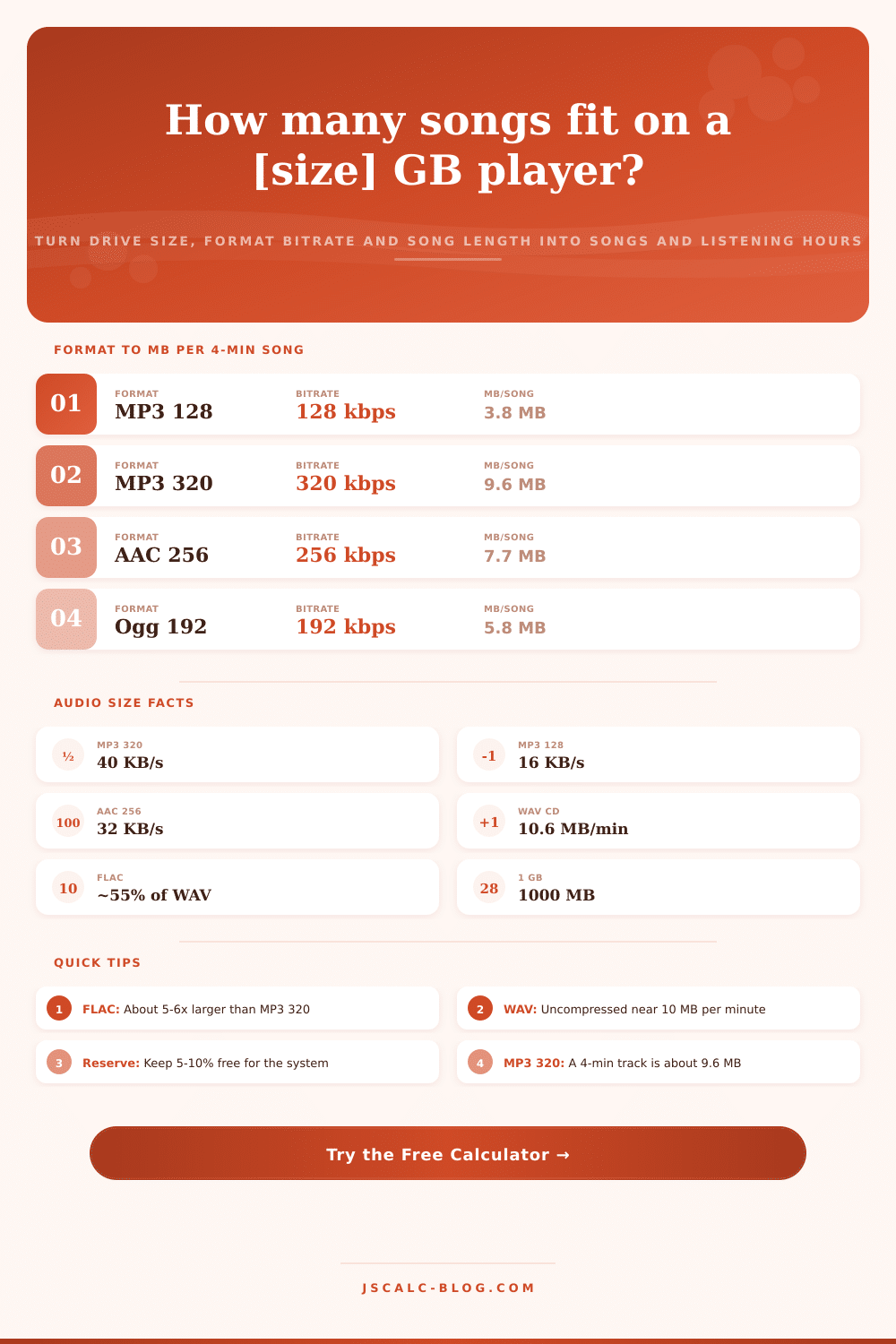
📋Format to File Size (4-minute Song)
| Format | Bitrate | Bytes / second | MB per 4-min Song |
|---|---|---|---|
| MP3 128 kbps | 128 kbps | 16,000 B/s | 3.8 MB |
| Ogg Vorbis 192 | 192 kbps | 24,000 B/s | 5.8 MB |
| AAC 256 kbps | 256 kbps | 32,000 B/s | 7.7 MB |
| MP3 320 kbps | 320 kbps | 40,000 B/s | 9.6 MB |
| FLAC 16-bit | ~900 kbps | ~113,000 B/s | ~23 MB |
| ALAC 16-bit | ~900 kbps | ~113,000 B/s | ~23 MB |
| WAV 16-bit CD | 1411 kbps | 176,400 B/s | 42 MB |
| WAV 24-bit | 2304 kbps | 288,000 B/s | 69 MB |
💾Songs per Common Capacity (MP3 320)
| Capacity | Usable at 7% | Songs (9.6 MB) | Listening Time |
|---|---|---|---|
| 8 GB | 7.44 GB | ~775 | ~51 hours |
| 16 GB | 14.9 GB | ~1,550 | ~103 hours |
| 32 GB | 29.8 GB | ~3,100 | ~206 hours |
| 64 GB | 59.5 GB | ~6,200 | ~413 hours |
| 128 GB | 119 GB | ~12,400 | ~826 hours |
| 256 GB | 238 GB | ~24,800 | ~1,653 hours |
| 512 GB | 476 GB | ~49,600 | ~3,306 hours |
| 1 TB | 930 GB | ~96,875 | ~6,458 hours |
📊Format Comparison Grid (per 64 GB)
| Format | Bitrate | MB / 4-min Song | Songs per 64 GB | Hours per 64 GB | Quality |
|---|---|---|---|---|---|
| MP3 128 | 128 kbps | 3.8 MB | ~16,666 | ~1,111 h | Basic |
| Ogg 192 | 192 kbps | 5.8 MB | ~11,111 | ~740 h | Good |
| AAC 256 | 256 kbps | 7.7 MB | ~8,333 | ~555 h | Very good |
| MP3 320 | 320 kbps | 9.6 MB | ~6,666 | ~444 h | Near CD |
| FLAC 16 | ~900 kbps | ~23 MB | ~2,747 | ~183 h | Lossless |
| ALAC 16 | ~900 kbps | ~23 MB | ~2,747 | ~183 h | Lossless |
| WAV 16 | 1411 kbps | 42 MB | ~1,512 | ~100 h | Studio |
| WAV 24 | 2304 kbps | 69 MB | ~927 | ~61 h | Master |
⚙Formula Breakdown
💡Storage Planning Tips
How often have you run out of room before a roadtrip? More likely then not, the problem is just a mismatch between your drive size and audio format you chose.
Enter your options and how much room you want to bring, and the calculator do the rest for you. You’ll never again wonder if your music will fit; instead there will be an actual number of album, hours, and songs that you’re certain about. Storage becomes real when it stops being abstract.
How to Calculate Music Storage
Every audio file is essentially a stream of data, and its weight depend heavily on how many bits per second the format use. Bitrate, then, refers to how many bits are streaming per second when using something like an MP3 or AAC (a lossy format). A 320 kbps MP3 will produce around forty thousand bytes per second, which means a four minute song take up approximately nine and a half megabytes. Reduce your bitrate to 128 kbps and you get a track that’s less than four megabytes due to the lower number of bits used. Bitrate is main factor in how much music storage space you need, since higher-quality audio take up more space.
The rules change when you look at other lossless formats such as WAV, ALAC and FLAC. These aren’t based off a fixed bitrate, instead it’s raw math: How many bits? How many channels? What’s the sample rate? For example, standard CD audio is recorded at a sample rate of 44,100 times a second (or just 44.1 kHz) with each sample using 16 bits of data across two channel. So you get around 10.6 megabytes per minute of sound. That’s why a four-minute song as an uncompressed WAV file will weigh almost 42 megabytes. Compressing those files with formats like FLAC and ALAC, which don’t lose any audio quality, knock off the weight by around forty percent. That’s a substantial saving; but they’re still significantly larger than their lossy counterparts.
No device give all bytes to the music; there’s a reserve percentage that goes to the operating system and apps, along with other file structures. You’ll get around 59.5 gigabytes for song storage from a 64-gigabyte device if you leave seven percent for reserve. Plug that into the calculator, which divides this by size of an individual track and spits out a whole-number answer: That’s how many tracks will fit on your player. Because it doesn’t play partial files, rounding down is important; otherwise you’re going to be disappointed when you reach the limit.
These come out as four distinct cards. One card displays songs, another converts them to listening time, and a third guesstimates how many complete album that equates to (based on an average album length of eleven songs). The cards let you visualize your music library instead of merely seeing a bunch of numbers. Is there room for that drive home? Or will it fill up your summer break?
This choice is dependent on both preference and device. An audiophile with a big hard drive can fits lossless files, whereas someone who commutes with a tiny phone should of probably stick with efficient MP3s for their thousand-plus songs. The tool’s presets load common situations quickly and make it easy to compare. Tweak the reserve if you also have other apps on same device. Change the song length to fit your own collection. Rather than trial and error it gives you a clean number to work from, one that you know will play uninterrupted once the trip start.
This should be moddern enough for your needs. You’ll recieve data actualy fast.