IPv6 Prefix Host Count Calculator
Enter an IPv6 prefix length and instantly see the total addresses as 2^(128 minus prefix), the number of /64 subnets it carves into, how many subnets of any chosen size it holds, and the host bits left for interface identifiers. Built for planning ISP, site, and single-LAN allocations.
🎯Real IPv6 Allocation Presets
📝Prefix Inputs
The network prefix in bits, such as 48 for a /48 site block.
Pick a common policy size to load its prefix instantly.
Target subnet prefix to divide the block into, for example 64.
How many of these /p prefixes you are planning together.
Controls how the astronomically large counts are shown.
Bits reserved for the host portion, 64 for SLAAC autoconfig.
🔢Formula Snapshot
📋Common IPv6 Prefixes and Their Counts
| Prefix | Host Bits | Addresses | /64 Subnets |
|---|---|---|---|
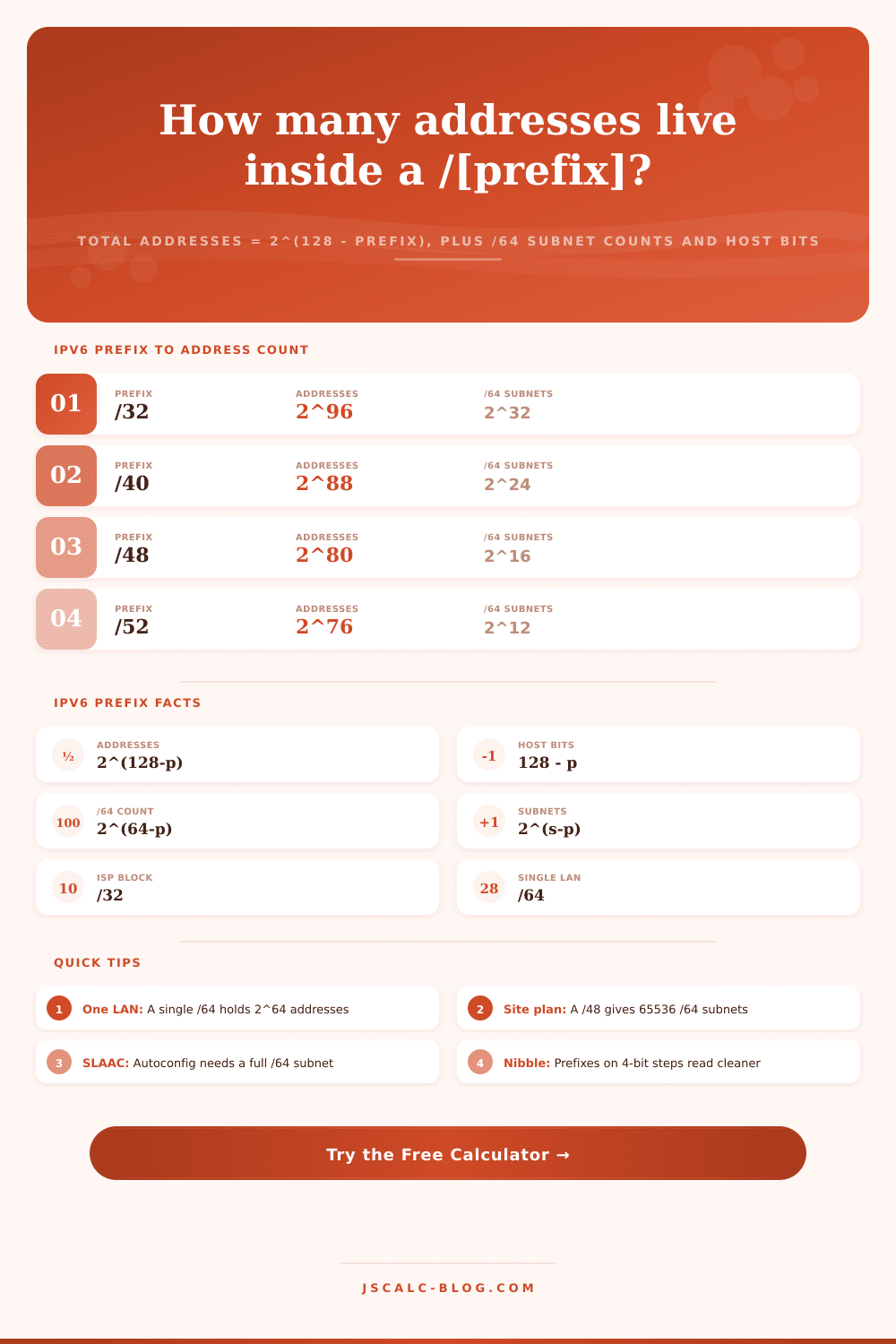
| /32 | 96 | 2^96 ≈ 7.92e28 | 2^32 ≈ 4.29e9 |
| /40 | 88 | 2^88 ≈ 3.09e26 | 2^24 = 16777216 |
| /48 | 80 | 2^80 ≈ 1.21e24 | 2^16 = 65536 |
| /52 | 76 | 2^76 ≈ 7.56e22 | 2^12 = 4096 |
| /56 | 72 | 2^72 ≈ 4.72e21 | 2^8 = 256 |
| /60 | 68 | 2^68 ≈ 2.95e20 | 2^4 = 16 |
| /64 | 64 | 2^64 ≈ 1.84e19 | 1 |
| /128 | 0 | 1 | N/A |
🔧Allocation Policy Guidance
| Prefix | Typical Assignee | Role | Contains |
|---|---|---|---|
| /23 to /29 | RIR to LIR | Registry pool | Millions of /48s |
| /32 | ISP or LIR | Provider block | 65536 /48 sites |
| /40 | Large downstream | Sub-allocation | 256 /48 sites |
| /48 | Enterprise site | Site prefix | 65536 /64 LANs |
| /56 | Home or branch | Small site | 256 /64 LANs |
| /64 | Single subnet | One LAN | One SLAAC segment |
| /127 | Router link | Point-to-point | Two endpoints |
| /128 | Loopback or host | Single address | One interface |
📊Powers of Two Exponent Reference
| Exponent n | 2^n Value | Reads As | Prefix With This Host Range |
|---|---|---|---|
| 4 | 16 | Sixteen | /60 into /64 |
| 8 | 256 | Two hundred fifty six | /56 into /64 |
| 12 | 4096 | Four thousand | /52 into /64 |
| 16 | 65536 | Sixty five thousand | /48 into /64 |
| 24 | 16777216 | 16.7 million | /40 into /64 |
| 32 | 4294967296 | 4.29 billion | /32 into /64 |
| 64 | 1.84e19 | 18.4 quintillion | Hosts in one /64 |
| 80 | 1.21e24 | 1.21 septillion | Addresses in a /48 |
| 96 | 7.92e28 | 79 octillion | Addresses in a /32 |
| 128 | 3.40e38 | 340 undecillion | Whole IPv6 space |
🗃IPv6 Prefix Comparison Grid
| Prefix | Role | Host Bits | Addresses (2^x) | /64 Subnets | /56 Subnets | Typical Assignee |
|---|---|---|---|---|---|---|
| /29 | LIR pool | 99 | 2^99 | 2^35 | 2^27 | Registry to ISP |
| /32 | Provider block | 96 | 2^96 | 2^32 | 2^24 | ISP or LIR |
| /36 | Sub-allocation | 92 | 2^92 | 2^28 | 2^20 | Large ISP unit |
| /40 | Regional block | 88 | 2^88 | 2^24 | 2^16 | Downstream ISP |
| /44 | Aggregate | 84 | 2^84 | 2^20 | 2^12 | Metro network |
| /48 | Site prefix | 80 | 2^80 | 2^16 | 2^8 | Enterprise site |
| /52 | Building | 76 | 2^76 | 2^12 | 2^4 | Campus zone |
| /56 | Small site | 72 | 2^72 | 2^8 | 1 | Home or branch |
| /60 | Micro block | 68 | 2^68 | 2^4 | N/A | Tiny deployment |
| /64 | One LAN | 64 | 2^64 | 1 | N/A | Single subnet |
⚙Formula Breakdown
💡IPv6 Planning Tips
Planning a network is one of those things where IPv6 addresses become abstract. They’re so big that your brain stops seeing them as real numbers. Then it’s easy to think of them as unlimited resources, in fact they’re a scarce commodity. They are finite chunks of the address space that need to be carefuly carved up.
That’s why we built this: the IPv6 Prefix Host Count Calculator takes all that head-numbing bigness and makes it digestible. It breaks down a prefix length into the number of addresses it has. It shows how many subnet there are and how many hosts is in each subnet. It also shows how many bits each host have. No more trying to do math in your head with exponents.
Why You Need an IPv6 Calculator
You also need to change your thinking about addressing with IPv6 different than IPv4. With IPv4, you have a small number of addresses and so you hoard each one. With IPv6, there are far too many, so now you care more about the structure then anything else. That’s reflected in the tool which focuses on prefixes rather than hosts.
It counts addresses by calculating 2 to the power of 128 minus the prefix length. The rest falls out off that simple equation. This is the magic formula that unlocks what they’re doing. Each time they reduce the prefix length by a single bit, their address space double. Reducing the prefix length by four bits multiplies their address space by 16. That’s why the calculator has this table, you can see how it works in powers of two, and also have a rough approximation in scientific format. It’s a good way for your brain to understand how big these numbers are.
2 to the 80th power: yes, that’s a big number. And the scientific notation tells you where that fits on block size scale.
In most practical plans, it’s not the numbers of addresses that count as much as the /64 subnets you get from them. Because stateless address autoconfiguration needs all sixty-four bits for hosts, a /64 is typical size for a local network segment. This calculator will divide up your prefix into /64-sized chunks and let you know how many distinct LANs you can carve out. For example, if you’re given a /48 site block, the calculator informs you that you’ll recieve 65,536 such subnets. That’s plenty for an enterprise campus with no need to break them down further.
Sometimes, though, you want to subdivide blocks with sizes that aren’t exactly /64. Maybe you’re giving away /56s to branch offices but you have a bigger pool overall. For these kinds of cases, you can set a “target subnet” size in the calculator. It will use whatever difference there is between the block’s prefix and the target prefix to calculate how many of them it fits in. So if you want to address your network in some kind of hierarchy, say with every level having its own logical boundary, this lets you plan for that.
For example, here’s a breakdown of what the result cards show: first, the total addresses represent raw capacity. Second, /64 subnets is the practical unit of deployment. Third, subnets of your desired size (custom planning possible). Fourth, host bits shows how wide the interface identifier is. That way it breaks out how much you can use and how much you could possibly have.
The amount allocated is pretty standard for an internet service provider. They typically gets a /32 block, with millions of possible /48 site allocations within that block. Enterprise? You’re likely getting a /48 for your primary address. Home? Home users might get a /56 or even something smaller. That’s what the tool has presets for, so it will show you the math right away, no need to type in numbers by hand. It makes validation fast at design time when you’re weighing different options.
To put things in perspective, when we’re dealing with huge amounts of numbers, how do you visualize 10 to the 24th power? It’s difficult but if you look at it as a /48 block, it makes more sense. You can switch between display modes so that if you need to see an exact integer (smaller numbers) you can, or switch to scientific notation (larger numbers) if you’d rather just see the number without all those trailing zeroes. That way, the interface doesn’t get bogged down with a bunch of zeros, but you have accuracy where it matters most.
Network engineers rely on it to check that their addressing plan is sound prior to requesting blocks from a regional registry. Students use it as a way to develop an understanding of how long prefixes relates to addressable capacity. Engineers use it as part of network design to ensure they have enough subnets to support all wireless SSIDs and VLANs.
It allows you to make concrete decisions based off exponent math rather than guessing. Suddenly, you’re not concerned with running out of IP addresses. Instead, you can focus on designing your network logically. And yes, there’s plenty of room, provided you design for it.