Frame Rate to Milliseconds Calculator
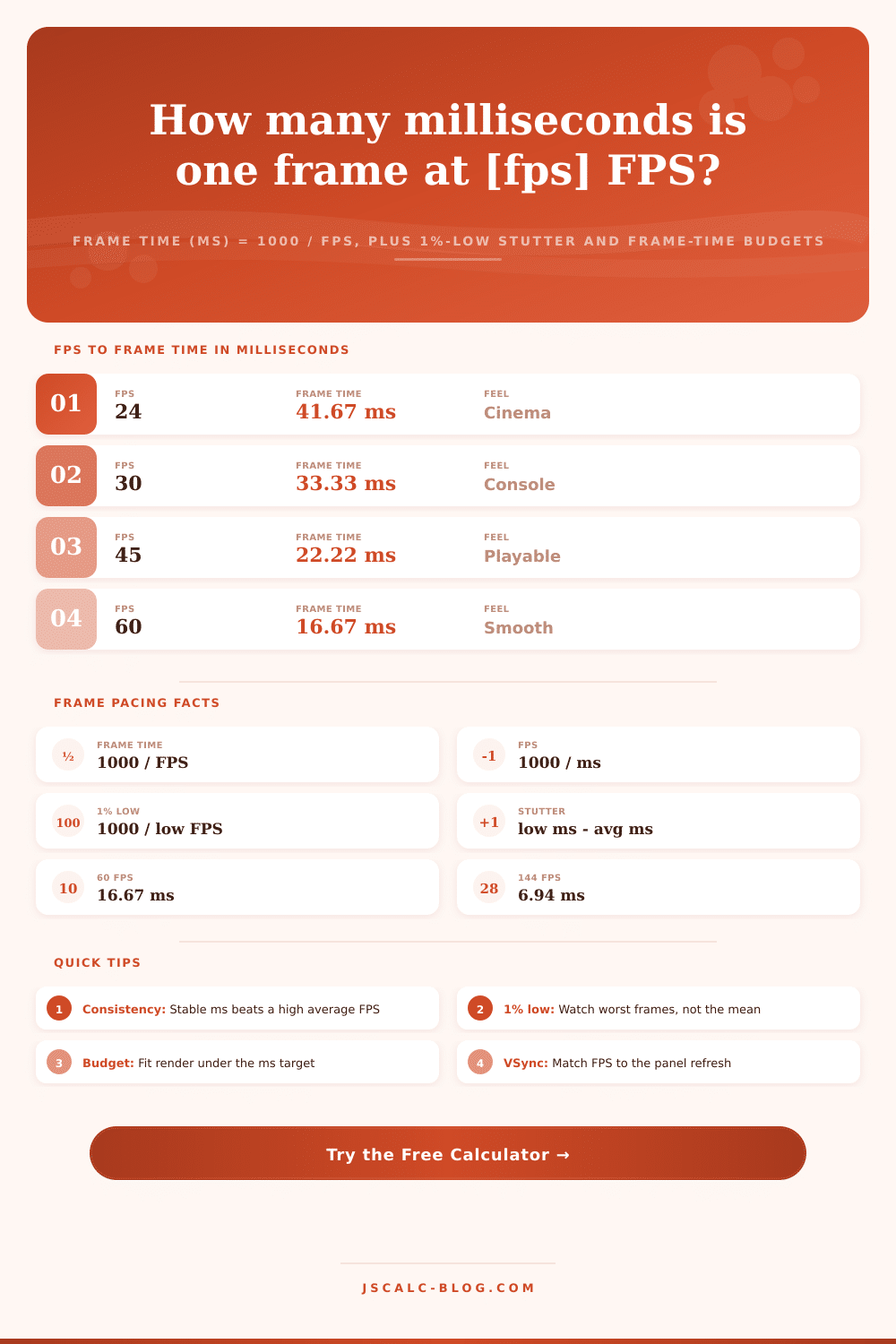
Convert a rendered frame rate into per-frame render time with frame time (ms) = 1000 / FPS, invert a millisecond value back to FPS, measure 1%-low stutter as the gap between worst and average frame times, and check whether your render fits inside a target frame-time budget for silky-smooth pacing.
🎮Frame Pacing Presets
📝Frame Timing Inputs
Your mean rendered frames per second over a run.
A per-frame time in ms to convert back into FPS.
Define the worst 1% frames by FPS or by a percentage.
Frame rate of the slowest 1% of frames.
Used when the 1%-low source is the percent factor.
The FPS you want to hold; sets the ms budget.
Measured render cost of a frame, for headroom.
Controls rounding on every result card.
📐Formula Snapshot
📊FPS to Frame Time Reference
| Frame Rate (FPS) | Frame Time (ms) | Frame Time (µs) | Reads As |
|---|---|---|---|
| 24 FPS | 41.67 ms | 41667 µs | Film cadence |
| 30 FPS | 33.33 ms | 33333 µs | Console floor |
| 45 FPS | 22.22 ms | 22222 µs | Playable mid |
| 60 FPS | 16.67 ms | 16667 µs | Smooth baseline |
| 75 FPS | 13.33 ms | 13333 µs | Fluid |
| 90 FPS | 11.11 ms | 11111 µs | VR comfort |
| 120 FPS | 8.33 ms | 8333 µs | High refresh |
| 144 FPS | 6.94 ms | 6944 µs | Esports |
| 240 FPS | 4.17 ms | 4167 µs | Competitive |
📉1%-Low Stutter Reference
| Average FPS | Average ms | 1%-Low FPS | 1%-Low ms | Stutter Delta |
|---|---|---|---|---|
| 60 FPS | 16.67 ms | 50 FPS | 20.00 ms | 3.33 ms |
| 60 FPS | 16.67 ms | 40 FPS | 25.00 ms | 8.33 ms |
| 60 FPS | 16.67 ms | 30 FPS | 33.33 ms | 16.67 ms |
| 120 FPS | 8.33 ms | 90 FPS | 11.11 ms | 2.78 ms |
| 144 FPS | 6.94 ms | 110 FPS | 9.09 ms | 2.15 ms |
| 144 FPS | 6.94 ms | 72 FPS | 13.89 ms | 6.94 ms |
| 240 FPS | 4.17 ms | 180 FPS | 5.56 ms | 1.39 ms |
🎯Frame-Time Budget by Render Cost
| Target FPS | ms Budget | Render 8 ms | Render 12 ms | Render 20 ms |
|---|---|---|---|---|
| 30 FPS | 33.33 ms | +25.33 spare | +21.33 spare | +13.33 spare |
| 60 FPS | 16.67 ms | +8.67 spare | +4.67 spare | -3.33 over |
| 90 FPS | 11.11 ms | +3.11 spare | -0.89 over | -8.89 over |
| 120 FPS | 8.33 ms | +0.33 spare | -3.67 over | -11.67 over |
| 144 FPS | 6.94 ms | -1.06 over | -5.06 over | -13.06 over |
| 240 FPS | 4.17 ms | -3.83 over | -7.83 over | -15.83 over |
🗄FPS Smoothness Comparison Grid
| FPS | Frame Time (ms) | Frame Time (µs) | Feel / Smoothness | VSync Match Hz | Notes |
|---|---|---|---|---|---|
| 24 | 41.67 ms | 41667 µs | Cinematic, choppy in motion | 24 / 48 Hz | Film and cutscenes |
| 30 | 33.33 ms | 33333 µs | Console minimum, visible judder | 30 / 60 Hz | Story titles |
| 45 | 22.22 ms | 22222 µs | Rough but playable | 90 Hz VRR | Half of 90 |
| 60 | 16.67 ms | 16667 µs | Smooth, mainstream target | 60 / 120 Hz | Most action games |
| 90 | 11.11 ms | 11111 µs | Very fluid, VR comfort floor | 90 / 180 Hz | VR headsets |
| 120 | 8.33 ms | 8333 µs | Fast, low blur | 120 / 240 Hz | High-refresh TVs |
| 144 | 6.94 ms | 6944 µs | Esports sweet spot | 144 Hz | Gaming monitors |
| 165 | 6.06 ms | 6061 µs | Crisp, marginal over 144 | 165 Hz | Common OC panel |
| 240 | 4.17 ms | 4167 µs | Elite, tiny gains per Hz | 240 Hz | Pro shooters |
⚙Formula Breakdown
💡Frame Pacing Tips
What is a Frame Rate to Milliseconds Calculator? This is the metric by which we perceive a game’s feel. Expressed as frames per second (fps). There are two side of the clock: fps and per-frame render time. While both are useful for different reasons, a game’s smoothness come from its per-frame render time and consistency over time, while average fps just makes for a nice overlay number.
FPS To Milliseconds calculates one percent low stutter and frame-time budgeting so you can tune based off feel instead of peak numbers. Plug in your target fps, let this do the math for you, then save yourself from having to manually divide while tuning. That is, frames per second are an average figure for an entire second, and as such hides the difference between one frame to the next.
How to Use the Calculator
Frame time is measured in milliseconds (one thousand milliseconds = one second), which is where the stutter is hiding out. One second / your fps = time budget per frame, which is why it’s easy. With sixty FPS each frame have sixteen point six seven milliseconds to complete its work. At one hundred forty-four FPS each frame has about seven milliseconds.
Once you start thinking in terms of milliseconds, something becomes apparent that a frame-rate counter will smooth away. A single frame taking fifty milliseconds in a stream of sixteen-millisecond frames is going to show up like a hitch even if the overall average might still read as sixty FPS. And that’s where most folks miss it.
To that end, the calculator perform the reciprocal conversion in each direction to develop your intuition. Type in a frame rate, then it gives you the frame time. Type in a millisecond value you see on your in-engine timer or profiler, and it flips it right back into FPS. Eight point three three milliseconds is the same thing as one hundred twenty FPS, it’s the precise opposite. Having them both in front of you makes it easy to look at a millisecond number and instantly understand if it exceed what you’re aiming for without having to do math in your head.
To be taken seriously as a reviewer, you don’t just give an average FPS. You also provide one-percent low frames to account for the bad ones. Those represent frame rate of the slowest one percent of frames in a run. It’s a much more useful measure of perceptual smoothness then the mean.
You can supply the one-percent-low value directly or use a percentage dip factor. Then it’ll spit out what it calls “stutter delta,” the difference between your average and your worst case frame time. If that number is low, you’re experiencing tight, even pacing. If it’s big, you’re getting hitched. Above about eight milliseconds, you will notice the gap during rapid action, even if your average FPS look high.
Frame rate is basically a deadline problem. At any given moment, your game has a fixed amount of time to render each frame in order to hit its target framerate. If you want 60 frames per second, each frame need to complete within 16.67 milliseconds. For 90 frames per second, that drops to 11.11 milliseconds.
Your headroom is what the calculator shows you after it subtracts your measured render time from this budget. A positive number of headroom indicate your frame completed ahead of schedule, it’s safe for your target. A negative number of headroom indicates the frame blew past the deadline, resulting in a lower frame rate. This framing allows us to turn vague statements about improving our systems into concrete millisecond-based targets.
In order to achieve 144 frames per second, you need to keep your entire frame cycle below seven milliseconds. No amount of fiddling with your settings will get you there if your render take nine milliseconds.
Panel Display Refresh: Frame Pacing doesn’t operate independently of what’s being paced. A 144 hertz monitor will update at an interval of six point nine four milliseconds. A 60 hertz display will do the same every sixteen point six seven milliseconds. If your frame time matches your display refresh, motion appear clean. If they begin to drift apart, you’ll see judder or tearing.
Capping your frames just under your panel’s maximum keeps both synchronized without introducing any additional input lag. Simple conversion, budget tracking, and stutter analysis joined in one tool deliver the full picture on pacing in seconds. This allow you to pursue consistent frame delivery rather than chasing a flattering average number.