Fraction Calculator
Add, subtract, multiply, divide, simplify, compare, and convert fractions or mixed numbers with exact integer arithmetic.
📌Real-World Presets
🧮Fraction Inputs
For mixed numbers, a negative whole number makes the entire mixed number negative, so -1 1/2 is treated as -3/2.
Formula Breakdown
📊Current Fraction Facts
📐Operation Rules Reference
| Operation | Exact integer formula | When LCD matters | Zero check | Common use |
|---|---|---|---|---|
| Add | (a x d + c x b) / (b x d) | Use LCD for clean classroom work | Denominators cannot be 0 | Recipe totals and measuring cups |
| Subtract | (a x d - c x b) / (b x d) | Use LCD before subtracting numerators | Denominators cannot be 0 | Cut length remaining after a trim |
| Multiply | (a x c) / (b x d) | Not required, but cross-reduce first | Denominators cannot be 0 | Scaling recipes, ratios, and patterns |
| Divide | (a x d) / (b x c) | Not required | Second fraction cannot equal 0 | How many portions fit in a total |
| Compare | Compare a x d with c x b | LCD can show both on same denominator | Denominators cannot be 0 | Choosing larger cut, dose, or share |
| Simplify | Divide numerator and denominator by GCD | Not required | Denominator cannot be 0 | Final answers and label-friendly values |
🔢Common Fraction Conversion Table
| Fraction | Decimal | Percent | Mixed example | Typical measurement |
|---|---|---|---|---|
| 1/2 | 0.5 | 50% | 1 1/2 = 1.5 | Half cup or half inch |
| 1/3 | 0.3333... | 33.333...% | 2 1/3 = 2.333... | Recipe scaling thirds |
| 2/3 | 0.6666... | 66.666...% | 1 2/3 = 1.666... | Baking cup measure |
| 1/4 | 0.25 | 25% | 3 1/4 = 3.25 | Quarter inch or cup |
| 3/8 | 0.375 | 37.5% | 2 3/8 = 2.375 | Woodworking cut depth |
| 5/8 | 0.625 | 62.5% | 4 5/8 = 4.625 | Hardware spacing |
| 7/8 | 0.875 | 87.5% | 6 7/8 = 6.875 | Fabric and trim marks |
🔗LCD and GCD Quick Lookup
| Denominators | GCD | LCD | Equivalent first | Equivalent second |
|---|---|---|---|---|
| 2 and 3 | 1 | 6 | 1/2 = 3/6 | 1/3 = 2/6 |
| 3 and 4 | 1 | 12 | 1/3 = 4/12 | 1/4 = 3/12 |
| 4 and 6 | 2 | 12 | 1/4 = 3/12 | 1/6 = 2/12 |
| 5 and 8 | 1 | 40 | 1/5 = 8/40 | 1/8 = 5/40 |
| 6 and 9 | 3 | 18 | 1/6 = 3/18 | 1/9 = 2/18 |
| 8 and 12 | 4 | 24 | 1/8 = 3/24 | 1/12 = 2/24 |
🧭Method Comparison Grid
| Method | Best for | Uses GCD | Uses LCD | Risk to watch | Calculator output |
|---|---|---|---|---|---|
| Exact rational | All operations | Yes | As needed | Large integers | Primary result |
| LCD rewrite | Add and subtract | Sometimes | Yes | Forgetting signs | Breakdown rows |
| Cross multiply | Compare fractions | No | No | Overflow in huge values | Comparison card |
| Cross reduce | Multiplication | Yes | No | Reducing across addition | GCD card |
| Mixed conversion | Readable answers | Yes | No | Sign on remainder | Simplified card |
| Decimal rounding | Labels and percents | No | No | Repeating decimals | Conversion card |
✅Practical Fraction Tips
If you’ve ever held a tape measure or a measuring cup in one hand and another in the other while standing in a workshop or kitchen trying to figure out whether half of a third is a quarter, then you know what I mean. It seems as though you’re simply dividing up things, but where feeling fails with fractions, there’s a need for exactness. And that’s where the tools come in, letting your hands be occupied with the cutting or the mixing instead of doing the arithmetic.
The one above will do the number crunching for you. It takes the guesswork out of finding common denominator and adding mixed numbers. It also converts those answers back to percentages or decimals. It handles the whole number math, removing rounding errors that sneak in when done by hand.
How This Tool Helps With Fraction Math
When it comes to entering your numbers, that’s when the heavy lifting happen. Negative mixed numbers are where most users run into problems; they think of the sign as being applied only to the whole number component. Enter -1½, and computer sees it as minus one plus one half, which is zero. This is not the desired outcome. Instead, the whole value needs to be treated as negative; the whole unit and any fractional part should have same sign. The computer will normalize this for you (if you choose the standard mode), so that the signs makes sense, and the denominator remain positive. And why does it matter? Because an incorrect sign reverses your answer from a surplus to a deficit, which isn’t a cheap error in either baking or construction.
To add or subtract fractions you must first bring them down to common denominator before touching the numerators. Find the least common denominator. You can’t add one half plus one third and get two fifths. We’ve all done that. It’s the classic mistake made by stacking the numbers together without converting them first. The table on the page lays this out clearly for you. How do we know that 2 and 3 share an LCD of 6? It’s laid out there for you. Bring the fractions up to six and you’re into simple integer math.
For subtraction, same rule apply. Careful with those signs though. Ever cut wood and want to know how long you have left after trimming something away? Mess up the order in the subtraction and you’ll end up cutting too far.
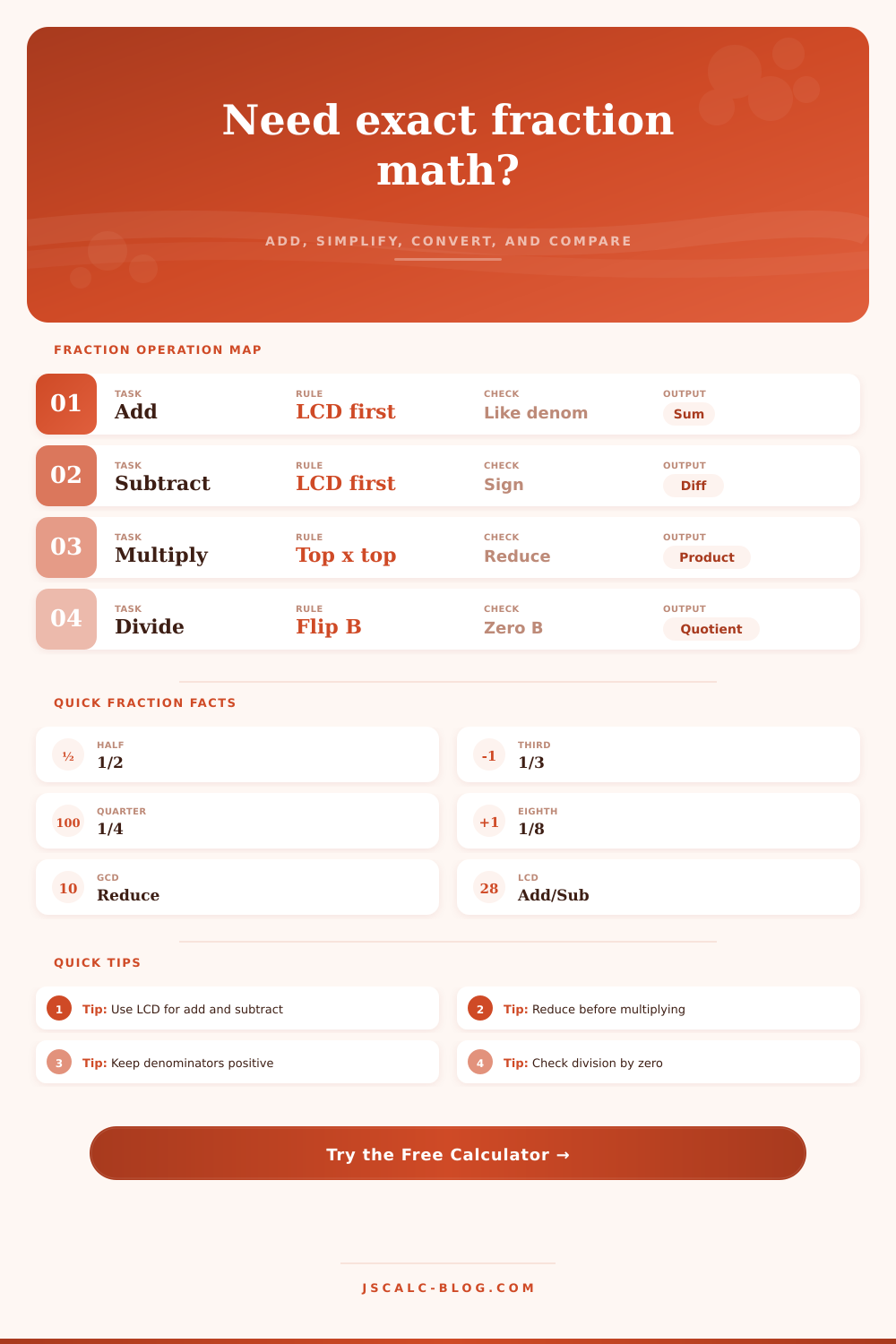
With multiplication, no need for a common denominator: just multiply the tops and then the bottoms. It’s tedious with big numbers though. The trick is to reduce before you multiply. Cancel out any factors of numerator and denominator before you start so the numbers stays small and manageable. Depending on what you prefer, the calculator will display raw product or the reduced final answer. The former shows you the breakdown, which helps build confidence in result since you see how it was simplified.
It trips people up because it sounds as though you have to divide the two fractions right there. You don’t. Multiply instead by flipping the second fraction and then multiplying. That’s called multiplying by the reciprocal. It works because in mathematics, dividing by one fraction is exactly the same thing than multiplying by its inverse. In other words, if you want to know exactly how many portions will go into a total amount, it gives you the answer. Don’t try to divide by zero, of course. The tool checks for this and warns you if the second fraction is empty, so it spares you from a mathematical crash.
There’s also a little more power in switching between percentage, decimal, and fraction form. Decimals have their place, it’s easy to put them on the number line, so they’re nice in certain uses such as finance or engineering. Fractions make more sense in certain situations (e.g., cooking), since that’s how things are measured. This way, you can plug in what your task calls for and verify with the other form. There’s even an option to set the precision of output, say when you want to repeat a number such as one third. Round up for an approximate guess or go for accuracy with four places.
And once you understand how those things work, it’s a different way of thinking about measurement. Instead of guesswork, it’s calculation. Three-halves recipes? No problem. How much wood do I need to cut to get an X amount of something from Y amount? Also no problem. The math works out exactly the same whether you’re scaling up a recipe or determining your waste on offcuts when cutting wood.
And the numbers tell you the right answer … but what really stops you from messing up next time is understanding why the answer makes sense. Abstract symbols becomes real answers. You can measure twice without needing to cut again.