Ethernet Cable Max Length Calculator
Apply the structured cabling 100 m channel rule: a permanent link of up to 90 m plus up to 10 m of patch and equipment cords. Pick your category from Cat5e to Cat8 and your data rate from 1G to 40G, subtract your patch cords, and see the maximum allowable run, the remaining permanent-link budget, the one-way propagation delay, and a clear pass or fail verdict for your proposed length.
🎯Real Cabling Presets
🖧Cable and Run Inputs
Higher categories carry faster rates further.
Faster rates shorten the maximum reach.
Full end-to-end channel including patch cords.
Applies to run length and both patch cords.
Cord from wall outlet to the device.
Cords and jumpers at the switch or panel.
Stranded patch cords add about 20% attenuation.
Higher power adds heat in dense bundles.
Above 20 C, insertion loss rises and reach falls.
Shielding helps alien crosstalk at 10G and up.
Verdict
🔢Channel Budget Snapshot
🗄Category vs Reach Comparison Grid
| Category | Max Run | Max Data Rate | Bandwidth | Shielding | Typical Use |
|---|---|---|---|---|---|
| Cat5e | 100 m | 1G (1000BASE-T) | 100 MHz | UTP | Homes, VoIP, older LANs |
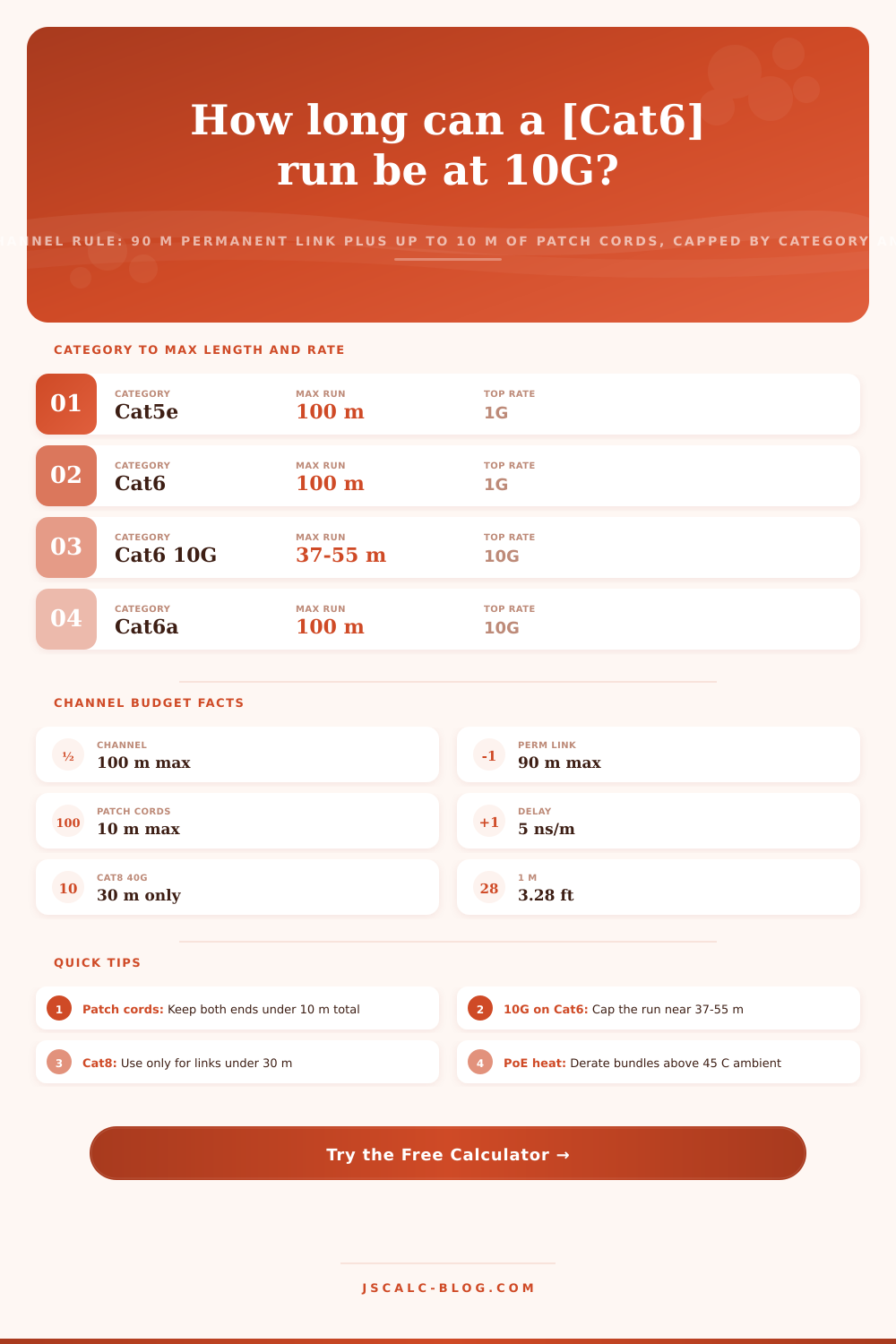
| Cat6 | 100 m at 1G | 10G to 37-55 m | 250 MHz | UTP | Office desktops, APs |
| Cat6a | 100 m | 10G (10GBASE-T) | 500 MHz | UTP or F/UTP | 10G to the desk, data center |
| Cat7 | 100 m | 10G | 600 MHz | S/FTP | Industrial, shielded runs |
| Cat7a | 100 m | 10G (40G to 50 m) | 1000 MHz | S/FTP | Future-proof shielded links |
| Cat8.1 | 30 m | 25G and 40G | 2000 MHz | F/UTP | Top-of-rack, server links |
| Cat8.2 | 30 m | 25G and 40G | 2000 MHz | S/FTP | Shielded data center rows |
📏Meters to Feet Length Reference
| Length in Meters | Length in Feet | Role | One-Way Delay |
|---|---|---|---|
| 90 m | 295 ft | Max permanent link | 450 ns |
| 100 m | 328 ft | Max full channel | 500 ns |
| 55 m | 180 ft | Cat6 10G best case | 275 ns |
| 37 m | 121 ft | Cat6 10G worst case | 185 ns |
| 30 m | 98 ft | Cat8 40G channel | 150 ns |
| 10 m | 33 ft | Patch cord budget | 50 ns |
| 5 m | 16 ft | Single patch cord | 25 ns |
🌐Base-T Reach by Category and Rate
| Standard | Cat5e | Cat6 | Cat6a | Cat8 |
|---|---|---|---|---|
| 100BASE-TX 100M | 100 m | 100 m | 100 m | 30 m |
| 1000BASE-T 1G | 100 m | 100 m | 100 m | 30 m |
| 2.5GBASE-T 2.5G | 100 m | 100 m | 100 m | 30 m |
| 5GBASE-T 5G | Not rated | 100 m | 100 m | 30 m |
| 10GBASE-T 10G | Not rated | 37-55 m | 100 m | 30 m |
| 25GBASE-T 25G | Not rated | Not rated | Not rated | 30 m |
| 40GBASE-T 40G | Not rated | Not rated | Not rated | 30 m |
⚙Formula Breakdown
💡Ethernet Run Length Tips
How Long Can You Run An Ethernet Cable? That’s what the Ethernet Cable Max Length Calculator on JSCalc-Blog.com calculates.
Twisted-pair Ethernet follows very strict structured cabling standards. Although the rule is simple to say and easy to screw up, here is main point: That’s what this tool encodes. Then it subtracts away your patch cords. It looks at reach for whatever data rate and category you choose. And finally it spits out a clear pass or fail verdict of the run you’re thinking about.
How to Use the Ethernet Cable Length Calculator
A fundamental aspect of copper Ethernet is that there’s an upper limit on how far your cable can stretch: a maximum channel length of 100 meters. (That’s roughly 328 feet of twisted-pair cabling.) A channel doesn’t refer to one long single piece of cable. Rather, it splits into two parts. One is a patch cord, which attaches to a device. The other is a permanent link, connecting your telecom room to the wall outlet via a fixed run of no more than 90 meters of cabling inside the ceiling and walls. You also get another 10 meters for flexible equipment and patch cords at each end. Total length of the permanent link, patches, and cords cannot exceed 100 meters.
Why does this matter? Because a patch cord is made with stranded conductors. Unlike a horizontal cable, stranded conductors weaken signals at a higher rate. That is why they’re separated in the standards budget.
A common misconception is that all Ethernet cables go a maximum of 100 meters. It’s true that any Cat5e/6 can send gigabit traffic up to 100 meters. Beyond that, though, the distance you get varies different than the speed you wish to achieve as well as the type of cable. For example, 10 gigabit will only reach about 37 to 55 meters if running over straight Cat6 due to alien crosstalk. That’s where Cat6a comes into play. Designed to address this very problem, Cat6a allows for 10 gigabit over a full 100 meters. Cat8 then takes things to the high-end with 25 and 40 gigabit speeds but only over a short (30 meter) channel intended for server-to-top-of-rack-switch connections.
This calculator keeps track of these limits, one per category. As soon as you switch categories or speed, the max length get updated. The tool’s been expanded to allow users to specify their desired category (Cat5e to Cat8) followed by their application data rate (100 megabit all the way up to 40 gigabit). Next they enter the total run length planned. And then they enter the length of both patch cords on either end. Everything is converted into meters.
From there, the tool looks up standards-based reach for your chosen combination of category and rate. Then it caps that reach at the channel limit for that category. Next, it backs out your patch cords. Then it adds a penalty for stranded cordage, showing you how far along in your permanent-link cabling you’ve gotten.
Four result cards are returned, reporting maximum allowable channel length; remaining permanent-link budget; one-way propagation delay; and the headroom between what you’re proposing versus the limit.
Besides degrading the signal, length adds time. Twisted pair runs around 5.0 nanoseconds/meter. A 100 meter channel has 500 nanoseconds of one-way propagation delay. That is still within the standard’s limits (~555 ns). There is one more reason why they limit the channel length to ~100 meters. The calculator will compute this delay for you in your proposed run. It will give you an idea of just how much of the timing budget such a long link would use. And that’s a good sanity check for unusual long or daisy-chained links.
Today’s networks use Power over Ethernet to feed PoE to devices. This power is sent down the same conductor pairs as the data. And all that power creates heat. A bunch of conductors in a closely bundled sheath carrying PoE+ or PoE++ get hot. They lose more signal along their length, which further reduces effective distance. Throw in some ambient temperature and things get worse. Beyond 20 degrees C, loss increases. Screened cables hold up better in these conditions than unshielded cables. Higher PoE classes generate heat, which increases the loss. To account for those factors, this tool will apply an advisory derating if you set the ambient temperature high and choose high-power PoE. Alternatively, bump up the ambient temp value yourself. Then the tool drops the maximum by several meters. Your guess becomes good for a hot riser, not the lab bench.
That’s where the conductor choice comes into play. For a fixed horizontal run, solid-core cable loses less signal. It also stands up well to being pounded in walls, so that makes sense. For patch cords, stranded cable is flexible, though it attenuates about 20 percent more per meter. That means the calculator accounts for stranded cords more heavily in the channel budget.
At higher speeds, shielding matters as well. To resist alien crosstalk, which limits 10 gigabit and beyond, you use shielded twisted pair. And as a result, shielded runs lose performance more slowly with heat compared to unshielded ones. All this gives you the ability to model exactly what cable you intend to pull, not some ideal generic one.
Realistic presets: The tool includes realistic presets based on typical cabling scenarios. A Cat6 1G office run is a common example of a desktop drop. A Cat6a 10G data center link models a full-length 10 gigabit channel. A PoE Cat5e VoIP phone models a handset with power over ethernet. The Cat8 40G short link and Cat8 25G top-of-rack presets show how you can fit in 30 meter server connections. Other presets include Cat7 shielded industrial pulls and a Cat6a access point on PoE+. You can also use the Cat6 IP camera on PoE++ or a Cat6 10G riser at its limit. Load any of these or tweak the numbers for your site.
The clearest output is the verdict banner. This one is the simplest result of all. Did your suggested length fall below the calculated max? Then congrats, and you have exactly the amount of wiggle room to play with. Is it over? Fail. You now either need to trim down your run, add a switch, or upgrade to the next higher class/fiber. Want to plug in 40 gigabit Ethernet on Cat5e? Not rated, and the tool will tell you so, instead of just giving you some bogus value anyway.
Whether you’re planning a row of a data center, a floor of an enterprise facility, or your home office’s network, this calculator translates complex structured cabling specifications into a quick and reliable response. Trust that response without even having pulled a wire yet.