CPU Thread Count Calculator
Turn a processor topology into a thread count. Enter sockets, cores per socket, and the SMT or Hyper-Threading factor to get total logical threads, or switch to hybrid mode to add performance cores with SMT and efficiency cores without it. The tool always shows physical cores next to logical threads so the difference is obvious.
🧵Choose a Topology Mode
🎯Real CPU Presets
🖥Processor Topology Inputs
Number of processor packages on the board.
Uniform mode: physical cores in each socket.
Hardware threads each physical core exposes.
Big cores per socket, usually with SMT.
P-cores commonly run 2 threads each.
Small cores per socket, one thread each.
Efficiency cores almost always lack SMT.
Threads your job or pool wants to run.
🔢Formula Snapshot
📋Cores and SMT to Thread Count
| Cores per Socket | SMT Factor | Threads per Socket | Reads As |
|---|---|---|---|
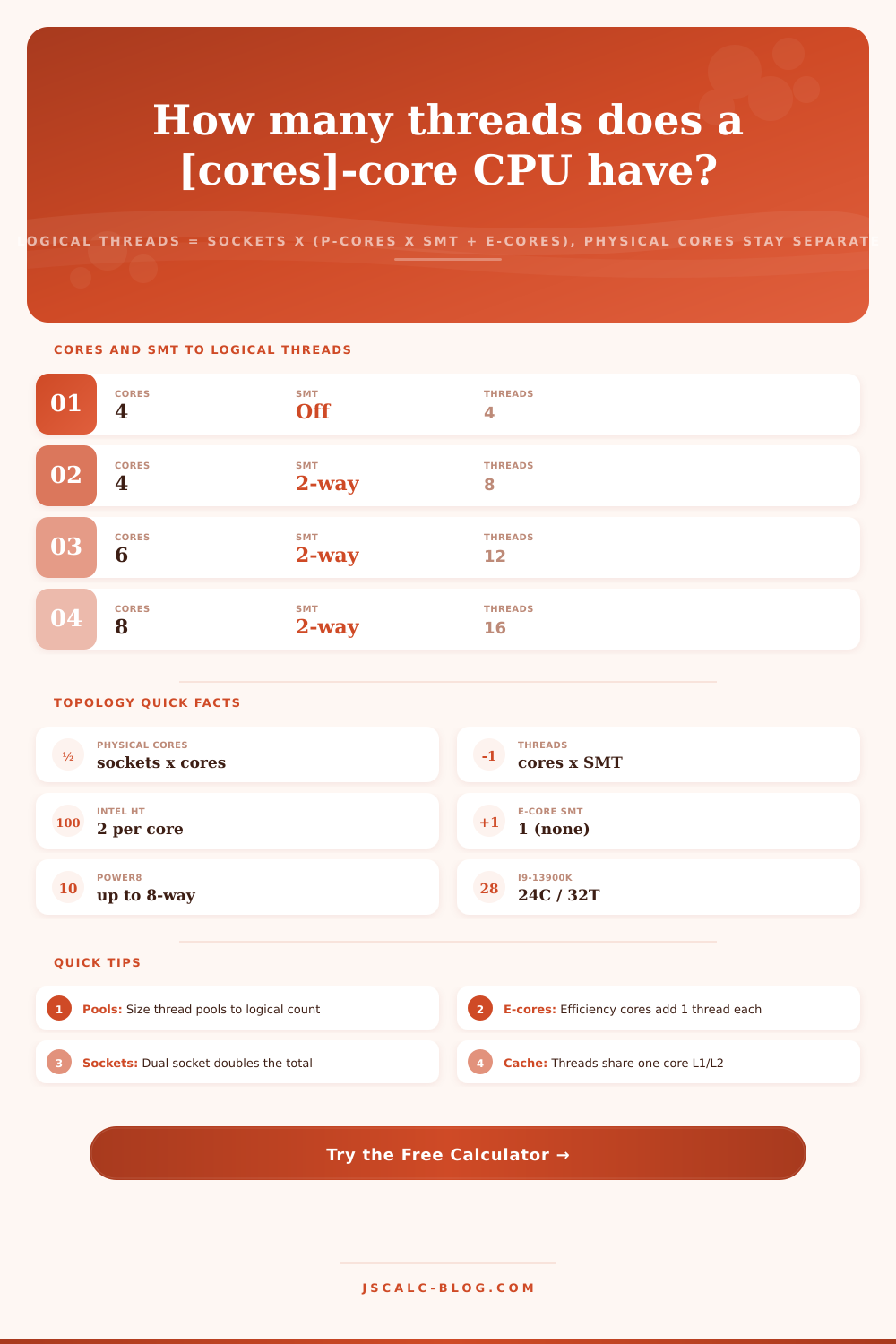
| 4 | Off (1) | 4 | 4C / 4T |
| 4 | 2-way | 8 | 4C / 8T |
| 6 | 2-way | 12 | 6C / 12T |
| 8 | 2-way | 16 | 8C / 16T |
| 16 | 2-way | 32 | 16C / 32T |
| 32 | 2-way | 64 | 32C / 64T |
| 64 | 2-way | 128 | 64C / 128T |
| 8 | 4-way | 32 | 8C / 32T |
🧩Hybrid P-core and E-core Examples
| P-cores x SMT | E-cores x 1 | Total Cores | Total Threads | Example Chip |
|---|---|---|---|---|
| 6 x 2 = 12 | 8 x 1 = 8 | 14 | 20 | i5-13600K |
| 8 x 2 = 16 | 8 x 1 = 8 | 16 | 24 | i7-13700K |
| 8 x 2 = 16 | 16 x 1 = 16 | 24 | 32 | i9-13900K |
| 8 x 2 = 16 | 16 x 1 = 16 | 24 | 32 | i9-14900K |
| 6 x 2 = 12 | 4 x 1 = 4 | 10 | 16 | i5-12600K |
| 2 x 2 = 4 | 8 x 1 = 8 | 10 | 12 | Core Ultra 5 |
| 6 x 2 = 12 | 8 x 1 = 8 | 16 | 22 | Core Ultra 7 (LP+E) |
🗃Sockets, Cores, SMT and Threads Comparison Grid
| System Example | Sockets | Cores / Socket | SMT Factor | Physical Cores | Logical Threads |
|---|---|---|---|---|---|
| Budget quad-core | 1 | 4 | 1 (off) | 4 | 4 |
| Mainstream desktop | 1 | 8 | 2 | 8 | 16 |
| Ryzen 5 six-core | 1 | 6 | 2 | 6 | 12 |
| HEDT sixteen-core | 1 | 16 | 2 | 16 | 32 |
| EPYC single socket | 1 | 64 | 2 | 64 | 128 |
| Dual Xeon server | 2 | 32 | 2 | 64 | 128 |
| Quad Xeon node | 4 | 28 | 2 | 112 | 224 |
| POWER9 4-way | 1 | 24 | 4 | 24 | 96 |
| POWER8 8-way | 1 | 12 | 8 | 12 | 96 |
| Dual EPYC datacenter | 2 | 96 | 2 | 192 | 384 |
📊SMT Factor Reference by Architecture
| Architecture | SMT Name | Threads / Core | Typical Use |
|---|---|---|---|
| Intel Core / Xeon | Hyper-Threading | 2 | Desktop and server |
| AMD Zen | SMT | 2 | Ryzen and EPYC |
| Intel E-core | None | 1 | Efficiency cluster |
| Apple / most ARM | None | 1 | Cores equal threads |
| IBM POWER9 | SMT4 | 4 | Enterprise servers |
| IBM POWER8 | SMT8 | 8 | Big database hosts |
| Oracle SPARC M | SMT8 | 8 | High-throughput |
⚙Formula Breakdown
💡Thread Planning Tips
Sometimes, your task manager shows a greater number of logical processors than your hardware specs suggest. It can be confusing. The quick answer is the difference between logical execution streams (aka “threads”) and physical silicon pieces (aka “cores”). And here’s where it all comes together: simultaneous multithreading. To give you an idea of what’s going on when an eight core chip appears as sixteen threads to your OS, this calculator runs calculations back and forth.
The processor have some number of cores. A core is a real execution unit carved on the processor die. Each core can schedule and track a stream of instructions called a thread. Without special technology, one core run one thread. So a quad-core machine offer four threads.
How to Count CPU Cores and Threads
With simultaneous multithreading (SMT), a core can maintains the state of two threads simultaneously. Intel refers to this as Hyper-Threading; AMD refers to it as SMT. When one thread stalls while it waits for memory, the system will then interleave its work with another. This is why you’ll see sixteen logical threads reported on an eight-core chip with two-way SMT. Eight physical cores pretend to be two.
That’s realy what’s important: knowing what you’re measuring. The math’s pretty simple if all your cores are the same (a uniform processor), in which case that’s just one multiplication. Number of sockets multiplied by the number of cores per socket equals total physical cores. Sockets times cores times the SMT factor equal total logical threads. The calculator does this math for you; but knowing what goes into it is much more important than clicking the button.
When multithreading isn’t supported or is turned off, the SMT factor is one. For most desktop parts it’s two, while some enterprise chips designed for maximum throughput go as high as four and even eight. Enter the figure one, then eight cores per socket and two for the SMT factor. You get back eight physical cores and sixteen threads. It’s a small thing, but it matters when scaling up your workload.
Many processor packages finds their way onto workstations and servers. With each comes a complete set of core for that socket. Multiply by the number of sockets. You have twice as many if it’s a dual processor system. At two-way SMT, that’s sixty-four cores and 128 threads. A four-socket node is even better. Without multiplying everything in your head, the tool lets you model those densely packed devices while still keeping track of the number of sockets. Then it splits it apart again into individual packages. This is convenient if you want to compare chips but not entire systems.
The latest generation of desktop Intel processors break the idea that all cores are created equal. Instead, they contain both efficiency cores and performance cores. The latter are large (supporting Hyper-Threading) while the former are small (and don’t have SMT). No, you cannot simply take the number and multiply it anymore. Set your calculator to hybrid mode instead. It adds two clusters together. It multiplies the performance cores by their threads per core and then adds efficiency cores multiplied by one thread per core.
For instance, the top-of-the-line i9-13900K has eight P-cores which gives it sixteen threads. But it also has sixteen E-cores which yields another sixteen threads. That’s a total of 32 threads on twenty-four physical cores. And that’s why so many folks screw this up. They assume all cores count equaly.
The headline number reported by the operating system is total logical threads. That’s what you normally use as the basis off sizing your software. Web servers often have thread pools that are sized to this value, as do pieces of rendering software. If I know that a given machine has 16 or 128 threads, then I know how many parallel workers make sense before I encounter diminishing returns.
Total physical cores reflects the underlying hardware. This counts for licensing. Many software licenses is charged on a per-physical-core basis. Keeping cores and threads visibly separate saves you money.
Two-way multithreading isn’t a feature of all architectures. On most ARM designs, there’s one thread per core. This means that they has an equal number of cores and threads. For example, ibm power processors support four-way (and some even go to eight-way) SMT. For throughput-oriented database workloads this allows them to expose up to ninety-six hardware threads on a small twelve-core chip.
These figures appear side-by-side in the tool’s reference tables. Then you can choose the appropriate multiplier for your modelled silicon. You can sanity check how many threads you’re feeding into your workload. The operating system must divide those threads across whatever number of cores are available. More threads means more context switching overhead, which is often not worth what it gives you if you ask for too many threads relative to the number of cores in your processor.
Pick a close-to-real world preset to start with. Tweak the SMT and socket settings to match your specific chip. The calculator spits out understandable, actionable numbers from a complex spec sheet. It’s like the moment you first opened up that task manager.