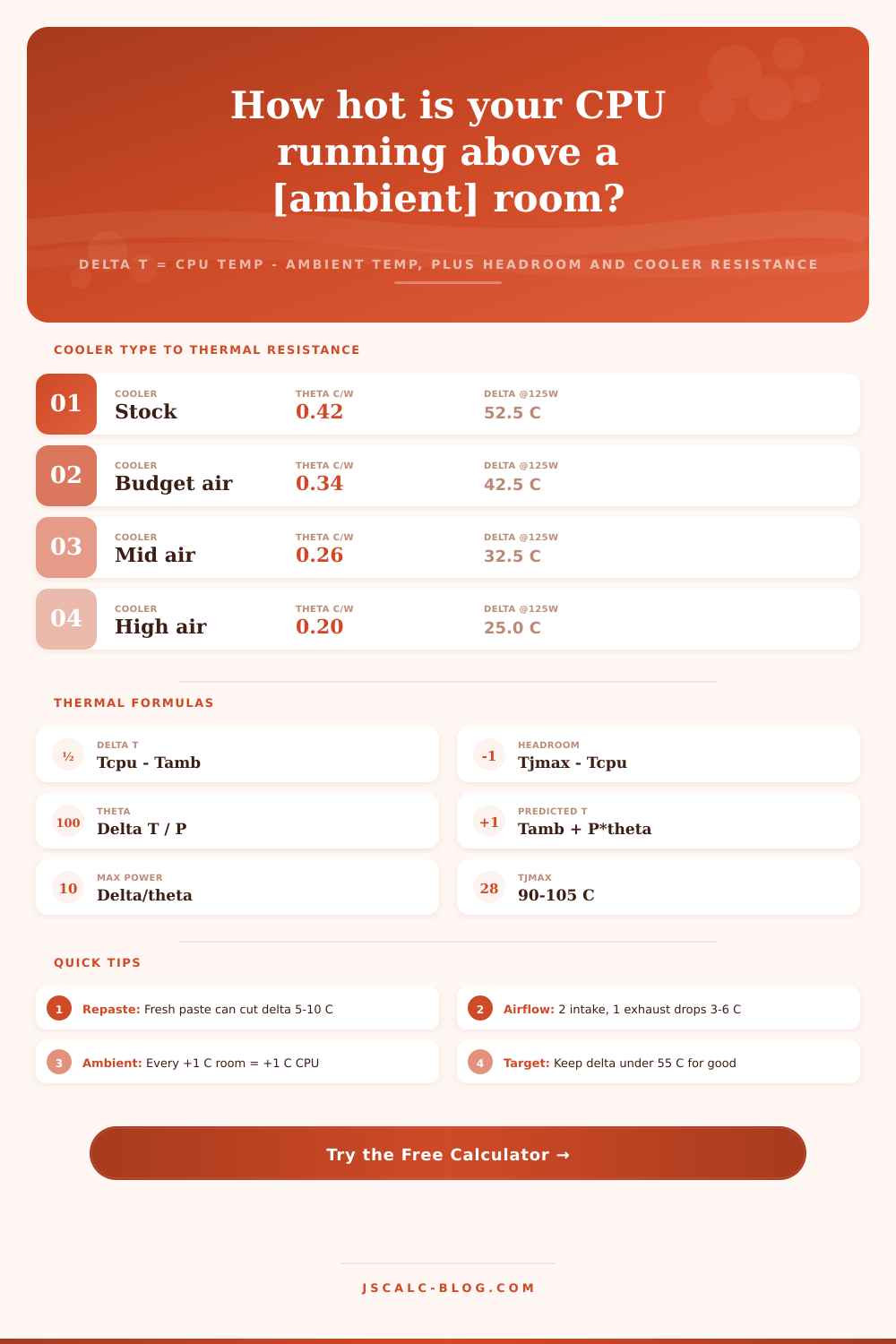
CPU Temperature Delta Calculator
Measure how hard your cooler actually works with delta T over ambient, the room-independent metric that matters more than raw temperature. Get thermal headroom to throttle, the effective thermal resistance of your cooling path in degrees C per watt, and the maximum sustainable power before your CPU hits Tj max.
🌡Temperature Unit
💻Real Cooling Scenarios
🔧Thermal Inputs
Current core or package reading from your monitoring tool.
Air temperature entering the case, not case-internal air.
Measured package power or the TDP / PL for the load.
Junction limit where the CPU throttles, often 90-105 C.
Maps a typical case-to-ambient resistance for the design.
Degrees C rise per watt. Lower is a stronger cooler.
Used to find the cooler theta needed to stay at this temp.
Controls rounding on every result card.
🔢Formula Snapshot
⚙Formula Breakdown
📊Delta T Quality Bands
| Delta T over Ambient | Rating | What It Means | Typical Cause |
|---|---|---|---|
| Under 40 C | Excellent | Cooler has ample margin | AIO or big air, low load |
| 40 to 55 C | Good | Healthy sustained cooling | Solid air or AIO at load |
| 55 to 70 C | Warm | Working hard, watch it | Small cooler, high power |
| Over 70 C | Poor | Near throttle, act now | Old paste, weak airflow |
| Over 80 C | Critical | Throttling likely soon | Stock cooler on hot chip |
💧Tj Max by CPU Family
| CPU Family | Tj Max | Typical Package Power | Notes |
|---|---|---|---|
| Intel Core 12th-14th Gen | 100 C | 65 to 253 W | PL2 can spike briefly |
| Intel Core Ultra Series 2 | 105 C | 65 to 250 W | Tile-based design |
| AMD Ryzen 5000 Series | 90 C | 65 to 142 W | Zen 3 desktop |
| AMD Ryzen 7000 / 9000 | 95 C | 65 to 230 W | Runs hot by design |
| AMD Ryzen X3D chips | 89 C | 65 to 162 W | Cache limits temp |
| Intel / AMD laptop CPUs | 100 C | 15 to 55 W | Thin chassis, tight limits |
🌧Ambient Temperature Impact Grid
| Ambient Air | Delta T (fixed) | Predicted CPU Temp | Headroom to 100 C |
|---|---|---|---|
| 18 C cold room | 51 C | 69 C | 31 C |
| 22 C typical | 51 C | 73 C | 27 C |
| 25 C warm | 51 C | 76 C | 24 C |
| 28 C summer | 51 C | 79 C | 21 C |
| 32 C hot day | 51 C | 83 C | 17 C |
| 36 C no AC | 51 C | 87 C | 13 C |
🗄Cooler Comparison Grid
| Cooler Class | Theta C/W | ΔT @65W | ΔT @125W | ΔT @200W | Pmax to 100C @24C | Best For |
|---|---|---|---|---|---|---|
| Stock cooler | 0.42 | 27.3 C | 52.5 C | 84.0 C | 181 W | Light office loads |
| Budget air tower | 0.34 | 22.1 C | 42.5 C | 68.0 C | 224 W | Mainstream 6-core |
| Mid-tower air | 0.26 | 16.9 C | 32.5 C | 52.0 C | 292 W | Gaming 8-core |
| High-end dual tower | 0.20 | 13.0 C | 25.0 C | 40.0 C | 380 W | Enthusiast air |
| 240mm AIO | 0.19 | 12.4 C | 23.8 C | 38.0 C | 400 W | Compact liquid |
| 280mm AIO | 0.17 | 11.1 C | 21.3 C | 34.0 C | 447 W | Balanced liquid |
| 360mm AIO | 0.15 | 9.8 C | 18.8 C | 30.0 C | 507 W | High-power OC |
| Custom water loop | 0.11 | 7.2 C | 13.8 C | 22.0 C | 691 W | Extreme builds |
💡CPU Cooling Tips
How hot is too hot? That’s the question a raw temperature reading doesn’t answer. A 78 C reading by itself sounds scary. But what does it mean? Nothing. It means nothing until you know how hot air being fed into your cooler is.
Delta T over ambient (your CPU temperature minus the room) is a metric that engineers and overclockers rely upon to determine if their cooler is working as intended. Because it eliminates the one variable that you cannot control. This calculator figures out the difference. And it will figure out things like thermal headroom and thermal resistance and what’s the maximum amount of power your cooling solution can handle.
Why Delta T Is Better Than Raw Temperature
Delta T is nothing more than the delta (the change) between CPU package temperature and the temperature of surrounding air. So if room is 24 C and your processor says it’s running at 75 C, your delta T is 51 C. This number shows how much work your cooler is doing. It doesn’t matter if you’re testing during the middle of the afternoon, when it’s hot outside, or during a cool winter morning. Your cooler only transfers heat through difference in temperature.
Delta T relates that number to surrounding temperature, so that you can compare your workstation in your garage with your laptop sitting on your desk in the office. And it will tell you if something you changed realy did help. Suppose you have two otherwise identical PCs, running the same benchmark. One is in a 30 C bedroom reporting 80 C; the other is in an 18 C basement reporting 68 C. By raw numbers alone, the former’s in deep trouble. But it has a 50 C difference, just like the former. Its cooler is doing exactly as well; it’s just being asked to work harder in warmer air.
This is why review sites normalize their radiator/heat sink testing to delta above ambient. It’s the only fair way of ranking radiators and heatsinks. And when you test your own system, always subtract ambient temperature first. If you get a delta below 55 C at sustained load, you’re good. Anything creeping above 70 C points toward a badly mounted/undersized cooler.
The second output is thermal headroom. That’s the gap between your current temperature and the junction maximum where CPU protects itself by slowing down. On most moddern Intel chips, it throttles at roughly 100 C. Newer AMD Ryzen parts hover at 90 to 95 C. X3D models with lots of cache top out even lower, at like 89 C. If your CPU shows 75 C in a 100 C world, that’s 25 C of headroom. You’re good.
When your headroom gets closer to zero, your processor will start lowering its clocks in an effort to lose heat. Performance suffers as a result. To know whether you’re nearing this point, watch headroom. Not just raw temperature.
Thermal resistance is probably the best concept in this calculator. Thermal resistance, written as theta, is expressed in degrees Celsius per watt. Delta T = power * theta. Theta = delta T / power. In this case, power is the amount of power dissipated by the CPU. And theta is the sum of all resistances between the chip and ambient air.
Rewriting: Theta = delta T / P. A cooler with a low temperature rise will be a better cooler. It creates a lower difference for a given power. That’s a physics thing, not marketing speak. Now that you have your theta figured out, you can calculate what the temperature will be at any power setting. Or conversely, you can calculate how much resistance a cooler should of had to maintain some target temperature.
That’s the fourth result card where this physics becomes a real-world limiter. If we say that delta T = P x theta, then there’s a point at which your cooling simply won’t be able to handle it without throttling the CPU. In a 24 C room, with a 100 C limit and a mid-tower air cooler ~0.26 C/W, your power cap will be about 292 W before it throttles. That’s what your cooler needs to be able to handle if you want to overclock or use a particularly power-hungry chip.
And that’s why increasing the ambient temperature decreases your power ceiling directly. For every degree the room gets warmer, the amount of headroom decreases one degree. The amount of power you can sustain also goes down a couple watts. Since all temperatures are derived from theta, the fastest way to lower your CPU temperature is to reduce thermal resistance.
When old thermal compound dries out, you can apply new compound and get an extra 5 to 10 C of difference. Clearing your case so it has a clear front-to-back air flow reduces another 3 to 6 C. That’s because you’re feeding the cooler cooler air. Dusting off finned coolers brings back some lost performance. And finally, if you have a small air tower, upgrading to a large dual-tower or even going water can roughly halve the delta at high power. Since room temperature is a direct term in all equations, even cooling the room helps.
Run one of the built-in scenarios as a starting point. Edit the input to reflect your rig. Then read the four cards as a group. Effective theta tells you about your cooling path. Maximum sustainable power is how much more the cooler can take. Headroom tells you how close you are to throttling. Delta T tells you how well the cooler performs.
Judged in this manner, your temperatures makes sense. You are measuring the cooler, not the weather.