CPU Multiplier and Base Clock (BCLK) Calculator
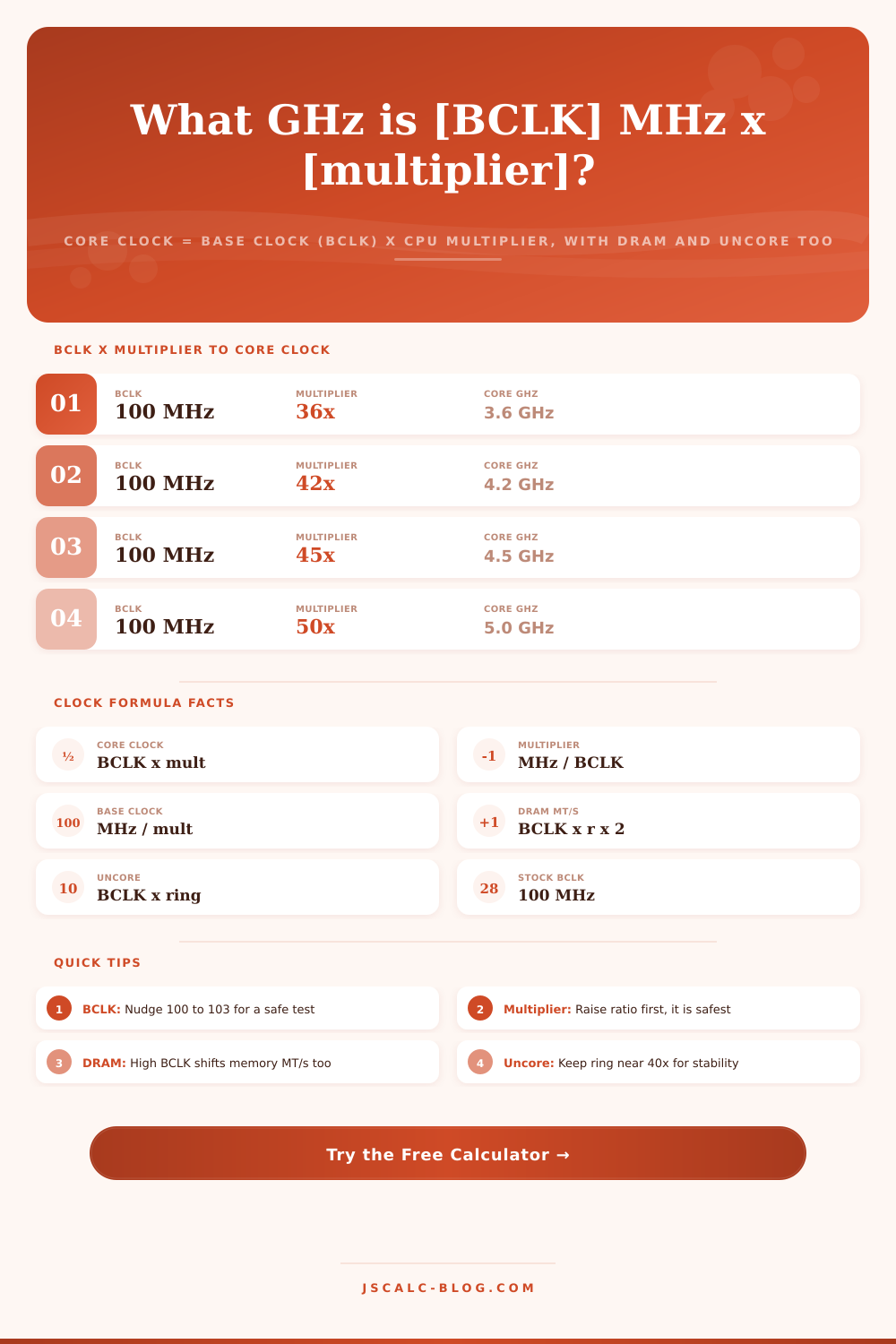
Core clock equals base clock (BCLK in MHz) times the CPU multiplier, so 100 MHz x 45 = 4.5 GHz. Reverse-solve the multiplier or the BCLK you need for a target frequency, and see how that same BCLK propagates to DRAM effective speed and the uncore or ring domain.
💻Choose a Solve Mode
🎯Real CPU Tuning Presets
🔧Clock and Ratio Inputs
Reference clock feeding every ratio. Stock is 100 MHz.
Core ratio. Core clock = BCLK x this multiplier.
Goal clock for reverse-solving multiplier or BCLK.
DRAM ratio. Effective MT/s = BCLK x ratio x 2 (DDR).
Cache and ring bus ratio. Ring clock = BCLK x this.
Controls rounding on every result card.
🔢Formula Snapshot
📊BCLK x Multiplier to Core Clock
| Base Clock | Multiplier | Core Clock (MHz) | Core Clock (GHz) |
|---|---|---|---|
| 100 MHz | 32x | 3200 MHz | 3.2 GHz |
| 100 MHz | 36x | 3600 MHz | 3.6 GHz |
| 100 MHz | 42x | 4200 MHz | 4.2 GHz |
| 100 MHz | 45x | 4500 MHz | 4.5 GHz |
| 100 MHz | 50x | 5000 MHz | 5.0 GHz |
| 100 MHz | 55x | 5500 MHz | 5.5 GHz |
| 103 MHz | 48x | 4944 MHz | 4.944 GHz |
| 125 MHz | 40x | 5000 MHz | 5.0 GHz |
🧬Memory Ratio to Effective MT/s
| BCLK | Memory Ratio | DRAM Clock | Effective MT/s | Common Name |
|---|---|---|---|---|
| 100 MHz | 12x (12.00) | 1200 MHz | 2400 MT/s | DDR4-2400 |
| 100 MHz | 13.33x | 1333 MHz | 2666 MT/s | DDR4-2666 |
| 100 MHz | 16x (16.00) | 1600 MHz | 3200 MT/s | DDR4-3200 |
| 100 MHz | 18x (18.00) | 1800 MHz | 3600 MT/s | DDR4-3600 |
| 100 MHz | 20x (20.00) | 2000 MHz | 4000 MT/s | DDR4-4000 |
| 100 MHz | 24x (24.00) | 2400 MHz | 4800 MT/s | DDR5-4800 |
| 100 MHz | 30x (30.00) | 3000 MHz | 6000 MT/s | DDR5-6000 |
⚖Raising BCLK vs Raising the Multiplier
| Method | Core Clock Effect | DRAM Effect | PCIe / DMI | Granularity |
|---|---|---|---|---|
| Multiplier up | Direct, core only | Unchanged | Unchanged | Whole steps (1x = 100 MHz) |
| BCLK up | Scales core | Scales MT/s | Can destabilize | Fine (0.1 MHz steps) |
| Both together | Compounds | Scales MT/s | Watch carefully | Mixed |
| BCLK down | Lowers core | Lowers MT/s | Very safe | Fine |
| Multiplier down | Lowers core only | Unchanged | Unchanged | Whole steps |
🗃BCLK and Multiplier Combination Grid
| BCLK (MHz) | Multiplier | Core (GHz) | Ring 43x (GHz) | Mem 16x (MT/s) | Tuning Note |
|---|---|---|---|---|---|
| 100 | 36x | 3.600 | 4.300 | 3200 | Stock i5 base |
| 100 | 42x | 4.200 | 4.300 | 3200 | Mild all-core |
| 100 | 45x | 4.500 | 4.300 | 3200 | Everyday gaming OC |
| 100 | 50x | 5.000 | 4.300 | 3200 | 5 GHz milestone |
| 100 | 55x | 5.500 | 4.300 | 3200 | High-end all-core |
| 103 | 48x | 4.944 | 4.429 | 3296 | BCLK + ratio blend |
| 105 | 47x | 4.935 | 4.515 | 3360 | BCLK stretch |
| 125 | 40x | 5.000 | 5.375 | 4000 | Legacy strap OC |
| 100 | 60x | 6.000 | 4.300 | 3200 | Extreme cooling |
| 99 | 45x | 4.455 | 4.257 | 3168 | Underclock test |
⚙Formula Breakdown
💡BCLK and Multiplier Tuning Tips
A processor seems simple: You have one speed, right? It is like your car’s engine idling at a constant RPM. Wrong. The clock itself consist of two ingredients. Two numbers’ product becomes the actual speed we call core speed when we look at task manager. There’s a number called the base clock which delivers a very accurate reference signal and then there’s a number called the CPU multiplier which multiplies the base clock and gives you the core speed.
Why does this matter? Because now you can see exactly where the leverage exists. When you guess your way through an overclock, you’re playing roulette. When you know the math, you’re engineering a result. The basic formula is so straightforward, you can scribble it onto a cocktail napkin. Simply multiply the CPU ratio into the base clock and that’s your core frequency.
How CPU Speed Works
The stock base clock on most desktop platforms will be one hundred megahertz. A chip sporting a forty-five times multiplier falls at four point five gigahertz. When the numbers are clean, this is all trivial math. But get into locked silicon, or when you’re hunting for particular targets, it gets gnarly. You’ll want to figure out if something is physically possible.
You don’t have to do any mental arithmetic because our calculator does the work for you. Just plug in your constraints and let it go. If you know how fast you want to go then sometimes working backwards gets you where you want. When the tool switches to solving for the multiplier, it divides the target frequency by the base clock. On a typical hundred-megahertz base, a goal of five gigahertz will produce a fifty times ratio. A goal of four point two gigahertz will produce a forty-two times ratio.
Real-world CPUs takes these ratios as multiples of one or half, meaning that when you see the precise number, you’ll know whether it’s neatly positioned atop a supported value, or split the difference between two values. In this case, a slight tweak to the base clock is typically all that is required to close the gap while maintaining stability.
Some processors won’t even allow you to touch the multiplier. Those are locked chips. Your only lever is the base clock. That’s when you divide your target frequency by the static multiplier to solve for base clock. Let’s say you have a chip with a multiplier ratio set at forty-nine times and you’d like it to run at four point nine gigahertz? The tool tells you you’re going to get precisely one hundred megahertz. Want just a little more oomph running the same ratio? Then nudge up the base clock to one hundred three megahertz.
For years, this was the traditional approach to overclocking: wringing extra performance from budget parts by increasing the reference signal instead of increasing the multiplier. This is where things get tricky. The core’s base clock is not private. It’s a reference for the whole system. Other parts relies on it as well.
For example, the memory controller takes the base clock and multiplies it by a memory ratio; then double data rate memory runs at twice the number of cycles. So that means the effective speed is doubled yet again. This results in three thousand two hundred megatransfers per second from a one hundred megahertz base clock multiplied by a sixteen times memory ratio. And all of this the calculator works out on a separate card, just to display how fast your memory runs with the core.
This explains that linked effect, and why cranking up the multiplier seems safer than cranking up the base clock. The other thing is that ring domain or uncore. That runs on its own ratio based off the same base clock as processor cache and other interconnects inside. If you increase your base clock but don’t change your uncore ratio, you might hit a bottleneck. This happens because the ring bus will be running slower than the core. Too far the other way and you have excess heat. The ring frequency is surfaced as separate from the rest so you never forget it’s also scaling behind the scenes. It’s not a big thing but it matters for sustained performance in heavy workloads.
On the page itself, they’ve laid out the combinations of variables in a reference table that demonstrates how they play together in reality. A slight 3-megahertz bump in the base clock impacts the whole equation as it’s combined with varying multipliers. There are paths that scale everything together (safe but surgical); and those that lift only the core, leaving peripherals and memory unchanged.
The levers that really govern CPU frequency are hidden behind a single opaque number: frequency. Splitting each clock into base times ratio transforms overclocking from folklore to math. Enter your own numbers or load a preset. You can then instantly see your core clock, the required ratio, the DRAM speed, and the uncore frequency all at a glance. Tune with confidence rather than luck.
Whether you’re running a locked chip or an unlocked flagship. The only difference between you and everyone else is that now you know what’s going on. You’ve got the exact same two ingredients everybody else has. But you know how they mix.