CPU Clock Speed Calculator
Multiply the base clock BCLK by the CPU core multiplier to get the final core frequency in MHz and GHz, read the cycle time in nanoseconds and picoseconds, or flip to Target mode to solve the multiplier needed to hit a chosen GHz on your platform.
🖥Choose a Mode
🎯Real Clock Speed Presets
🔧Clock Inputs
Sets a default base clock; switch to Custom to type your own.
Reference clock feeding the multiplier, usually 100 MHz.
Whole-number ratio the BIOS applies to the BCLK.
Labels the result as an all-core or single-core boost figure.
Desired core speed; the tool solves the nearest ratio.
Cycle time is one over frequency, the period per tick.
Controls rounding on the frequency and cycle-time cards.
🔢Formula Snapshot
📊BCLK x Multiplier to Frequency
| BCLK (MHz) | Multiplier | MHz | Frequency |
|---|---|---|---|
| 100 | 30x | 3000 | 3.0 GHz |
| 100 | 36x | 3600 | 3.6 GHz |
| 100 | 42x | 4200 | 4.2 GHz |
| 100 | 45x | 4500 | 4.5 GHz |
| 100 | 50x | 5000 | 5.0 GHz |
| 100 | 53x | 5300 | 5.3 GHz |
| 100 | 57x | 5700 | 5.7 GHz |
| 100 | 60x | 6000 | 6.0 GHz |
⏱Frequency to Cycle Time
| Frequency | MHz | Cycle Time (ns) | Cycle Time (ps) |
|---|---|---|---|
| 3.0 GHz | 3000 | 0.333 ns | 333 ps |
| 3.6 GHz | 3600 | 0.278 ns | 278 ps |
| 4.2 GHz | 4200 | 0.238 ns | 238 ps |
| 4.5 GHz | 4500 | 0.222 ns | 222 ps |
| 5.0 GHz | 5000 | 0.200 ns | 200 ps |
| 5.3 GHz | 5300 | 0.189 ns | 189 ps |
| 5.7 GHz | 5700 | 0.175 ns | 175 ps |
| 6.0 GHz | 6000 | 0.167 ns | 167 ps |
🖥Platform Base Clock Reference
| Platform | Socket | Stock BCLK | Typical Ratio | Notes |
|---|---|---|---|---|
| Intel 12-14th Gen | LGA1700 | 100 MHz | 36x to 58x | K chips unlock ratio |
| AMD Ryzen 7000 | AM5 | 100 MHz | 40x to 57x | PBO tunes boost |
| AMD Ryzen 5000 | AM4 | 100 MHz | 34x to 50x | Curve optimizer helps |
| Intel 10-11th Gen | LGA1200 | 100 MHz | 35x to 53x | Per-core ratios |
| Intel Core i7 first gen | LGA1366 | 133 MHz | 20x to 25x | BCLK-led overclocks |
| Custom BCLK tune | Any | 101 to 105 MHz | Locked ratio | Shifts all buses |
🗃CPU Clock Comparison Grid
| Example CPU | Base Clock | Boost Clock | Boost Ratio | Boost Cycle (ns) | Boost Cycle (ps) |
|---|---|---|---|---|---|
| Value 6-core | 3.6 GHz | 4.2 GHz | 42x | 0.238 ns | 238 ps |
| Mainstream 8-core | 3.8 GHz | 4.7 GHz | 47x | 0.213 ns | 213 ps |
| Gaming 8-core | 4.5 GHz | 5.0 GHz | 50x | 0.200 ns | 200 ps |
| High-end 16-core | 4.2 GHz | 5.3 GHz | 53x | 0.189 ns | 189 ps |
| Flagship 24-core | 3.2 GHz | 5.7 GHz | 57x | 0.175 ns | 175 ps |
| Record LN2 chip | 3.5 GHz | 6.0 GHz | 60x | 0.167 ns | 167 ps |
| Efficient laptop | 2.4 GHz | 4.0 GHz | 40x | 0.250 ns | 250 ps |
| Legacy quad-core | 2.66 GHz | 3.33 GHz | 25x | 0.300 ns | 300 ps |
⚙Formula Breakdown
💡Overclocking Tips
That’s why you read the headline number for processors in gigahertz, and that’s why they don’t exist anywhere within the chip as a single number. Instead, the system derives it by taking a little clock called the base clock or BCLK. This clock runs through the motherboard and chipset as well as on the CPU itself. The system then multiplies it by a whole-number ratio known as the core multiplier.
The relationship between those two numbers becomes evident when you look at this CPU Clock Speed Calculator. Enter your own multiplier and base clock into the tool. It spits out the resulting core frequency in both GHz and MHz. It also shows the cycle time, which is how many seconds pass from one tick of the clock to another. In other words, what is the actual duration of a tick? That lets you see some reality behind an otherwise abstract specification.
How to Calculate Your CPU Speed
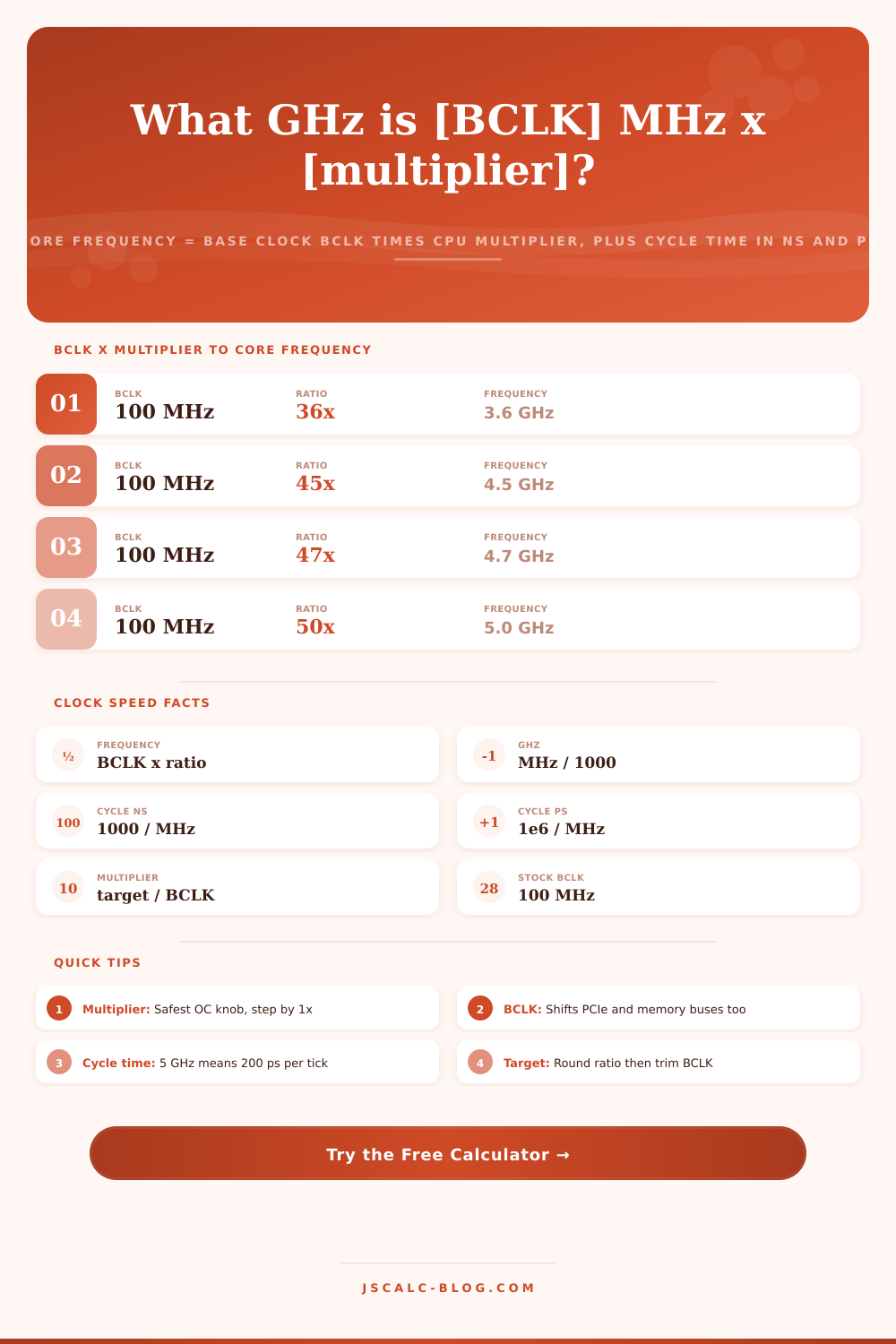
There are just two variables, making the core equation simple. Ratio x Base Clock = Core Frequency (MHz). For most CPUs today, the base clock is 100 MHz. That means that if your multiplier is 45x, you’ll have 100 times 45, aka 4500 MHz. Or 4.5 GHz, what the listing in a store would say.
The multiplier changes as the CPU boosts depending on load and power usage. It may go down to 8x or 12x at idle to save power. Under full load, one core could spike to 55x, or more, with the all-core ratio ending up at something slightly lower. Since the ratio is in steps, each step up on a 100 MHz base means +100 MHz core clock. Why people chase the next multiplier bin… There’s your answer.
Each input has a very different impact on the system: The multiplier impacts just the cores of the CPU, while the base clock is a common source for the interconnect, memory controller and (in earlier designs) the PCIe lanes as well. Increasing this base clock pushes all of those up by the same percentage. Bumping it from 100 to 103 MHz increases your 49x core from 4900 to 5047 MHz, but it also moves those other buses up by three percent. The calculator keeps the fields apart so you can observe their individual contribution to the final value.
In general, you’ll tune with the ratio left pinned at the stock setting. You will adjust the BCLK to do your finishing trim of one or even three megahertz. It is not a major way to make changes. This is where we introduce cycle time and how it relates to frequency. Frequency (measured in MHz) and cycle time (in nanoseconds or picoseconds depending on your preference) are mathematically related: frequency = 1 / cycle time.
You can also think of it like this: each core ticks at some rate, every 222 picoseconds for a 4.5 GHz core; every 200 picoseconds for a 5.0 GHz core. That’s the length of a single clock period. The cycle time. Conveniently, divide the frequency in MHz by 1000 and you have nanoseconds (divide by 1,000,000 if you prefer picoseconds). For example, divide 1000 by 4500 (MHz) or by 5000 (MHz), and you’ll see that a 4.5 GHz core ticks every 0.222 ns, or 222 ps. At 5.0 GHz, the core tightens up that tick to exactly 0.200 ns, or 200 ps. This will help you build a feel for performance as you watch the cycle time tighten up with increasing frequency.
Higher frequency requires more voltage and better silicon because half the time available per instruction stage means doubling the clock. If you’re going for a particular target instead of a particular ratio (sometimes you do know how fast you want your CPU), then Target mode turns the math upside down. It lets you plug in what you want, and it will calculate back to you. In this case, you input your target, tell the tool what your base clock is, let’s say 100 MHz, and it will tell you exactly what your multiplier should be. Then it rounds up or down to the next whole number your BIOS will actualy set.
In our example with a 100 MHz base clock, 5000/100 = 50, which means you’ll set your multiplier to 50x and end right on target. If the number doesn’t divide evenly, the calculator will show you both the rounded ratio and its true frequency output. It will even show you how far off in MHz so you can see if it’s worth trimming your base-clock to get closer.
Because some systems follow different standards, it will load the proper stock base clock into the platform dropdown. For example, it uses a 100 MHz reference for Intel LGA1200, AMD AM4 and LGA1700, but 133 MHz for the older Intel LGA1366. It also allows typing in whatever base clock you like if you have something heavily tuned or exotic.
Finally, the scope selector lets you label your result as a single-core peak or all-core figure. A single-core peak is a brief burst of speed a core reaches when the system is running only light tasks. All-core figure is what you maintain over a longer period of time, such as with a rendering workload. Why does this matter? Depending on how many cores are busy, the same chip might quote you two very different GHz figures.
The default preset is the 3.6 GHz baseline at 100 MHz times 36, or 3600 MHz, with a cycle of 0.278 ns. Jumping to the gaming preset of 100 times 45 brings it to 4.5 GHz, or 222 ps. All-core 50x gets the chip to a round 5.0 GHz (at 200 ps). Boost at 100 times 53 demonstrates how high one core can run: 5.3 GHz (at 189 ps). Each preset updates the form immediately and populates all the fields, so you can compare the cycle time alongside the frequency, and get an idea of where each number comes from without having to crack open a spreadsheet. No more guesswork.
Keeping the cycle time, the frequency, the multiplier, and the base clock all on screen lets you plan without having to do math. It’s immediately obvious how many mega-hertz a step up or down is. It’s always 100 MHz because we have a standard base. It’s immediately obvious how much of an impact a base bump has throughout the platform, a three-megahertz bump affects the entire platform. And every gigahertz of faster means x number of picoseconds per tick. Rather than doing math over and over again, this calculator makes the base-times-multiplier rule into a quick and reliable answer so you can tune instead of calculate. Choose a preset, change the ratio, and instantly understand exactly what your CPU will be running at by reading the four cards.