Container Memory Limit Calculator
Size a Kubernetes node the right way. Subtract system and kubelet reserved memory plus the eviction threshold to find allocatable RAM, then compute total pod requests, the burst ceiling from your request-to-limit ratio, how many pods fit by request, and the QoS class the scheduler will assign. Works in binary Mi and Gi or decimal MB and GB.
📦Real Node Sizing Presets
🖥Node and Reserved Memory
Physical or VM RAM reported by the machine.
Binary Gi/Mi vs decimal GB/MB. Kubernetes uses binary.
Held for OS daemons like sshd and systemd.
Held for kubelet, container runtime and node agents.
Hard memory.available buffer, default about 100Mi.
Extra non-heap memory added on top of each request.
📋Pod and Container Sizing
Distinct workload pods you plan to schedule.
Copies of each pod, multiplies total demand.
Guaranteed reservation the scheduler places by.
Applies to the request value above.
Limit = request times X. Higher X allows more overcommit.
Guaranteed sets limit equal to request; Best-Effort sets none.
🔢Formula Snapshot
📦Node RAM to Pods That Fit
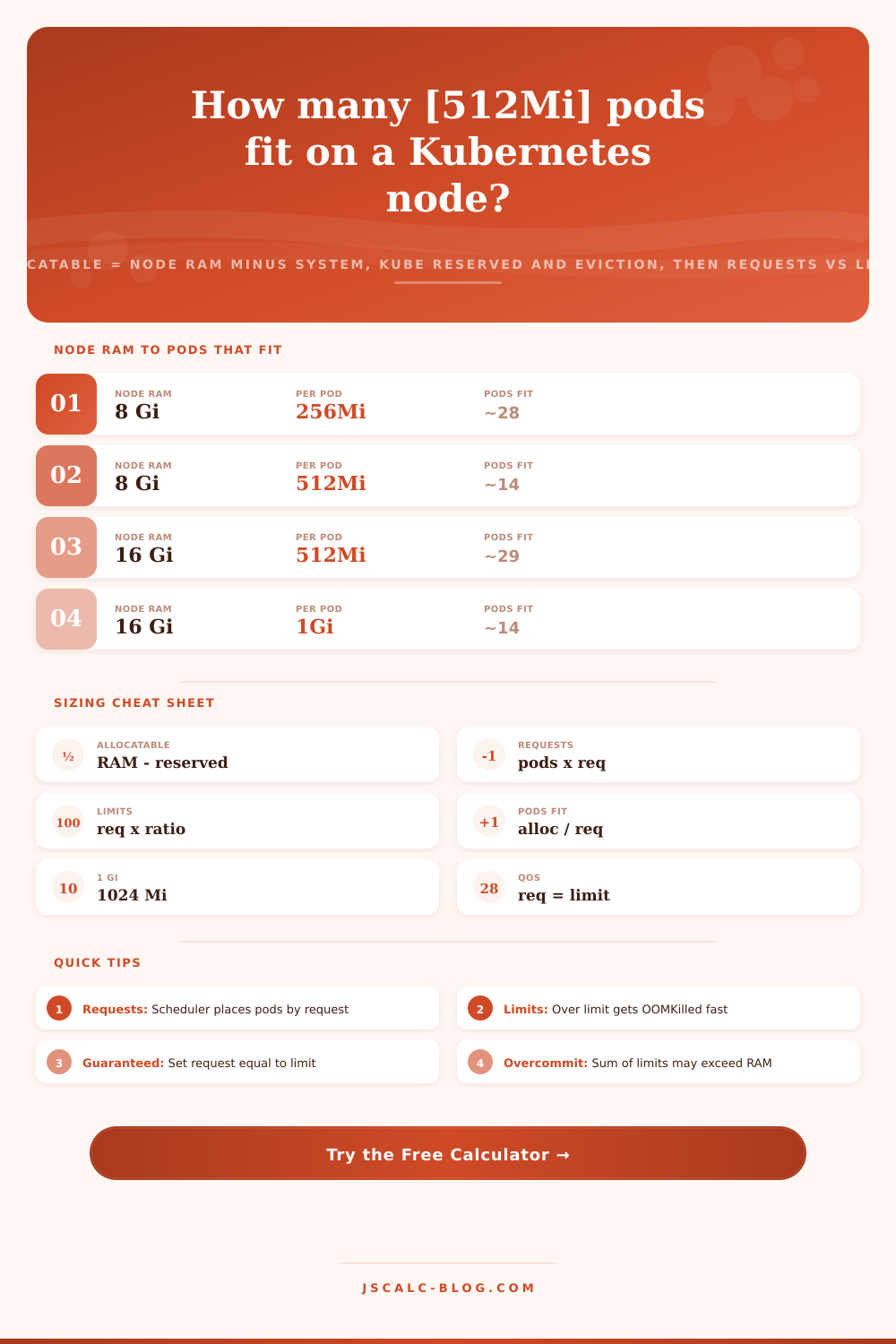
| Node RAM | Approx Allocatable | Per-Pod Request | Pods That Fit |
|---|---|---|---|
| 4 Gi | ~3.3 Gi | 256 Mi | ~13 |
| 8 Gi | ~6.9 Gi | 256 Mi | ~27 |
| 8 Gi | ~6.9 Gi | 512 Mi | ~13 |
| 16 Gi | ~14.4 Gi | 512 Mi | ~28 |
| 16 Gi | ~14.4 Gi | 1 Gi | ~14 |
| 32 Gi | ~30 Gi | 1 Gi | ~30 |
| 32 Gi | ~30 Gi | 2 Gi | ~15 |
| 64 Gi | ~61 Gi | 2 Gi | ~30 |
| 64 Gi | ~61 Gi | 4 Gi | ~15 |
| 128 Gi | ~123 Gi | 4 Gi | ~30 |
📏Mi and Gi Binary Unit Reference
| Unit | Bytes | In Mi | Note |
|---|---|---|---|
| 1 Ki | 1024 B | 0.00098 Mi | Kibibyte binary |
| 1 Mi | 1048576 B | 1 Mi | Mebibyte, 2^20 |
| 1 Gi | 2^30 B | 1024 Mi | Gibibyte, 2^30 |
| 1 Ti | 2^40 B | 1048576 Mi | Tebibyte, 2^40 |
| 1 MB | 1000000 B | 0.954 Mi | Megabyte decimal |
| 1 GB | 10^9 B | 953.7 Mi | Gigabyte decimal |
| 256 Mi | 268435456 B | 256 Mi | Small pod |
| 512 Mi | 536870912 B | 512 Mi | Half a gibibyte |
🗄Workload Request, Limit and QoS Comparison Grid
| Workload | Typical Request | Typical Limit | Ratio | QoS Class | Note |
|---|---|---|---|---|---|
| Nginx web | 64 Mi | 128 Mi | 1:2 | Burstable | Light static serving |
| Node API | 256 Mi | 512 Mi | 1:2 | Burstable | Event-loop service |
| Java Spring | 1 Gi | 2 Gi | 1:2 | Burstable | JVM heap plus metaspace |
| Redis cache | 1 Gi | 1 Gi | 1:1 | Guaranteed | Set request = limit |
| PostgreSQL | 4 Gi | 4 Gi | 1:1 | Guaranteed | Stable buffer pool |
| Batch job | 512 Mi | 2 Gi | 1:4 | Burstable | Spiky short runs |
| Log sidecar | 32 Mi | 64 Mi | 1:2 | Burstable | Fluent-bit shipper |
| ML training | 8 Gi | 16 Gi | 1:2 | Burstable | Large tensors |
| Cron helper | none | none | -- | BestEffort | Evicted first |
🛡QoS Class and OOM Behavior
| QoS Class | Condition | Eviction Order | OOM Risk |
|---|---|---|---|
| Guaranteed | request = limit, all containers | Evicted last | Lowest |
| Burstable | request < limit set | Evicted middle | Medium |
| BestEffort | no request or limit | Evicted first | Highest |
| Over limit | usage > limit | Container OOMKilled | Immediate |
| Node pressure | available < eviction | Pods evicted by QoS | Node level |
| Overcommit | sum limits > allocatable | Allowed for limits | Risk if all peak |
⚙Formula Breakdown
💡Requests vs Limits Tips
Kubernetes node sizing becomes arithmetic, not guesswork, thanks to the Container Memory Limit Calculator. The kubelet carves up machine into slices before any pod is scheduled. Some memory goes to operating system (for systemd, sshd, etc.). Some memory goes to node agents: the container runtime and kubelet. Finally some memory is set aside as a hard buffer in case the node runs dry before it can act.
That’s the allocatable pool this tool figures out, the memory that’s left over after those things. It then calculates how your pod requests and limits stacks up against that. How many pods can you fit? Which Quality of Service class will the scheduler assign? These are all expressed in binary Mi and Gi units that Kubernetes uses. However, you will get decimal MB and GB if your cloud bill uses those instead.
How to Calculate Kubernetes Node Memory
What do you get when you assign? It is not what you expect. When you first deploy and see a 16 Gi node you might assume pods gets 16 Gi of memory. Surprise! Kubernetes won’t give any pods more than a few gigabytes out of the gate. Why? There are three reasons. First, there is OS overhead (system reserved). Second, there are control plane agents running on that node (kube reserved). Third, there needs to be a safety margin for when things get desperate (the eviction threshold).
The math is straightforward but harsh. Node RAM minus system reserved minus kube reserved minus eviction threshold = allocatable. In this case, it lands near 14.4 Gi allocatable. The scheduler splits that across pods. This amount is what you trade with. It is not the RAM listed on the back of hardware box. That’s the real money.
Limits set a cap. Requests schedule. Every container in Kubernetes gets two knobs for memory and those knobs does very different jobs. A memory request is a reservation. The scheduler sums all existing memory requests already on a node. It will only place a new pod if that request still falls within the allocatable amount.
A memory limit is an enforced ceiling during runtime by the kernel cgroup. As long as there is spare memory, a container can use more than its request. The second it goes over its limit, however, it’s OOMKilled. That’s why the calculator above breaks out total requests from total limits. Total requests answer the question: Can the workload be placed on the node?
Total limits are the burst ceiling. They answer the question: If each of these containers peaks at once, how much memory could they take? This is a critical distinction between what you promise and what you allow. Most teams set a limit that is some multiple of the request, expressed as a 1 to X ratio. For example, a 1 Gi limit means the team set a 1:2 ratio on a 512 Mi request. That lets each container use some headroom to spike but not permanently reserve that memory.
The tool calculates total limits figure as total requests multiplied by this ratio. Using a wide ratio such as 1:4 packs more pods by request yet provides space for big bursts. However, there’s a higher chance simultaneous peaks will swamp the node. A 1:1 ratio eliminates burst room altogether in return for the strongest scheduling guarantee. Does your workload run predictably or jagged?
Based off those limits and requests, Kubernetes assigns each one a QoS class. This determines which one will get kicked off a node that’s running out of room. If both match (e.g., if each container requests as much as it needs), the pod is assigned Guaranteed. In times of pressure, these pods are evicted last.
If only the request is non-zero (with a higher limit), the pod is called Burstable. In times of pressure, this puts it in the middle of the eviction queue. If neither is set, then the pod is labeled BestEffort. They’re evicted first to try to keep the node alive. For stateful workloads such as PostgreSQL or Redis, it’s generally the default to pin to Guaranteed, which makes sure they stay up.
The calculator will report the class, so you know what it thinks and whether it matches what you intended. A floor division results in pods-that-fit. Divide total allocatable amount by the amount requested per container, then round down. A fraction of a pod isn’t schedulable. Pods with 512 Mi each fit ~28 times on 14.4 Gi of allocatable memory.
Two boundary conditions flagged by the tool are worth keeping an eye on. One: the total of the limits could exceed what is available. That’s called overcommit. Because pods typically don’t all peak simultaneously, it works, but if they do, then node is in trouble. Two: the total requests should never exceed the amount available to allocate. If your input crosses that line, no pod will be able to schedule. Protect yourself by keeping requests honest. Limits are where you gamble on statistics.
Real outages are due to confusing units. Mi and Gi are binary. 1024 Mi make a Gi. Plain M and G are decimal. G is 10 to the 9th bytes, so it’s around 954 Mi. Asking for 1G when you mean 1Gi is quiet, and will give you only about seven percent of what you expected. Convert whatever unit your provider quoted into memory. Pick Mi or Gi on the request side. Internally the tool will turn everything into mebibytes to keep math consistent.
Realistically, managed runtimes don’t fit within a naive request. Plus the JVM has heap + metaspace + thread stacks + off-heap buffers. An optional overhead is added to each request to account for that. At an optional overhead of 20%, a 512 Mi request would reserve roughly 614 Mi.
The preset buttons take you back to reasonable launch points. These range from tiny micro nodes with a few little pods to huge machines that does machine learning with large workers. All fields are filled in automatically, and everything is recalculated immediately. Just change the node size/ratio and see how it ripples through pod density, requests, and allocatable. Choose the preset nearest your node. Tweak the reserved values to align with your kubelet flags. Now dial down the per-container request and find where pods-that-fit lands near your deployment plan.
All of the allocatable resources leave some room for DaemonSets, system pods, and so on. That’s confirmed by reading through the breakdown. Yep, that’s the QoS class I wanted. Before applying your manifest, you now have a defensable plan. The math prevents you from panicking about OOM kills at 3 AM.