CIDR Subnet Calculator
Split a CIDR block into equal subnets, size subnets from a host count, plan a VLSM layout, and aggregate blocks into a supernet. Every subnet network, host range, and broadcast is derived with unsigned 32-bit CIDR math.
🎯Real CIDR Presets
📝CIDR Inputs
Dotted quad, e.g. 10.0.0.0 or 192.168.1.0.
Used for the split-into-new-prefix mode.
Rounded up to the next power of two.
Used for the size-by-hosts mode.
🔢CIDR Math Snapshot
📋Generated Subnet List
| # | Network / CIDR | First Host | Last Host | Broadcast | Usable Hosts |
|---|---|---|---|---|---|
| Enter a base block and split settings above, then calculate the subnet list. | |||||
📐CIDR to Mask to Hosts Reference
| Prefix | Subnet Mask | Wildcard | Total Addresses | Usable Hosts | /24s Covered |
|---|---|---|---|---|---|
| /16 | 255.255.0.0 | 0.0.255.255 | 65,536 | 65,534 | 256 |
| /17 | 255.255.128.0 | 0.0.127.255 | 32,768 | 32,766 | 128 |
| /18 | 255.255.192.0 | 0.0.63.255 | 16,384 | 16,382 | 64 |
| /19 | 255.255.224.0 | 0.0.31.255 | 8,192 | 8,190 | 32 |
| /20 | 255.255.240.0 | 0.0.15.255 | 4,096 | 4,094 | 16 |
| /21 | 255.255.248.0 | 0.0.7.255 | 2,048 | 2,046 | 8 |
| /22 | 255.255.252.0 | 0.0.3.255 | 1,024 | 1,022 | 4 |
| /23 | 255.255.254.0 | 0.0.1.255 | 512 | 510 | 2 |
| /24 | 255.255.255.0 | 0.0.0.255 | 256 | 254 | 1 |
| /25 | 255.255.255.128 | 0.0.0.127 | 128 | 126 | 1/2 |
| /26 | 255.255.255.192 | 0.0.0.63 | 64 | 62 | 1/4 |
| /27 | 255.255.255.224 | 0.0.0.31 | 32 | 30 | 1/8 |
| /28 | 255.255.255.240 | 0.0.0.15 | 16 | 14 | 1/16 |
| /29 | 255.255.255.248 | 0.0.0.7 | 8 | 6 | 1/32 |
| /30 | 255.255.255.252 | 0.0.0.3 | 4 | 2 | 1/64 |
⚖Subnet Count vs Hosts Trade-off (from a /24)
| New Prefix | Bits Borrowed | Subnets | Addresses Each | Usable Hosts Each | Total Usable |
|---|---|---|---|---|---|
| /25 | 1 | 2 | 128 | 126 | 252 |
| /26 | 2 | 4 | 64 | 62 | 248 |
| /27 | 3 | 8 | 32 | 30 | 240 |
| /28 | 4 | 16 | 16 | 14 | 224 |
| /29 | 5 | 32 | 8 | 6 | 192 |
| /30 | 6 | 64 | 4 | 2 | 128 |
🗂VLSM Design Example (10.0.0.0/24)
| Segment | Hosts Needed | Prefix | Block Size | Network / CIDR | Usable Range | Broadcast |
|---|---|---|---|---|---|---|
| Sales LAN | 100 | /25 | 128 | 10.0.0.0/25 | .1 - .126 | 10.0.0.127 |
| Engineering | 50 | /26 | 64 | 10.0.0.128/26 | .129 - .190 | 10.0.0.191 |
| Ops team | 25 | /27 | 32 | 10.0.0.192/27 | .193 - .222 | 10.0.0.223 |
| Servers | 10 | /28 | 16 | 10.0.0.224/28 | .225 - .238 | 10.0.0.239 |
| Mgmt VLAN | 5 | /29 | 8 | 10.0.0.240/29 | .241 - .246 | 10.0.0.247 |
| WAN link A | 2 | /30 | 4 | 10.0.0.248/30 | .249 - .250 | 10.0.0.251 |
| WAN link B | 2 | /30 | 4 | 10.0.0.252/30 | .253 - .254 | 10.0.0.255 |
🔗Supernet / Aggregation Reference
| Blocks Combined | Count | Aggregate CIDR | Mask | Total Addresses |
|---|---|---|---|---|
| 192.168.0.0/24 + .1.0/24 | 2 | 192.168.0.0/23 | 255.255.254.0 | 512 |
| 192.168.0.0/24 ... .3.0/24 | 4 | 192.168.0.0/22 | 255.255.252.0 | 1,024 |
| 10.0.0.0/24 ... 10.0.7.0/24 | 8 | 10.0.0.0/21 | 255.255.248.0 | 2,048 |
| 172.16.0.0/16 + 17.0.0/16 | 2 | 172.16.0.0/15 | 255.254.0.0 | 131,072 |
| 10.0.0.0/8 + 11.0.0.0/8 | 2 | 10.0.0.0/7 | 254.0.0.0 | 33,554,432 |
| 192.168.1.0/24 + .2.0/24 | 2 | 192.168.0.0/22 | 255.255.252.0 | 1,024 |
⚙Full Formula Breakdown
💡Practical CIDR Tips
Do you recall your initial experience subnetting a /24 on that white board for your certification exam? You wrote out powers of two, subtracted the broadcast and network addresses, prayed that you hadn’t miscalculated by a single bit, and then did it all over again for ten subnets. It was mind-numbing, error-prone, and downright soul crushing.
And that’s precisely why we have tools. But in order to use those tools well, we should understands their logic, not blindly trust what they tell us to do. That’s where the calculator comes into play; after defining the base block as well as parameters for splitting it up, the hard work is done for you; no more converting between binary by hand!
The Logic Behind Subnetting
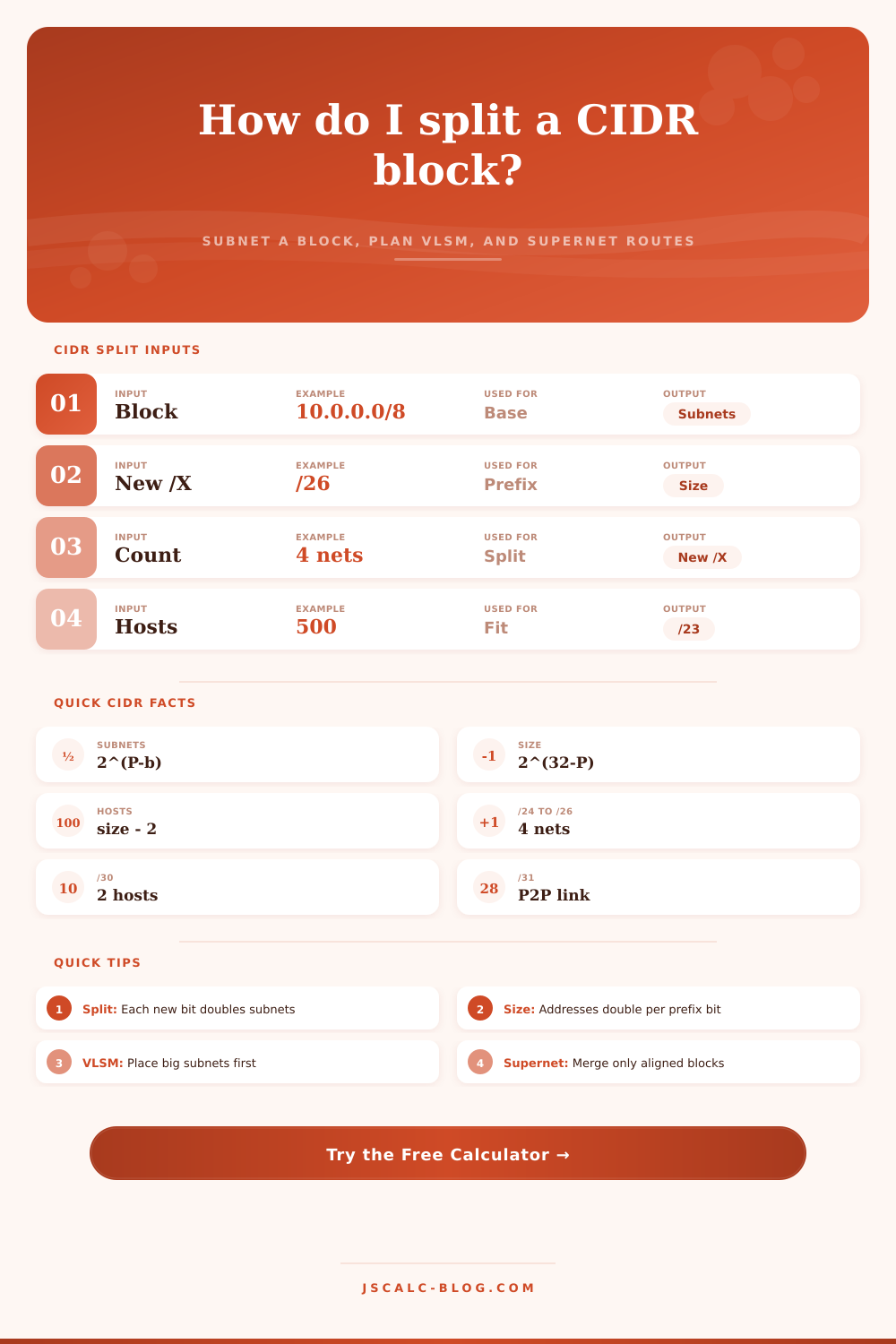
Now there’s just one question: how do you determine these parameters in first place? This is where the core trade-off for any subnet lies: how many subnets are needed versus how many host per subnet? If you want to double the former, you must halve the latter, because every bit removed from the host portion of an address results in doubling your amount of subnets but halving their respective sizes. It’s a zero-sum game with a fixed prefix length.
If you divide up a typical /24 into four equally sized subnets then what have you done? You’ve borrowed two bits out of the host part of the address space. How many subnets do two bits get you? 2 to the power of 2, or 4 subnet. What does that cost you? Each one of your subnets has been reduced from 256 possible addresses down to 64 addresses. A little home/office network may well be just right. That simply won’t cut it for a publicly accessible server farm.
Bottom line: match the prefix length with the real-world requirements of the segment itself. A /30 is really only good for two useable hosts; perfect if you need a point-to-point link and there’ll never be anything else on there. Wasting 252 addresses that way on a local link is no big deal. However, try that at scale with thousands of routers, where each has dozens, hundreds, or even more interface, and it’s a nightmare.
The waste problem is solved by Variable Length Subnet Masking (VLSM), which allows for multiple prefix lengths in the same address space. Rather than slicing the block into equal pieces, you make cuts as if assembling a puzzle. First, give the biggest subnet you need. Then, the next-biggest. And the next. This continues all the way down to your point-to-point link. Every bit has something to do; no more wasting bits, which keeps the addressing efficient.
With this approach, the calculator let you plan subnets precisely to the number of hosts needed. It will find the smallest prefix that’s sufficient and doesn’t spill over into neighboring blocks. For example, supernetting combines small prefix sums into larger summary routes that shrink the size of routing tables. Because internet edge routers can be carrying millions of routes, this is important in designing networks.
For example, instead of 10 /24 routes you could combine two side-by-side ones into a /22 or /23. This makes the topology simpler and uses less memory on your network device. But the aggregation doesn’t work unless the blocks line up nicely with each other based off their bits. You can’t take a 192.168.1.0/24 and 192.168.3.0/24 and aggregate them together into one /23. They’re not contiguous. The table on the page shows which ranges the masks cover, making it clear how the blocks need to line up for aggregation to work.
The mistake here isn’t usually an error in calculating the math; it’s either overestimating how fast your network will grow or underestimating overhead. In traditional IPv4 networks, network and broadcast addresses reduces your usable capacity by two per subnet. That leaves only 126 addresses out of 126. You need to plan on having enough for exactly 100 hosts (even if they don’t match perfectly), which means using a /25 subnet.
Netmasking (subnetting) boils down to a matter of balance. There aren’t an infinite number of addresses; you’re taking finite resources and distributing them across various demands while still leaving each segment sufficient space to breathe without using more addresses than necessary. While the tool does the dividing for you, you supply the strategy.
Next time you’re reviewing your network diagram, consider: do all those prefix lengths accurately represent the traffic carried by each one? Or have they been applied simply out of habit? Efficiency matters, yes (but so does maintainability). An orderly address map helps troubleshooting when things invariably go wrong. So take your biggest chunks first, then work your way downward to the tiniest bits, and trust the calculator to make sure all those edges line up.
You’re no longer solving a hard math problem; you’ve turned it into an easy design decision where you can concentrate on architectural concerns instead of numbers. Whether you have a few VLANs or need to manage an entire cloud infrastructure, this results in a network that scales easy.