Broadcast Address Calculator
Find the IPv4 broadcast address by OR-ing the network address with the wildcard mask. Enter an IP with a CIDR prefix or a dotted mask and this tool returns the broadcast, the wildcard used, the last usable host, and the magic-number interval found as 256 minus the interesting mask octet.
📡Mask Entry Mode
🎯Real Network Presets
📝IP and Mask Inputs
Any host inside the subnet works; the broadcast does not depend on which host you type.
Prefix bits set to 1 in the mask; the rest are host bits.
Must be contiguous ones then zeros, for example 255.255.255.192.
Adds binary lines for IP, mask, wildcard, and broadcast.
The block size in the interesting octet equals 256 minus that mask octet.
🔢Broadcast Snapshot
📋Worked Network-OR-Wildcard Example
| Step | Operation | Value (dotted) | Result |
|---|---|---|---|
| 1 | Host IP | 192.168.1.10 | Any host in block |
| 2 | Subnet mask /26 | 255.255.255.192 | 26 network bits |
| 3 | Wildcard = NOT mask | 0.0.0.63 | 6 host bits |
| 4 | Network = IP AND mask | 192.168.1.0 | Block start |
| 5 | Broadcast = net OR wildcard | 192.168.1.63 | Block end |
| 6 | Last host = broadcast - 1 | 192.168.1.62 | Highest usable |
📊Magic Number Table (256 minus Mask Octet)
| Mask Octet | Block Size (256 - octet) | Prefix in Octet | Host Bits | Blocks in Octet |
|---|---|---|---|---|
| 0 | 256 | /24 boundary | 8 | 1 |
| 128 | 128 | /25 | 7 | 2 |
| 192 | 64 | /26 | 6 | 4 |
| 224 | 32 | /27 | 5 | 8 |
| 240 | 16 | /28 | 4 | 16 |
| 248 | 8 | /29 | 3 | 32 |
| 252 | 4 | /30 | 2 | 64 |
| 254 | 2 | /31 | 1 | 128 |
| 255 | 1 | /32 | 0 | 256 |
📡Broadcast per Common Prefix on a /24
| Prefix | Subnet (192.168.1.x) | Broadcast | Usable Range | Hosts |
|---|---|---|---|---|
| /24 | 192.168.1.0 | 192.168.1.255 | .1 - .254 | 254 |
| /25 | 192.168.1.0 | 192.168.1.127 | .1 - .126 | 126 |
| /25 | 192.168.1.128 | 192.168.1.255 | .129 - .254 | 126 |
| /26 | 192.168.1.0 | 192.168.1.63 | .1 - .62 | 62 |
| /26 | 192.168.1.64 | 192.168.1.127 | .65 - .126 | 62 |
| /27 | 192.168.1.32 | 192.168.1.63 | .33 - .62 | 30 |
| /28 | 192.168.1.16 | 192.168.1.31 | .17 - .30 | 14 |
| /29 | 192.168.1.8 | 192.168.1.15 | .9 - .14 | 6 |
| /30 | 192.168.1.4 | 192.168.1.7 | .5 - .6 | 2 |
🗃Prefix Comparison Grid (on 192.168.1.0)
| Prefix | Subnet Mask | Wildcard | Block Size | Broadcast | Last Host |
|---|---|---|---|---|---|
| /24 | 255.255.255.0 | 0.0.0.255 | 256 | 192.168.1.255 | 192.168.1.254 |
| /25 | 255.255.255.128 | 0.0.0.127 | 128 | 192.168.1.127 | 192.168.1.126 |
| /26 | 255.255.255.192 | 0.0.0.63 | 64 | 192.168.1.63 | 192.168.1.62 |
| /27 | 255.255.255.224 | 0.0.0.31 | 32 | 192.168.1.31 | 192.168.1.30 |
| /28 | 255.255.255.240 | 0.0.0.15 | 16 | 192.168.1.15 | 192.168.1.14 |
| /29 | 255.255.255.248 | 0.0.0.7 | 8 | 192.168.1.7 | 192.168.1.6 |
| /30 | 255.255.255.252 | 0.0.0.3 | 4 | 192.168.1.3 | 192.168.1.2 |
| /31 | 255.255.255.254 | 0.0.0.1 | 2 | 192.168.1.1 | point-to-point |
⚙Formula Breakdown
💡Broadcast Address Tips
This page has a broadcast address calculator. What’s it calculate? It gives you the answer to exactly one question: “Given a host and a subnet mask, what is the only address that reaches all devices on that local network?”
That would be directed broadcast address, the single address right up there at the top of the block. The calculator use the subnet mask, subtracts 1 from it (aka the wildcard mask), and then ORs that into the network address. The result is the directed broadcast address. And it displays the magic-number shortcut version of the calculation so that you can do the same thing in your head.
How to Find the Broadcast Address
IPv4 subnets set aside two special addresses: the network address (all zeroes for the host bits) and the broadcast address (all ones). Packets destined for the broadcast address gets to all devices on that subnet at once. For example, in a simple /24 like 192.168.1.0, the broadcast address is 192.168.1.255. Broadcast is used by older protocols like NetBIOS name resolution and legacy DHCP discovery. If you’re authoring firewall rules, it’s important to know the precise value.
Two methods of calculating a broadcast commonly arise. Routers does it this way and so does this calculator (wildcard method). It calculates the wildcard mask (the bitwise inverse of the subnet mask). Then it calculates the network address by ANDing the host IP with the mask. Finally, it calculates the broadcast by ORing the network address with the wildcard.
The wildcard marks host bits with ones, the mask clears host bits and the network OR wildcard sets them all. Then it packs all four octets into a single 32-bit integer under the hood. It shifts a full field (32 minus the prefix length) left to get the mask from the prefix. The ones-complement of that is the wildcard. It perform an unsigned right shift so none of this ever breaks on the high bits. Then the calculator unpacks it back into dotted decimal.
Optionally, it will show each step in binary where you can watch host bits turn from zero to one. That’s not always available with a calculator at your side. But it also teaches the magic-number trick.
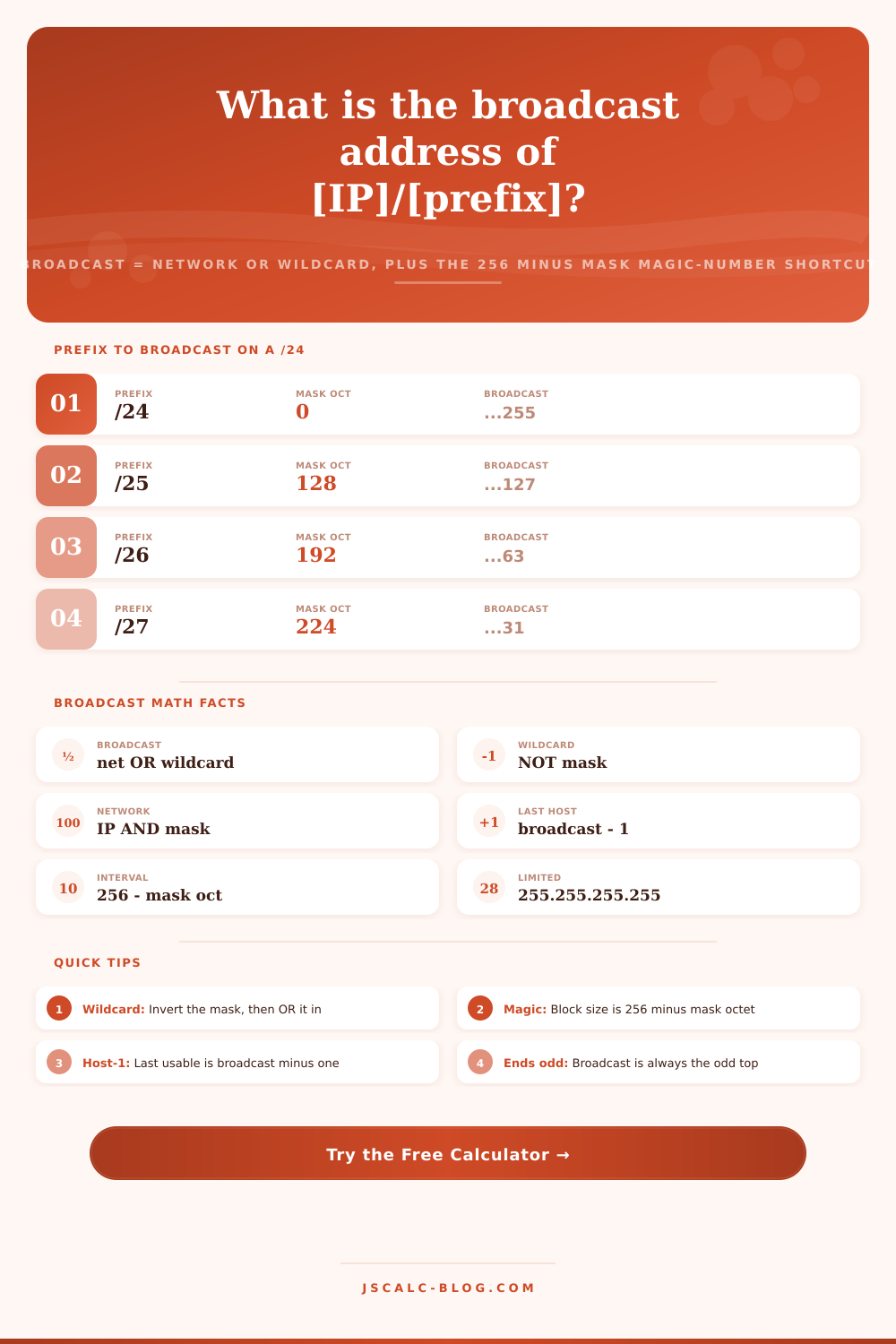
The block size is 256 minus the interesting octet (the part of the mask that is not 0 or 255). In our /27, this is 224; therefore the block size is 32. That means subnet boundaries are 0, 32, 64, and 96. Any given block’s broadcast address is one less than its boundary. One single subtraction is the quickest way to find broadcast addresses by hand.
You can’t assign anything greater than that to your devices, since the broadcast is reserved. If the broadcast of your /28 is 192.168.1.31 then your last valid host will be 192.168.1.30. Never hand out the broadcast accidently, the calculator brings that right to your attention.
There are two edge cases worth noting. A /31 prefix contain just two addresses, including no separate broadcast. A /32 is simply a single host route; there’s not even a broadcast. Instead of printing some misleading value, the tool kindly accommodates both.
Let me break up types of broadcasts into their own category. First there is the directed broadcast which is unique to a given subnet. Then there is the limited broadcast of 255.255.255.255. Every host knows this one means everyone who is currenty on my local link. Routers never forward a limited broadcast. A directed broadcast is a subnet-only broadcast. Typically they are not allowed to cross router boundaries for security reasons.
Each run is summarized by four cards. There is one for the magic number, another for the last usable host, another for the wildcard mask used, and one more for the broadcast address. Below them is a list of all the breakdowns: rows in binary, rows with prefixes, and rows with hosts. That covers off most common scenarios engineers encounter. These include a home /24, an office /26, a VLAN /27, and a DMZ /28. Each preset loads actual octets, fires up the calculation instantly and you get to watch it go: the broadcast shift as the prefix tightens.
Subnetting errors are quiet but expensive. Two subnets overlapped because block size was miscounted. Traffic dropped because the broadcast was assigned to a server. This calculator uses network OR wildcard to compute the broadcast just as a router does, and it also teaches you the 256-minus-mask shortcut for when you don’t have a calculator handy. It also lets you switch to binary to make it easier to understand.
Plug in a preset and you know your answer will be right each time, it’s just math. You should of used this more often.