Bitwise XOR Calculator
Compute A XOR B where every output bit is 1 only when the two input bits differ. Enter operands in decimal, binary, or hex, then read the result in all three bases, see the aligned bit-by-bit XOR column, count the differing bits (Hamming distance), and flip bits with a toggle mask.
⊕Quick XOR Presets
🔢XOR Inputs
The first number. Interpreted using the base you pick beside it.
How to read Operand A. Hex may use an optional 0x prefix.
The second number. In mask mode its 1-bits flip the matching bits of A.
How to read Operand B or the mask value.
Number of bit columns shown in the aligned XOR view.
Toggles the aligned A / B / result binary breakdown.
Same math either way; this reframes B as a bit-flip mask over A.
Chooses which base the status line calls out first.
📈XOR at a Glance
🔑1-Bit XOR Truth Table
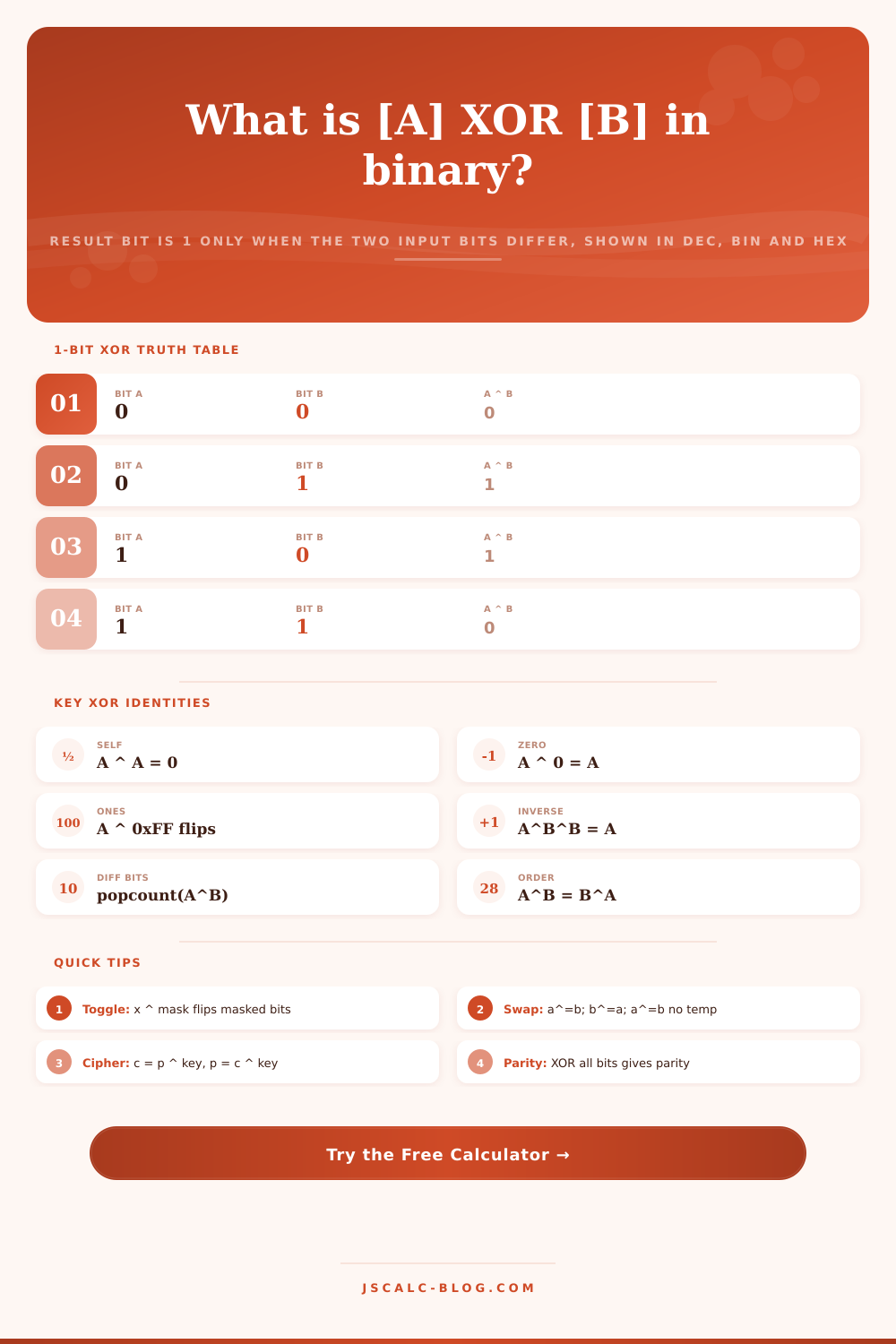
| Bit A | Bit B | A ^ B | Bits Match? | Meaning |
|---|---|---|---|---|
| 0 | 0 | 0 | Yes | Same, output 0 |
| 0 | 1 | 1 | No | Differ, output 1 |
| 1 | 0 | 1 | No | Differ, output 1 |
| 1 | 1 | 0 | Yes | Same, output 0 |
📑XOR Identities and Properties
| Property | Rule | Example | Why It Matters |
|---|---|---|---|
| Self-cancel | A ^ A = 0 | 6 ^ 6 = 0 | Duplicate detection, reset |
| Zero identity | A ^ 0 = A | 6 ^ 0 = 6 | Leaves value unchanged |
| Own inverse | A ^ B ^ B = A | 6 ^ 10 ^ 10 = 6 | Encrypt then decrypt |
| Commutative | A ^ B = B ^ A | 12 ^ 10 = 10 ^ 12 | Order does not matter |
| Associative | (A^B)^C = A^(B^C) | chained folds | Fold a whole array |
| Flip mask | A ^ 0xFF | flips all 8 bits | Invert selected bits |
| Toggle bit n | A ^ (1 << n) | A ^ 32 flips bit 5 | Switch one flag |
🗃XOR Comparison Grid
| A | B | A ^ B (dec) | Binary (8-bit) | Diff Bits | Use Case |
|---|---|---|---|---|---|
| 12 | 10 | 6 | 0000 0110 | 2 | Basic difference |
| 255 | 170 | 85 | 0101 0101 | 4 | Alternating mask |
| 42 | 42 | 0 | 0000 0000 | 0 | Self cancels |
| 200 | 0 | 200 | 1100 1000 | 0 | Zero identity |
| 150 | 255 | 105 | 0110 1001 | 8 | Flip all bits |
| 5 | 32 | 37 | 0010 0101 | 1 | Toggle bit 5 |
| 65 | 32 | 97 | 0110 0001 | 1 | ASCII A to a |
| 72 | 203 | 131 | 1000 0011 | 4 | Cipher byte |
| 240 | 15 | 255 | 1111 1111 | 8 | Nibble merge |
| 7 | 7 | 0 | 0000 0000 | 0 | Parity of pair |
🌐Common Byte Masks
| Mask | Hex | Binary | XOR Effect on A |
|---|---|---|---|
| All ones | 0xFF | 1111 1111 | Flip every bit (NOT) |
| High nibble | 0xF0 | 1111 0000 | Flip top 4 bits only |
| Low nibble | 0x0F | 0000 1111 | Flip bottom 4 bits |
| Alternating | 0xAA | 1010 1010 | Flip odd-index bits |
| ASCII case | 0x20 | 0010 0000 | Swap letter case |
| Single bit 0 | 0x01 | 0000 0001 | Toggle least bit |
| Sign bit (8) | 0x80 | 1000 0000 | Flip highest bit |
⚙Formula Breakdown
💡Practical XOR Tips
Bitwise XOR compares two number digit-by-digit; if they don’t match, it return a 1 (flipping a flag). That means that the XOR operator is good for detecting differences… A difference calculator. The beauty of it is that it removes abstraction. You can drop in whatever number you want in whichever base (hex, binary, or decimal). It will return the answer in all three and show them lined up visually in a column.
This makes it easier to follow the rule along with your finger until it stick in your head, instead of being another forgotten quirk of the syntax. The operation is called exclusive-or and is defined by applying it to the bits in each column of a number, one column at a time. It is straightforward. Zero XOR zero equals zero. One XOR one equals zero. Zero XOR one equals one. One XOR zero equals one. Put another way, the output bit will light up if the two input bits aren’t alike.
What Is Bitwise XOR?
You can check if either bit is set (the inclusive OR), or you can check if they are both set (AND). But if you care about parity shift or a flag flipping, or any question of change, you’d ask with XOR because it cares about differences. Put 10 and 12 in the tool and it will line them up as 1010 and 1100 and work through each column resolving where they don’t match. The answer is 0110, which is six in decimal. This means the answer shows where numbers disagree.
Four metrics are calculated with each operation and displayed differently. First, the decimal answer is shown in decimal format, which is how you would typically program this in most languages. Second, it’s shown in binary but grouped into nibbles so you can still read long numbers. Third, it’s expressed in hexadecimal, the base used by engineers when they’re talking about colors and memory addresses. Fourth, it’s the Hamming distance between your two operands, otherwise known as the number of differing bits.
It will tell you the number of differences but also whether it’s an odd or even difference. Because one wrong bit flipped could trash a transmission unless you catch it early, parity is important for error checking. What XOR does isn’t always apparent from numbers alone. The calculator presents the operands in an aligned grid, drawing them above and below each other. Result is shown under those, padded to whatever number of bits you prefer; eight, sixteen, or thirty-two. The highlighted positions make it clear right away which columns has changed, turning a mental puzzle into something you can see.
If you’d like to flip some bits in A, you can set the second operand as a mask. XORing a bit with zero leaves it unchanged. XORing with one inverts it. This way, you create a mask where the ones indicate which bits to change. To flip a single bit, then, you simply use a mask with a one shifted left by the number of positions representing the bit you wish to flip. Apply the same mask again and it will cancel out entirely, which is clean and reversible.
Most of what XOR comes up in practice can be explained by a few identities. If you apply it to any value with the same bits, it will return zero (e.g., A XOR A = 0). If you apply it to anything and zero, then you’ll get back whatever was there at first (e.g., A XOR 0 = A, since nothing is different than nothing). Because XOR is associative and commutative, applying it in chains doesn’t matter. The groupings do not matter. The order does not matter.
You can take some array and fold it into a single value. The duplicates cancel in pairs, leaving only the unpaired survivor. Only the one that isn’t paired will remain. It’s a little trick that’s linear time and memory efficient. Best of all, you can encrypt messages with a cipher where decrypting is the exact same operation as encrypting because A XOR B XOR B gives you back A! That self-cancelling trait is how those simple ciphers work.
Preset mappings from this page correspond to actual use cases in hardware logic or systems programming tasks. Stream ciphers, which encrypt using a key and then decrypt by doing the same thing again, are based on the inverse property. Without any branching logic, flipping the case bit (with 0x20) switches between upper- and lower-case letters. You can create a checksum by taking all the bits of a value and folding them into one parity bit. This process depends on such a fold.
Each operand can have its own choice of input base, making natural mixing between variables expressed in decimal and constants written out as hex. Finally, you can set how wide each value is displayed, allowing you to examine either a thirty-two-bit word or an eight-bit byte in an aligned format. This keeps the binary representation looking nice and clean, but under the hood the tool will mask values to match the chosen width.
Seeing the bits line up is the quickest path to building that intuition. XOR rewards understanding rather than memorization. Whether you’re trying to explain the swap trick or debug a flag register, having the answer in binary, decimal, and hex helps. It bridges the gap between high-level world of logic and the low-level world of reality. Enter two numbers and read the result. Watch how the pattern of difference reveals itself when looked at closely.
The magic isn’t in the operation itself; it is in the pattern of difference that reveals itself when you look closely enough. You should of seen the bits line up sooner if you used the tool.