Audio Bitrate Calculator
Compute uncompressed PCM audio bitrate as sample rate multiplied by bit depth multiplied by channels, then read the file size for any clip length, the storage used per hour, and the compression ratio when you compare a codec such as MP3, AAC, Opus or FLAC against raw PCM.
🎧Choose a Mode
🎵Real Audio Format Presets
📝Audio Signal Inputs
Samples captured per second, in hertz.
Bits stored per sample per channel.
Number of independent audio channels.
Target bitrate a lossy or lossless codec is set to.
Length of the audio you want to size.
Applies to the duration field above.
Controls rounding on every result card.
🔢Formula Snapshot
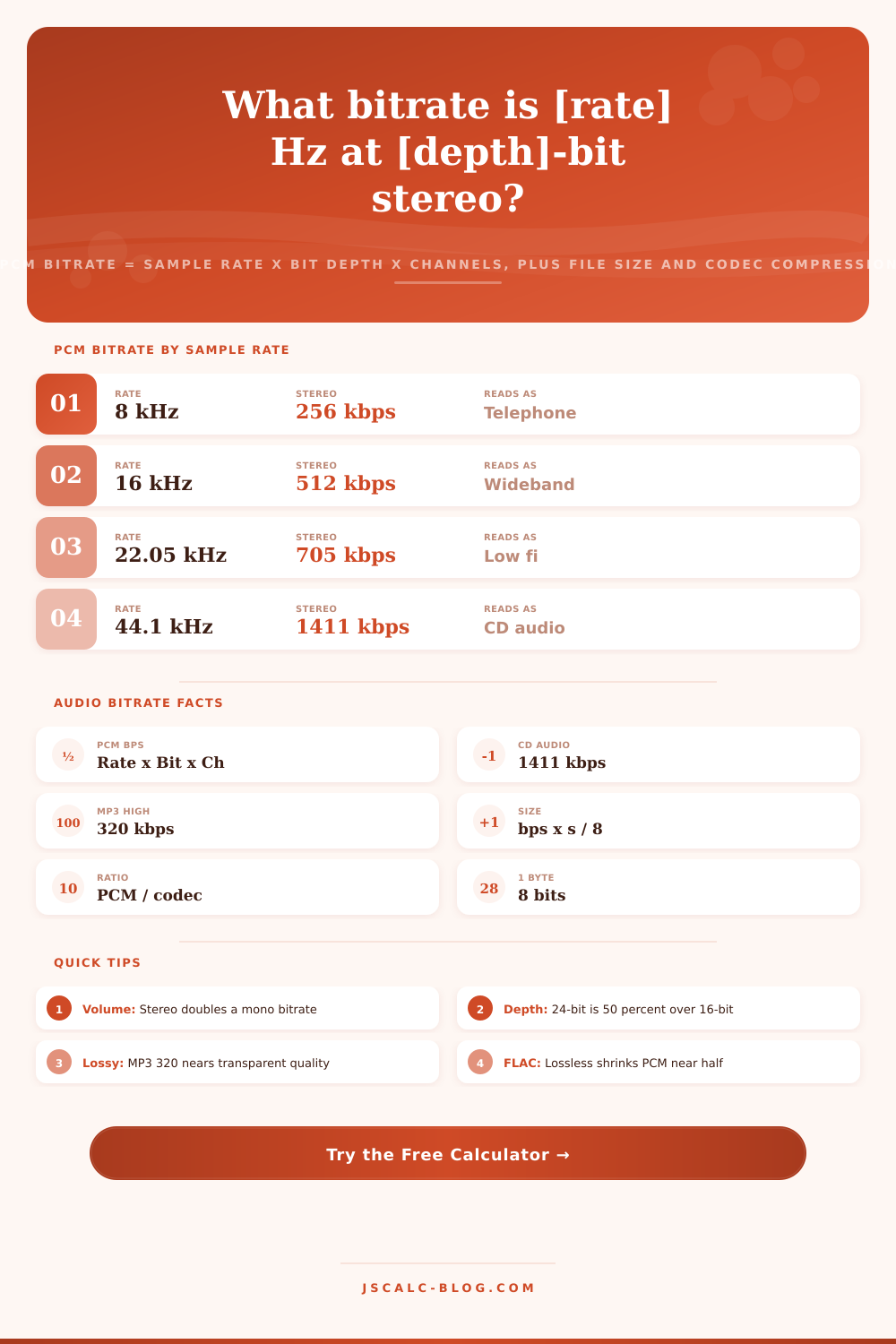
📊PCM Bitrate by Sample Rate (16-bit)
| Sample Rate | Mono kbps | Stereo kbps | Reads As |
|---|---|---|---|
| 8000 Hz | 128 | 256 | Telephone |
| 16000 Hz | 256 | 512 | Wideband voice |
| 22050 Hz | 352.8 | 705.6 | Low fi |
| 44100 Hz | 705.6 | 1411.2 | CD audio |
| 48000 Hz | 768 | 1536 | DVD, video |
| 88200 Hz | 1411.2 | 2822.4 | Hi-res 2x |
| 96000 Hz | 1536 | 3072 | Studio |
| 176400 Hz | 2822.4 | 5644.8 | DXD |
| 192000 Hz | 3072 | 6144 | Mastering |
💿PCM Bitrate by Bit Depth (44.1 kHz Stereo)
| Bit Depth | Stereo kbps | Dynamic Range | Typical Use |
|---|---|---|---|
| 8-bit | 705.6 | ~48 dB | Retro, samplers |
| 16-bit | 1411.2 | ~96 dB | CD, streaming |
| 24-bit | 2116.8 | ~144 dB | Recording, mixing |
| 32-bit float | 2822.4 | ~1500 dB | Mastering, DAW |
🎶Codec Bitrate and Quality Guide
| Codec | Type | Common kbps | Quality Note |
|---|---|---|---|
| MP3 | Lossy | 128 / 192 / 320 | 320 near transparent |
| AAC | Lossy | 96 / 128 / 256 | Beats MP3 at same rate |
| Opus | Lossy | 64 / 96 / 128 | Best low bitrate voice |
| Vorbis | Lossy | 112 / 160 / 240 | Open, quality VBR |
| FLAC | Lossless | 600 to 900 | ~50-60% of PCM |
| ALAC | Lossless | 600 to 900 | Apple lossless |
| WAV / PCM | Uncompressed | 1411 (CD) | Full raw quality |
📞Sample Rate Use Cases
| Sample Rate | Nyquist Limit | Where Used | Why |
|---|---|---|---|
| 8000 Hz | 4 kHz | Phone calls | Speech intelligibility |
| 16000 Hz | 8 kHz | VoIP, voice AI | Wideband clarity |
| 44100 Hz | 22.05 kHz | CD, music | Covers human hearing |
| 48000 Hz | 24 kHz | Video, film | Broadcast standard |
| 96000 Hz | 48 kHz | Studio tracking | Headroom for editing |
| 192000 Hz | 96 kHz | Mastering, archive | Maximum fidelity |
🗃Format Comparison Grid
| Format | Typical kbps | Type | MB per Minute | Ratio vs CD | Best Use |
|---|---|---|---|---|---|
| PCM WAV CD | 1411 | Uncompressed | 10.58 | 1.0x | Mastering source |
| FLAC lossless | 800 | Lossless | 6.00 | 1.8x | Archive libraries |
| MP3 320 | 320 | Lossy | 2.40 | 4.4x | High-fi portable |
| AAC 256 | 256 | Lossy | 1.92 | 5.5x | Streaming stores |
| MP3 192 | 192 | Lossy | 1.44 | 7.3x | General music |
| AAC 128 | 128 | Lossy | 0.96 | 11.0x | Mobile streaming |
| Opus 96 | 96 | Lossy | 0.72 | 14.7x | Voice, podcasts |
| Opus 64 | 64 | Lossy | 0.48 | 22.0x | Low bandwidth |
| MP3 128 | 128 | Lossy | 0.96 | 11.0x | Legacy playback |
| AMR speech | 12.2 | Lossy | 0.09 | 115.7x | Cellular voice |
⚙Formula Breakdown
💡Audio Bitrate Tips
The solution to that may be archiving a bunch of music which fills up your hard drive, or it could be that what sounds great in your headphones doesn’t translate well into a phone conversation. Why? That is why math and magic are different. Math is how many channels of audio, how accurately we measure those channels, and how frequently we do so. Those are the parameter that lead to storage space, and ultimately file size. You don’t need to memorize these, but knowing about them will help you make more informed decisions then guesswork.
So what is uncompressed audio? Or more specifically, what is PCM (pulse code modulation)? PCM is just plain old data with no secrets. You record a waveform, break it up into individual sample and then note the height of each sample. How many times do you take this slice per second? That’s your sample rate. And how much vertical precision are you recording each time? That’s your bit depth. How many separate streams is running at once? Number of channels. Multiply those together, and you’ve got your bitrate in bits per second.
Understanding Audio File Formats and Sizes
On a standard CD, that means taking 44,100 samples per second. Each sample is 16 bits deep. There are also two stereo channel. This equates to approximately 1,411 kilobits per second. That’s a heavy number for what sounds like music, so we compress it. That’s where compression comes into play.
Lossy compression (like MP3 or AAC); doesn’t merely eliminate silence. They also relies on the imperfections of our own ears. If there’s a faint sound that occurs right after a louder noise at a similar frequency, then the compressor can eliminate the faint sound since your ear won’t hear it anyway (but your hard drive will benefit). Because the brain fills in the gaps, a 320 kilobit per second MP3 is nearly transparent to most people: It retains sufficient detail for the brain to complete the picture.
By contrast, lossless files such as FLAC use algorithms that identify patterns in the data and describe those patterns more efficient. It might say “repeat this pattern ten times” instead of writing it down each time. This results in around half the file size of raw PCM without any loss in audio quality, making it an excellent format for archiving prized music.
When it comes to choosing settings, the answer is: it depends what you want it for. For studio mixes or vocal recordings, go big. That’s 24 bits of depth at 96 kHz. This provides plenty of frequency range before export and gives you some headroom to drop the levels down without adding any noise. You pay for that in space, but space isn’t expensive, especially when compared to having to re-record something that wasn’t good enough.
But if you’re uploading a podcast, all that fidelity is wasted bandwidth; most people listen via streaming services on their phone somewhere loud. In that context, 128 kilobits per second AAC or Opus makes a perfectly clear mono track sound like a studio master on those players, but using a small part of the data.
The reference table in the tool displays the trade-offs here nicely, telling you how much one hour of audio will cost you in each format. If you’re managing a large library, file size anxiety is a real thing. An hour of CD-quality WAV files weighs in at over 600 megabytes… It doesn’t take long before those start to add up if you’ve got hundreds of hours of content. Converting to lossless compression could cut that in half, with no loss of quality. Higher quality lossy compression will save you even more, but be sure to play back the output to make sure its good enough for you. While some people can hear the difference starting at 192 kilobits per second, others don’t hear a difference till they get down to 96.
There’s no guesswork involved here, just enter how many minutes or seconds you want to convert and you’ll know exactly how many bytes it’ll cost you. This makes storage planning a lot easier.
All in all, audio engineering is a matter of trade-offs: What can we do cheaply? What will work comfortabley? And what sounds good? In that last regard, you don’t want to bloat your files past practicality, but you also want them sounding as good as they can. Knowing the ins-and-outs of inputs puts that decision in your hands.
If you’re recording voice memos, streaming live music, or archiving rips from vinyl records, you need to understand how bit depth and sample rate affect your bitrate. This knowledge lets you select the right file type for the task instead of just picking a preset option. It’s simple math when you lay eyes on it, but it makes a big difference in your workflow.