Storage Cost Per Gigabyte Calculator
Turn any drive price into a true cost per gigabyte and cost per terabyte, add a multi-pack quantity plus shipping and tax for the total effective outlay, and stretch the number over the drive lifespan to see cost per GB per year. Cloud plans are annualized so you can line up hard drives, SSDs, NVMe, and tape on the same dollar scale.
💰Real Storage Deal Presets
📝Drive and Price Inputs
Sticker price of one drive or one month of a plan.
Symbol shown on every result and card.
Advertised size of a single drive or plan.
TB is converted to GB by multiplying by 1000.
Number of identical drives in the purchase.
Cloud switches the price to a monthly rate.
Used for cost per GB per year of service.
Reference only, shown alongside lifespan.
Flat delivery cost added to the total once.
Applied to the drive subtotal before shipping.
🔢Cost Snapshot
📊Price to Cost per GB Examples
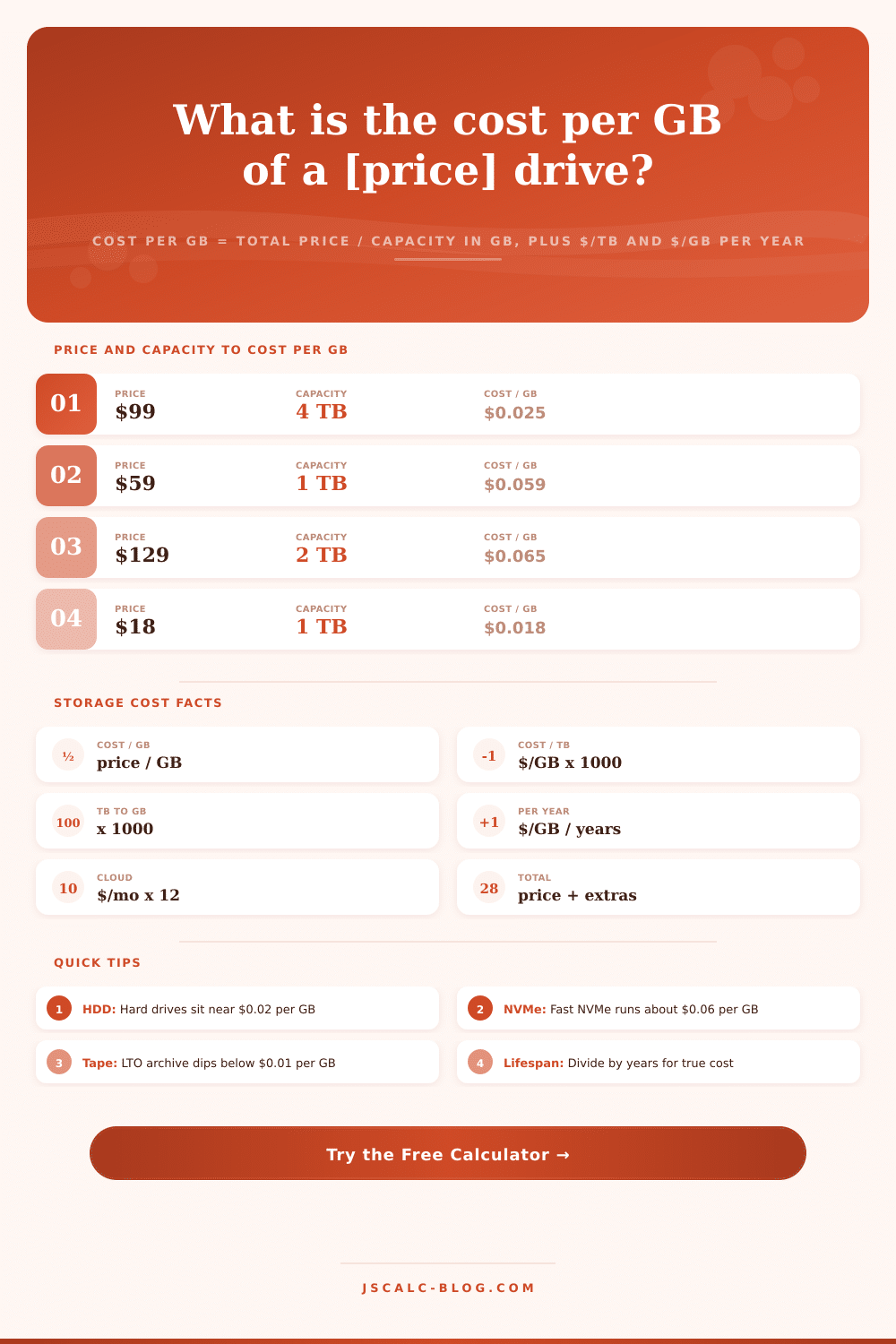
| Price | Capacity | Capacity in GB | Cost per GB |
|---|---|---|---|
| $99 | 4 TB | 4000 GB | $0.0248 |
| $59 | 1 TB | 1000 GB | $0.0590 |
| $129 | 2 TB | 2000 GB | $0.0645 |
| $249 | 4 TB | 4000 GB | $0.0623 |
| $45 | 512 GB | 512 GB | $0.0879 |
| $159 | 8 TB | 8000 GB | $0.0199 |
| $300 | 20 TB | 20000 GB | $0.0150 |
| $25 | 12 TB | 12000 GB | $0.0021 |
💾Media Type Cost Comparison Grid
| Media Type | Typical $/GB | Typical $/TB | Read Speed | Endurance | Best For |
|---|---|---|---|---|---|
| HDD 3.5 inch | $0.015 - $0.03 | $15 - $30 | 150 - 260 MB/s | Moderate | Bulk storage |
| NAS HDD | $0.018 - $0.035 | $18 - $35 | 180 - 270 MB/s | High duty | Always-on NAS |
| SATA SSD | $0.05 - $0.09 | $50 - $90 | 500 - 560 MB/s | High | Boot and apps |
| NVMe SSD | $0.05 - $0.10 | $50 - $100 | 3500 - 7400 MB/s | High | Speed and games |
| Portable SSD | $0.06 - $0.12 | $60 - $120 | 500 - 2000 MB/s | High | On-the-go work |
| USB flash drive | $0.08 - $0.20 | $80 - $200 | 100 - 400 MB/s | Low | Quick transfers |
| LTO tape | $0.002 - $0.006 | $2 - $6 | 300 - 400 MB/s | 30-year shelf | Cold archive |
| Cloud object | $0.02 - $0.30/yr | $20 - $300/yr | Network bound | Managed | Offsite backup |
📦Capacity Unit Conversions
| Unit | Equals | In Gigabytes | Note |
|---|---|---|---|
| 1 TB | 1000 GB | 1000 GB | Decimal terabyte |
| 1 GB | 1000 MB | 1 GB | Decimal gigabyte |
| 500 GB | 0.5 TB | 500 GB | Half a terabyte |
| 2 TB | 2000 GB | 2000 GB | Common SSD size |
| 8 TB | 8000 GB | 8000 GB | Popular NAS drive |
| 1 PB | 1000 TB | 1000000 GB | Data-center scale |
⚙Formula Breakdown
💡Storage Value Tips
Two near-identical-looking hard drives are lined up on the shelf, but they have different stories to tell once you get them off the shelf and whip out your wallet. One is a basic old spinning-disk variety, providing four terabytes of storage space for a hundred bucks. Another is a slick solid-state drive with only half the capacity for a few bucks more. But who cares what those stickers say? They don’t take into account how much it costs to store every single byte of data.
The calculator above do the maths when you plug in the capacity and price you care about so you can save yourself wondering if that premium speed tag is actualy worth a few extra bucks or just fancy marketing-speak. The sticker prices alone offer no guidance, right? Our brain likes big numbers, so capacity numbers is seductive. But without context, capacity numbers mean nothing.
How to Find the Real Cost of Your Storage Drive
The headline price might look high, but there’s always a chance that a drive twice as expensive could store four times the data. If so, it’s also the cheaper option on a cost-per-unit-of-storage basis. Cost per gigabyte normalizes all products into a single scale, whether it’s a massive twenty-terabyte archive drive or a tiny USB stick. That single metric allow you to rank deals honest. It helps you spot genuine bargains and avoid being tempted to pay too much just to have a brand name on your storage device. It removes the noise and exposes only the value.
While it’s still refreshing that the math here is as straightforward as possible, in reality, extra costs are added when people buy items that change the final bill. Sales tax, multi-packs delivery fees… they all affect what you end up paying out the door, and if those is ignored, you’re not making apples-to-apples comparisons.
To adjust for that, the tool lets you input how many units you’re purchasing. It multiplies the price and capacity together, applies tax to the sub-total, and adds shipping just one time across the whole order. That gives you an overall effective cost that represents the actual cash coming out of your pocket, instead of just the headline sticker price. Your final rate is honest, and grounded in reality.
The real question isn’t the initial cost, though. Hardware is something you’re renting from the physical material for as long as it is useful. That’s why annualizing the cost, while important, is equally critical. The difference between cheap and premium drives (or other storage media) can be made significantly more acceptable when expressed as the annual cost-per-gigabyte, which shows the expected life of the device in years. A $500 drive might seem outrageously expensive compared to a $100 option, until you realize it’s only a small yearly fee to use high-performance hardware instead of a huge lump sum up front. This change your perspective on the performance-versus-cost equation.
Knowing where your storage tech lives on that scale gives you a way to match the right media with the task. Boot disks and active project files get their payoff with solid-state drives, which have much faster read speeds but are on the high side. Spinning hard drives cluster around low cents per gigabyte where speed doesn’t matter much, making them the workhorse option for bulk capacity needs. Tape storage drops well below a cent per gigabyte and works for your cold archival needs… This is also at the extreme low end.
Cloud object storage is billed not by a one-time buy but as an ongoing yearly rate. Knowing those benchmarks prevents you from buying NVMe speed for files you never touch. Since you don’t buy cloud storage, but rather rent it on a monthly basis forever, you need a different kind of mental model for these plans. If you want to compare apples-to-apples, select the “cloud drive” option from the dropdown. This tells the calculator to annualize the price by multiplying it by 12, allowing us to treat it like a monthly cost. This makes the cost of online storage a concrete number, X dollars per gigabyte per year. Which you can directly compare to physical drives in a box.
For instance, this will tell you exactly when storing data on your hard drive is less expensive than storing it online and vice-versa, based off your usage habits. It changes what would otherwise be an abstract subscription fee into a clear cost-per-gigabyte-per-year comparison.
Buying storage at any price point turns from an impulsive, hyped-up guessing game to a straight-forward, dollar-per-gigabyte calculation once you get your head around it. Spend the extra money on NVMe only when it actually makes sense (fast access), and keep the low-cost capacity hard drives for the bulk backups and libraries, where speed doesn’t really matter. Take lifespan into account when comparing prices so a higher-priced but longer-lived drive will win out not based solely on initial purchase price, but cost per year.
With those figures in front of you, you won’t pay for marketing; you’ll pay for actual usable space, which is what buying storage should of been about.