MAC Address Format Converter
Paste any 48-bit hardware address in any style and instantly reformat it into colon, hyphen, Cisco dot and bare notation. The tool splits the OUI vendor prefix from the NIC portion, reads the I/G and U/L flag bits in the first octet, and builds the matching EUI-64 interface identifier.
🎯Real Address Presets
📝Address Input and Options
Accepts colon, hyphen, dot, space or bare digits. Separators are stripped to 12 hex characters.
Controls A to F casing on every output variant.
Sets the headline formatted result card.
OUI is the first 24 bits, NIC is the last 24 bits.
Inserts FFFE in the middle and flips the U/L bit.
Reports unicast vs multicast and global vs local.
🔢Address Structure Snapshot
📋Format Style Examples
| Format Name | Example | Groups | Common Platform |
|---|---|---|---|
| Colon hex | 00:1A:2B:3C:4D:5E | 6 pairs | Linux, macOS, IEEE |
| Hyphen hex | 00-1A-2B-3C-4D-5E | 6 pairs | Windows ipconfig |
| Cisco dot | 001a.2b3c.4d5e | 3 quads | Cisco IOS, NX-OS |
| Bare string | 001A2B3C4D5E | 1 block | Databases, APIs |
| Space hex | 00 1A 2B 3C 4D 5E | 6 pairs | Hex dumps, docs |
| Dot pairs | 00.1A.2B.3C.4D.5E | 6 pairs | Some SNMP tools |
| Lowercase colon | 00:1a:2b:3c:4d:5e | 6 pairs | iproute2, tcpdump |
| EUI-64 colon | 02:1A:2B:FF:FE:3C:4D:5E | 8 pairs | IPv6 SLAAC |
🔑First Octet Bit Meaning
| Bit | Name | Value 0 | Value 1 | Reads From |
|---|---|---|---|---|
| Bit 0 (LSB) | I/G | Unicast | Multicast | Octet 1 and 1 |
| Bit 1 | U/L | Global (OUI) | Locally admin | Octet 1 and 2 |
| Bits 2-7 | OUI body | Vendor bits | Vendor bits | Rest of octet 1 |
| All bits FF | Broadcast | -- | FF:FF:FF:FF:FF:FF | Whole address |
| 01:00:5E | IPv4 mcast | -- | Multicast set | OUI prefix |
| 33:33 lead | IPv6 mcast | -- | Multicast set | First two bytes |
🏢Sample Well-Known OUI Prefixes
| OUI Prefix | Registered To | Cisco Form | Typical Use |
|---|---|---|---|
| 00:1A:2B | Sample vendor block | 001a | Wired NIC |
| 00:50:56 | VMware Inc | 0050 | Virtual NIC |
| B8:27:EB | Raspberry Pi | b827 | SBC Ethernet |
| DC:A6:32 | Raspberry Pi 4 | dca6 | SBC Ethernet |
| 00:1C:42 | Parallels | 001c | Virtual NIC |
| 01:00:5E | IANA IPv4 mcast | 0100 | Multicast map |
🗃Format Comparison Grid
| Format | Example | Separator | Group Size | Group Count | Primary Users |
|---|---|---|---|---|---|
| Colon | 00:1A:2B:3C:4D:5E | Colon | 2 digits | 6 | Linux, IEEE 802 |
| Hyphen | 00-1A-2B-3C-4D-5E | Hyphen | 2 digits | 6 | Windows, IEEE print |
| Cisco dot | 001a.2b3c.4d5e | Dot | 4 digits | 3 | Cisco IOS devices |
| Bare | 001A2B3C4D5E | None | 12 digits | 1 | APIs, log stores |
| Space | 00 1A 2B 3C 4D 5E | Space | 2 digits | 6 | Hex viewers |
| Dot pairs | 00.1A.2B.3C.4D.5E | Dot | 2 digits | 6 | Some SNMP walks |
| Colon 4 | 001A:2B3C:4D5E | Colon | 4 digits | 3 | HP, mixed tools |
| EUI-64 | 02:1A:2B:FF:FE:3C:4D:5E | Colon | 2 digits | 8 | IPv6 SLAAC |
⚙Conversion Logic Breakdown
💡Numeric MAC Facts
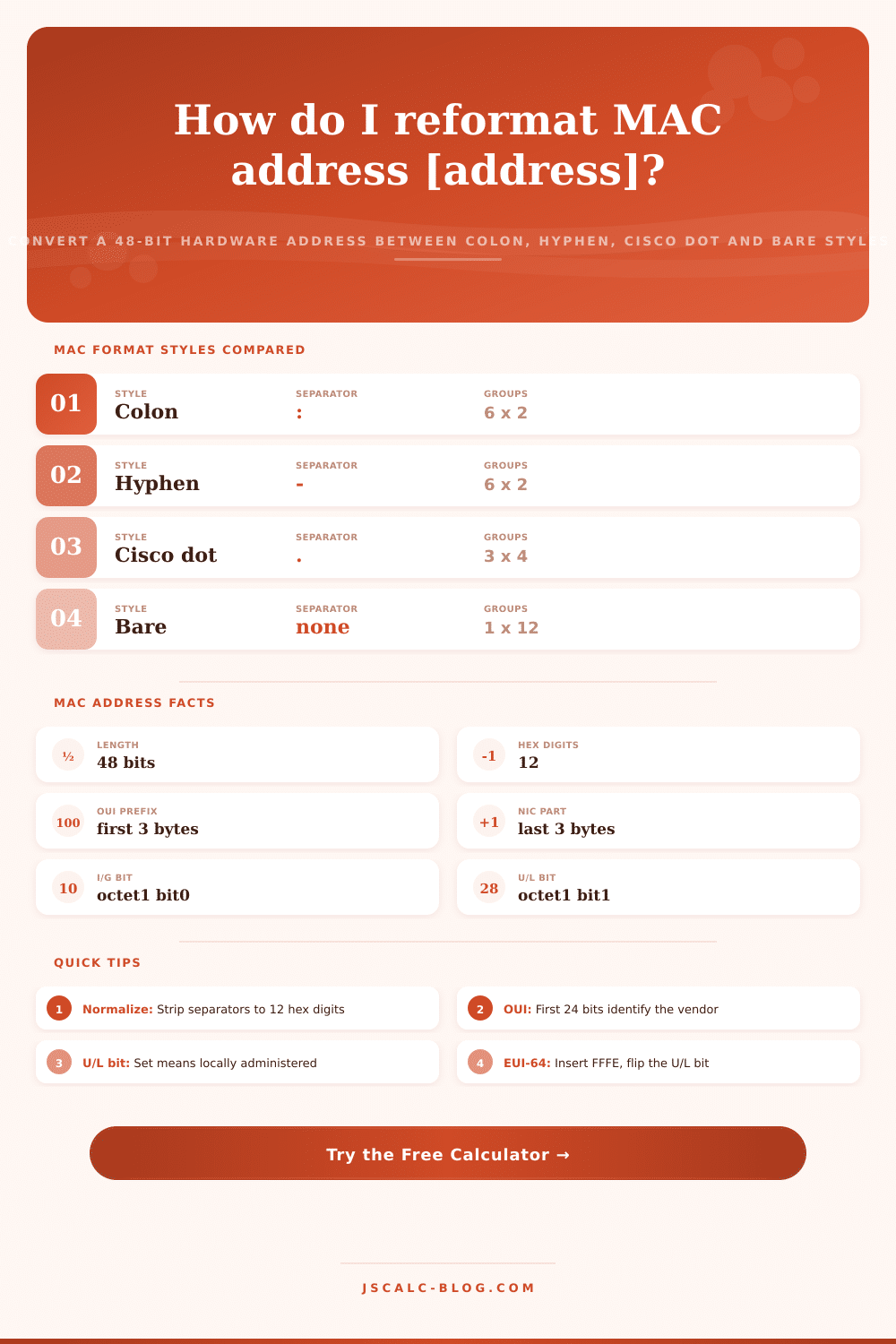
JSCalc-Blog.com’s MAC address format converter produces tidy and consistent outputs from all kinds of hardware addresses. Each network interface card are manufactured with a 48-bit Media Access Control address, which looks different depending on the platform being viewed. On a Windows machine, it will be separated by hyphens. On a Linux box, it will contain colons. On a Cisco router, groups of digits is separated with dots. In databases, it might simply appear as a string of twelve characters, no separator at all.
This converter reads whatever format you give it. It normalizes whatever format it spits out. It also gives back whatever other formats exist. It tells you the vendor prefix, the flag bits, and even EUI-64 identifier that you see in IPv6.
How the MAC Address Converter Works
A MAC address consist of 48 bits, which means that it’s comprised of six bytes (called octets) consisting of 12 hexadecimal numbers. That adds up to approximately 281 trillion possible values, plenty for a distinct identifier for each networked device. The address itself has two parts: the first three bytes are known as the Organizationally Unique Identifier, or OUI. These is purchased by hardware manufacturers from the IEEE. Those last three bytes are called the Network Interface Controller portion, or NIC. The manufacturer assigns it to specific devices. Splitting the maker from the machine is why the converter displays both the OUI and NIC side by side.
Why are we confused? Mostly because people write these things out differently. For example, what is the difference between a 1:2:3:4:5:6 address and a 1-2-3-4-5-6 address? One is the colon format (IEEE documentation, Linux, macOS default) and the other is the hyphen format (Windows ipconfig). Or how about a 123.45.67.89 address? That’s the Cisco dot format, which breaks the address into three groups of four digits. On a router, it’s typically printed in lower case. Or what about a 112233445566 address? No separators at all, just one big string of twelve characters. Good for APIs and log files and spreadsheets, when punctuation gets in the way. The calculator normalizes everything for you; no need to type it back in manually.
While this may seem trivial, the NIC/OUI split has a purpose beyond being formatted nicely. The OUI part is the maker’s ID. It’s a three-byte prefix shared by thousands of devices made by a given company. The Raspberry Pi Foundation has registered its own OUIs for their Raspberry Pi boards. VMware registers their own OUIs for VMware machines. To identify an unknown device, you need to look up the OUI and find the 24 bits that link it to a vendor in the IEEE public registry. The NIC portion work as a unique-to-that-card serial number.
Two flag bits not commonly considered is in the first byte of the MAC address. This is called the I/G (Individual/Group) bit. If bit 0 is 0, it is unicast and addressed to an individual interface. If 1 it’s multicast and addressed to a group. The next part is the U/L (Universal/Local) bit. Bit 1 is 0 for a globally unique address assigned from a real OUI, and it is 1 for a locally administered address assigned by software instead of at the factory. Always set to 1 for randomized privacy addresses on laptop and phone. Why? Because they begin with bytes 02, 06, 0A, or 0E. The tool reads these bits and calls out the address appropriately.
However, some are reserved addresses; specifically, the broadcast address (FF:FF:FF:FF:FF:FF), which goes to all devices in the local segment. Those that start with 01:00:5E are a mapping of IPv4 multicast to Ethernet. For IPv6 multicast they’re mapped from 33:33. All these also has their multicast bit on. The converter automatically notes them as multicast, and labels the broadcast one explicitly. That’s why you see this overlooked detail when going through logs.
Modified EUI-64 is a method that uses a MAC address and automatically creates an interface address. It’s all mechanical, so there’s no guessing by the converter. We divide the 48-bit address into two parts: OUI and NIC. The converter inserts the fixed 16-bit sequence FFFE in-between those two halves. That extends the length to 64 bits. Then we invert the U/L bit in the first octet. Inverting a global 00 lead byte makes it become 02. Taking our example above, 00:1A:2B:3C:4D:5E becomes 02:1A:2B:FF:FE:3C:4D:5E. That is the interface identifier. The 64-bit identifier gets appended to a network prefix to create a complete IPv6 address. Knowing how this works explain many things about IPv6 addressing.
The problem is the inconsistent use of MACs that aren’t formatted right. If a network device expects a colon but stores a hyphen, it will not match a firewall rule, RADIUS policy, or a DHCP reservation. And won’t tell you it didn’t work. Address comparisons can be missed when they are sometimes uppercase and sometimes lowercase. This category of copy-and-paste mistakes is eliminated with the converter’s ability to normalyze all the addresses to a standard form. On demand, it provides all the standard variants.
Whether you’re a developer parsing addresses in code, an engineer matching up switch tables, or a student studying Layer 2 addressing, you get the right answer in one step. It imposes order on identifying network devices.