DHCP Pool Size Calculator
Size a DHCP scope from its start and end address range, subtract the gateway, static reservations, and other infrastructure IPs, then check projected utilization and lease headroom against your peak concurrent device count so the pool never runs dry.
📡Real Network Scope Presets
📝Scope Inputs
Sets the usable host ceiling for the subnet.
First address handed out, e.g. 100 in x.x.x.100.
Last address in the range, e.g. 200 in x.x.x.200.
MAC-bound IPs pinned inside the pool range.
Gateway, servers, printers, APs outside the pool.
Most devices online and leased at the same time.
Extra short-lived devices cycling through per period.
How long each lease is held before it can be reused.
🔢Sizing Snapshot
📊Subnet to Maximum Pool Size
| CIDR | Total IPs | Usable Hosts | Max Pool (gw excluded) | Typical Use |
|---|---|---|---|---|
| /29 | 8 | 6 | 4 | Point-to-point, tiny |
| /28 | 16 | 14 | 12 | Small closet or lab |
| /27 | 32 | 30 | 28 | Meeting room, IoT |
| /26 | 64 | 62 | 60 | Small office floor |
| /25 | 128 | 126 | 124 | Branch office |
| /24 | 256 | 254 | 252 | Standard LAN or VLAN |
| /23 | 512 | 510 | 508 | Large floor, guest Wi-Fi |
| /22 | 1024 | 1022 | 1020 | Campus, event network |
| /21 | 2048 | 2046 | 2044 | Large campus VLAN |
| /20 | 4096 | 4094 | 4092 | Very large flat network |
⏳Recommended Lease Time by Environment
| Environment | Churn Level | Suggested Lease | Why |
|---|---|---|---|
| Wired office desks | Low | 8 to 24 hours | Stable devices, fewer renewals |
| Corporate Wi-Fi | Medium | 8 to 12 hours | Laptops roam but stay all day |
| Guest Wi-Fi | High | 2 to 4 hours | Visitors leave, free IPs fast |
| Public hotspot | Very high | 1 to 2 hours | Constant short visits |
| IoT and sensors | Very low | 7 to 30 days | Fixed devices, rare changes |
| Conference or event | Bursty | 1 to 3 hours | Peak crowds, rapid reuse |
| Data center hosts | None | Static or infinite | Servers should not churn |
🔑Reservation and Exclusion Planning
| Item | Handling | Count Example | Note |
|---|---|---|---|
| Default gateway | Exclude from pool | 1 | Usually .1 or .254 |
| DNS or DHCP server | Static, exclude | 1 to 2 | Keep off dynamic range |
| Network printers | Reservation | 2 to 10 | Pinned by MAC address |
| Access points | Static or reservation | 2 to 20 | Predictable management IPs |
| Servers and NAS | Static, exclude | 1 to 8 | Outside the pool block |
| VoIP phones | Reservation | 10 to 100 | Often a separate scope |
| Broadcast and network | Never usable | 2 | First and last of subnet |
🗃Scope Sizing Comparison Grid
| Environment | Peak Devices | Subnet | Pool Range | Pool Size | Lease Time | Peak Util |
|---|---|---|---|---|---|---|
| Small office | 80 | /24 | .100 to .200 | 101 | 8 h | 79% |
| Home LAN | 25 | /24 | .50 to .199 | 150 | 24 h | 17% |
| Guest Wi-Fi | 120 | /24 | .20 to .250 | 231 | 3 h | 52% |
| Branch office | 60 | /25 | .10 to .120 | 111 | 12 h | 54% |
| IoT sensors | 380 | /23 | .10 to .400 | 391 | 7 d | 97% |
| Campus VLAN | 700 | /22 | .10 to .900 | 891 | 8 h | 79% |
| Warehouse | 140 | /24 | .30 to .250 | 221 | 12 h | 63% |
| Hotel floor | 90 | /24 | .20 to .240 | 221 | 4 h | 41% |
| Lab network | 40 | /26 | .10 to .60 | 51 | 2 h | 78% |
| Conference | 420 | /23 | .10 to .500 | 491 | 2 h | 86% |
⚙Formula Breakdown
💡Pool Planning Tips
Every network administrator asks themselves this question sometime: How big a pool should I set? And if there’s a busy hour in my day, will it be enough to handle that load? Too-small a pool begins rejecting leases when a crowd comes along, leaving devices unable to find an IP address and dropping off the network right when they’re needed most. Too-large a pool wastes address space while slowing down system as it tries to locate a free one.
This page answers that question with a DHCP pool size calculator. It takes your start and end range and sizes it just right. It takes into account the addresses you must reserve, then stress-tests it against your heaviest concurrent number of device.
How to Choose the Right DHCP Pool Size
It’s a simple formula… The easy part, but it trips up people new to addressing all the time. The formula is end host number minus start host number plus 1. That last plus one is because range includes both ends of the numbers. If you run a scope from.100 to.200, it doesn’t include 100 addresses. It includes (200-100) plus 1, or 101. Estimate the number, then forget the plus one and quietly reduce every capacity estimate by one. Never worry about getting the count right again; let the calculator do the math.
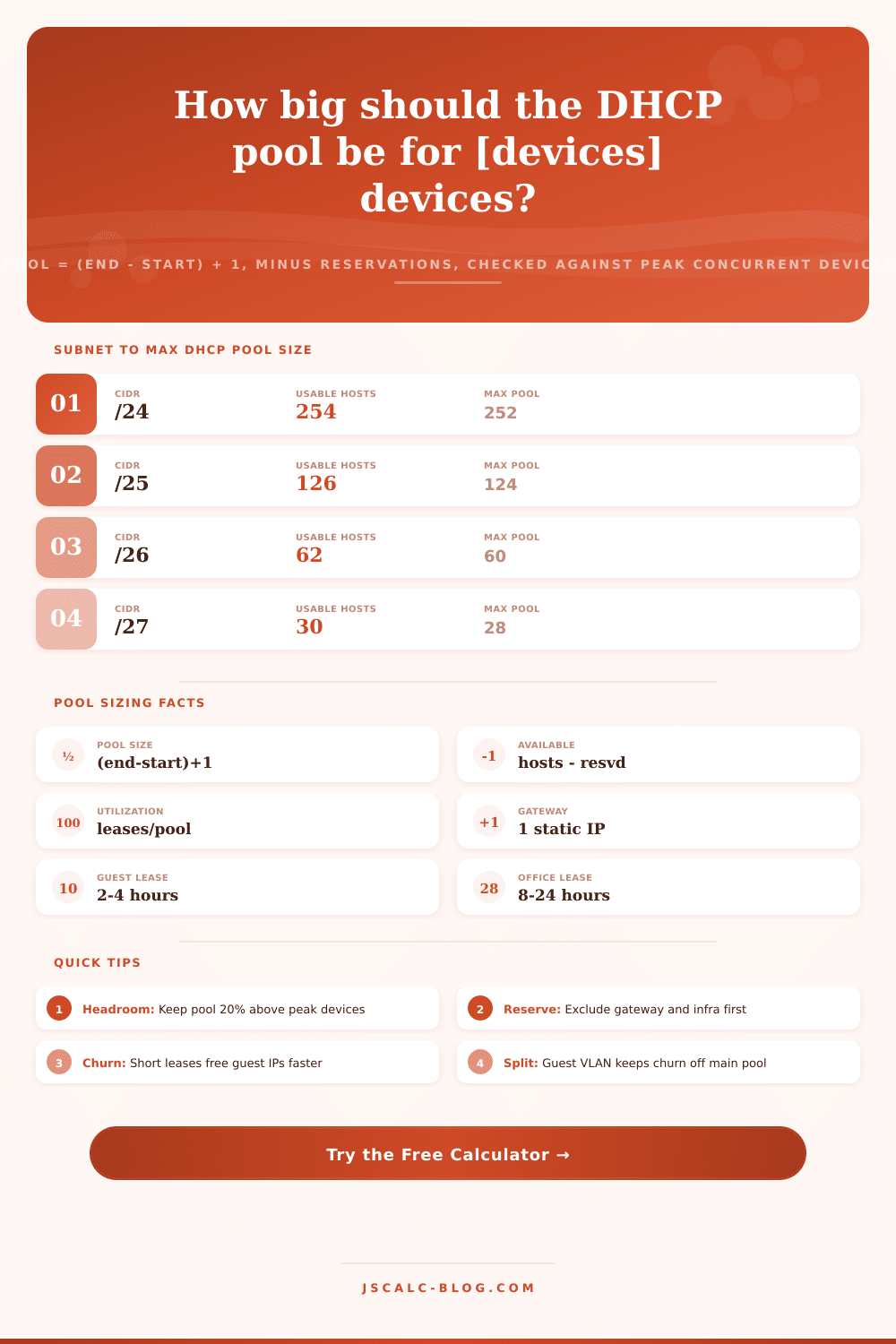
Within that subnet is a DHCP pool. And the subnet caps how many addresses can ever exist in that pool. A /24 has a total of 256 addresses, but since we always reserve two of those… The broadcast address and the network address, that means there are only 254 usable hosts. Drop down to a /25 and suddenly you’re at 126 usable. Go up to a /23 and you get 510.
The calculator maps each common prefix to its number of usable hosts, and then your pool is limited to ensure it never exceeds what the physical subnet actualy allows. For example, if you attempt to specify a range bigger than what the subnet can support, the tool will trim it down to the actual limit instead of giving you some fantasy number.
The range of addresses isn’t all dynamically assigned, either. Usually the first or last usable address is taken by default gateway. Other infrastructure devices (DNS servers), DHCP servers; are generally reserved statically and excluded from the pool altogether. Many times printers and access points get DHCP reservations that pin an address to each device via its MAC. These decrease the available number of addresses that can be used by roaming client. The calculator asks for your infrastructure IP count and static reservation count separately, subtracts those amounts, and reports the remaining number of leasable addresses.
Now that you know how many are available, the next big question is whether this comfortabley exceeds demand. How much usage will there be? Usage is the percentage of the pool size taken up by active or expected leases. There’s a popular rule-of-thumb to keep scope under ~80% use (peak) for a healthy pool. Under this mark, there is some cushion for unexpected demand-spikes or misbehaving clients who gobble up additional leases. Over 85%, the pool is on fire. At exactly 100%, there are no more addresses, and you are turning away new clients. Your output from the calculator includes a plain-english health-status label, so you’ll instantly know if the scope has some air to breathe.
That’s when DHCP gets a little subtler than just counting heads. For every device that might conceivably connect some day? No. How many may connect simultaneously? That’s the number of addresses required in your pool. Each address can be recycled again and again by devices that come and go within the day, since their lease expires and they give it back up. And how often that happens is controlled by length of lease.
Guest: Two hours. An address can be reused for up to a dozen or so short visits during the day. Office: Eight hours. It occurs about three times daily. The tool calculates this rate of reuse and includes a churn factor for guests in its estimate of effective demand. This ensures you don’t size high-churn nets as if every guest sticks around permanently.
Lease duration is highly variable across networks. Stable devices on wired office desks are well suited to longer leases (eight to twenty-four hours) that cut down on renewal traffic. Roaming corporate Wi-Fi laptops tend to stay connected all day, so an eight to twelve hour lease make sense. Short visits characterize guest Wi-Fi and public hotspots and are better served by more aggressive (one to four hour) leases that get addresses turned over fast. IoT sensors barely change and can be leased for days or even weeks. Often it’s more effective to solve a crowded pool not by just making the range bigger but matching its lease duration to the devices’ churn. This multiplies the number of devices it serves per address.
So what’s the practical bottom line? This is the headroom result. That’s the number of addresses minus effective peak demand. If it’s a positive number, then that means there’s spare capacity at the network’s fullest. If it’s a negative number, that’s a warning that you’ll run out of scope before everyone gets served. To fix that, you could shift over to a bigger subnet or remove unnecessary reservations from within the pool. You could also shorten the lease time to speed up reuse, or widen the start-to-end range if the subnet has room for it. With the shortage quantified in precise numbers of addresses, instead of having to guess at it, the trade-off becomes concrete: which one do I want more of?
DHCP scopes require balancing four numbers together. These are the lease time, which determines when an address can be reused; the expected peak load; the number of addresses reserved for specific needs; and the range set aside. Mess with one, and they all change. Pick a starting point that fits roughly your situation… Maybe it’s a busy guest network, maybe it’s a moddern office. Tweak the inputs to match your actual values, then see what happens.
Once you have sized your pool properly and monitored usage against true peak loads, you can move the scope to production, confident it will survive under heavy network loads.